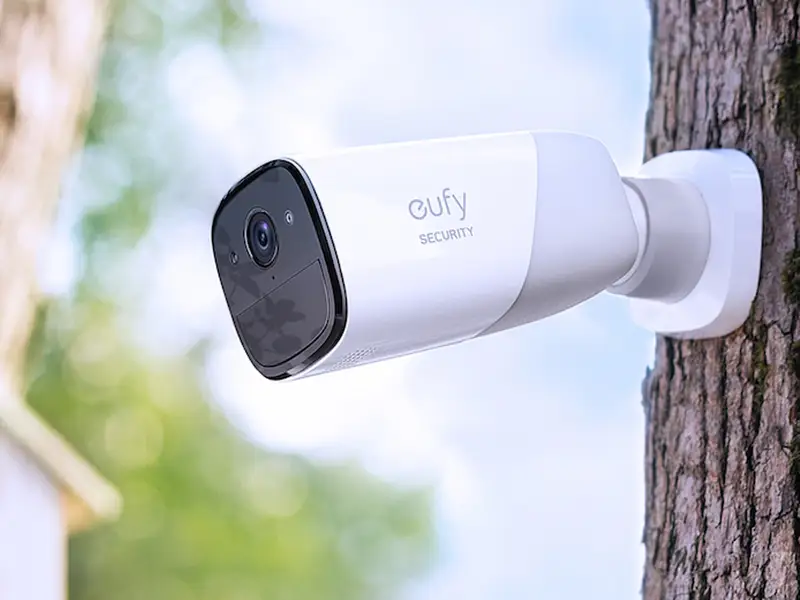
Let’s be real for a moment. That feeling when you leave the house—did I lock the door? Is that package I ordered safe on the porch? It’s a nagging little voice of uncertainty we all know. That’s why you’re likely here, searching for an honest Eufy Home Camera Review. You want peace of mind, a reliable set of eyes on your home without breaking the bank or getting tangled in complicated tech. Well, you’ve come to the right place. As a security professional, I’ve seen it all, and today, we’re diving deep into what makes Eufy a compelling choice for so many families.
Why Do You Even Need a Home Camera?
Before we get into the nuts and bolts, let’s answer a fundamental question: why bother with a camera at all? It’s not just about catching burglars red-handed, though that’s certainly a perk. It’s about connection and awareness.
A home security camera is your window back home when you’re away. It’s about:
- Deterring Trouble: The mere sight of a camera is often enough to make a potential thief think twice.
- Checking In: See if the kids got home from school safely, check on your pets to see what mischief they’re up to, or even make sure you remembered to close the garage door.
- Evidence and Clarity: In the unfortunate event that something does happen, from a fender bender in your driveway to a package theft, having clear video evidence is invaluable.
It’s about transforming anxiety into assurance. Instead of wondering, you can know.
What Makes the Eufy Home Camera System Stand Out?
So, what’s the big deal with Eufy? In a market flooded with options, Eufy, Anker’s smart home brand, has carved out a unique niche. Their philosophy is simple but powerful: security without subscription fees. This single point is a game-changer and a core reason many people seek out a Eufy home camera review.
At An Ninh Gia Dinh 247, we often see clients frustrated with mandatory monthly fees that add up over time. Eufy’s approach directly solves this pain point by focusing on local storage.
Here’s how it typically works: most Eufy outdoor camera systems come with a “HomeBase.” Think of the HomeBase as the camera’s personal, highly-secure digital vault that stays inside your home.
- Local Storage: Your video recordings are stored on the HomeBase, not on a cloud server owned by a third party. This means you control your data.
- No Monthly Fees: Because you’re not paying to rent space on a cloud server, there are no required monthly fees for storing or accessing your footage.
- Enhanced Privacy: Your personal videos stay within your home network, significantly reducing the risk of a remote data breach.
This local-first approach is Eufy’s secret sauce, and it resonates with anyone who values both security and privacy.
Key Features to Look For in a Eufy Camera
When you start browsing Eufy’s lineup, you’ll see a lot of different features. Let’s break down the ones that really matter for everyday security.
- Video Resolution (Clarity is King): Most Eufy cameras now offer 2K resolution, which is a significant step up from the old 1080p standard. This means sharper details, making it easier to identify faces or license plates.
- Battery Life: Many of Eufy’s most popular cameras are wire-free. They claim battery life ranging from 180 days to a full year on a single charge. In my experience, real-world usage (depending on how much motion it detects) is usually a bit less, but it’s still impressively long-lasting.
- Smart AI Human Detection: This is crucial. Cheaper cameras send you an alert every time a leaf blows by. Eufy’s on-device AI can tell the difference between a person, a pet, and a passing car. This dramatically reduces false alarms, so when you do get a notification, you know it’s worth checking.
- Customizable Activity Zones: You can draw a box around specific areas in the camera’s view, like your driveway or front path. The camera will then only alert you to motion inside that zone, ignoring cars driving by on the street.
- Weather Resistance: Any outdoor camera worth its salt needs to withstand the elements. Eufy cameras typically have an IP67 weatherproof rating, meaning they are built to handle rain, snow, and heat.
A Quick Comparison of Popular Eufy Models
To give you a better idea, let’s compare a few popular choices. This isn’t exhaustive, but it covers the main bases.
| Feature | EufyCam 2C Pro | Eufy Indoor Cam 2K Pan & Tilt | Eufy Video Doorbell 2K (Battery) |
|---|---|---|---|
| Best For | All-around outdoor security | Indoor monitoring, pets, and kids | Front door awareness |
| Resolution | 2K | 2K | 2K |
| Power Source | Battery (180-day) | Wired (USB) | Battery or Wired |
| Storage | HomeBase (Local) | On-device (SD Card) or Cloud | HomeBase (Local) |
| Key Feature | Integrated Spotlight, Color Night Vision | 360° Pan & Tilt, Pet/Crying Detection | Head-to-toe view, two-way audio |
| Subscription | None required for core features | None required for SD storage | None required for core features |
How Do I Install a Eufy Camera?
One of the best parts about Eufy’s wire-free systems is the ridiculously simple installation. You don’t need to be a tech wizard. I’ve guided countless clients through this, and it’s a breeze.
- Charge It Up: First things first, fully charge the camera’s battery. This usually takes a few hours.
- Set Up the HomeBase: Plug the HomeBase into your router and power.
- Download the App: Get the Eufy Security app on your smartphone and create an account.
- Sync Everything: The app will walk you through syncing your camera(s) to the HomeBase. It’s usually as simple as pressing a sync button on both devices.
- Mount the Camera: Find a good spot for your camera. A corner overlooking your main entryway or backyard is ideal. Use the included mount and screws. Since it’s wire-free, you don’t have to worry about drilling holes for cables.
- Test and Adjust: Use the live view in the app to check the camera’s angle and set up your motion detection zones. You’re all set!
Let’s Talk About Privacy and Security
In the world of smart devices, privacy is a valid concern. How can you be sure your home camera is secure? This is another area where Eufy’s system offers some reassurance.
As a security expert, I always advise a multi-layered approach. Dr. Alistair Finch, a cybersecurity consultant, often emphasizes this point:
“Your security is a chain, and it’s only as strong as its weakest link. Using a camera with local storage is a great first step, but you must also secure your Wi-Fi network with a strong, unique password and enable two-factor authentication on your Eufy account.”
Here’s a simple checklist to keep your system secure:
- [ ] Use a strong, unique password for your Eufy account. Don’t reuse the same password you use for other services.
- [ ] Enable Two-Factor Authentication (2FA). This adds a second layer of security, requiring a code from your phone to log in.
- [ ] Keep your Wi-Fi network secure. Change the default router password and use WPA2 or WPA3 encryption.
- [ ] Update your firmware. Eufy regularly pushes updates to improve performance and patch security vulnerabilities. Enable auto-updates in the app.
Integrating Eufy into Your Smart Home
If you’re already using smart speakers, you’ll be happy to know Eufy plays nicely with others. Most Eufy cameras are compatible with Amazon Alexa and Google Assistant.
This means you can say things like, “Hey Google, show me the backyard camera” on your smart display, or have your Alexa device announce when motion is detected at the front door. It’s a convenient way to tie your security into the rest of your smart home ecosystem.
Frequently Asked Questions (FAQ)
Q: Do you really not need a subscription for Eufy cameras?
A: That’s correct. For all core functionality—including live streaming, receiving motion alerts, and storing video clips locally on the HomeBase or an SD card—no monthly subscription is required. They do offer an optional cloud storage plan if you want redundant backup, but it’s not necessary.
Q: How long does the Eufy camera battery actually last?
A: It heavily depends on your settings and how much activity the camera records. In a low-traffic area, you can get close to the advertised 6-12 months. In a busy area, like a front porch with constant motion, you might expect to recharge it every 2-4 months.
Q: Can Eufy cameras record 24/7?
A: Most of Eufy’s popular battery-powered cameras are motion-activated to conserve power and cannot record 24/7. However, some of their wired cameras, like the Indoor Cam series, do offer a 24/7 recording option when using an SD card.
Q: Is Eufy a Chinese company? Are there security concerns?
A: Eufy is owned by Anker, a company based in China. However, they emphasize that user data is kept private with military-grade encryption and stored locally in the user’s home on the HomeBase, not on servers in China. For most users, their local storage architecture provides strong privacy protection.
Q: Can I access my Eufy cameras when I’m away from home?
A: Yes, absolutely. The Eufy Security app allows you to securely view live footage, watch recorded clips, and change settings from anywhere in the world, as long as you have an internet connection on your phone and your HomeBase is online at home.
Final Thoughts on This Eufy Home Camera Review
After countless installations and tests, my verdict is clear. If you’re looking for a reliable, easy-to-use, and high-quality home security camera system that respects your privacy and your wallet, Eufy is one of the best options on the market today. The initial investment might be slightly higher than some subscription-based cameras, but the long-term savings from having no mandatory monthly fees are significant.
Choosing a security system is about buying peace of mind. It’s about knowing your home and loved ones are safe. This Eufy home camera review should give you the confidence that with Eufy, you’re not just buying a piece of hardware; you’re investing in a smart, secure, and refreshingly simple solution to home security.