Let’s be honest, that feeling when you’re away from home—whether at work or on vacation—and a little knot of worry tightens in your stomach. Did I lock the back door? Is that package I ordered still on the porch? It’s a universal feeling. This is precisely why so many people are looking to buy a premium home camera system. But stepping into this world can feel like learning a new language, with terms like 4K resolution, AI detection, and NVRs being thrown around. My goal today, as your trusted security advisor, is to cut through that noise. We’re going to walk through this together, so you can find the perfect system that gives you not just security, but true peace of mind.
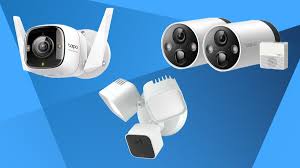
Why You Absolutely Need More Than Just a Basic Camera
When you first think of a security camera, you probably picture a grainy image of a burglar. And while that’s a valid concern, a modern, high-quality system offers so much more. It becomes your eyes and ears when you can’t be there.
Think about it. A premium camera lets you check in on your kids when they get home from school, making sure they’re safe and starting their homework. It lets you see what your mischievous puppy is really up to when you’re gone (spoiler: it’s probably the sofa cushion). For those of us with aging parents living independently, it’s an invaluable tool to ensure they’re okay without being intrusive. This isn’t just about catching bad guys; it’s about staying connected to what matters most.
Decoding the Jargon: Types of Home Cameras Explained
Before you can choose the right system, you need to know what’s on the menu. The options can seem overwhelming, but they generally fall into a few key categories.
Indoor vs. Outdoor Cameras
This is the most basic distinction. Outdoor cameras are built tough. They have to be weatherproof (look for an “IP rating” like IP66 or higher) to withstand rain, snow, and heat. They often have more powerful night vision to cover larger areas like a backyard or driveway. Indoor cameras, on the other hand, are typically smaller, more discreet, and designed to blend in with your home decor. Many indoor models prioritize features like two-way audio to double as a pet cam or a baby monitor.
Wired vs. Wire-Free: The Great Debate
- Wired Cameras: These cameras are connected by physical cables for both power and, often, an internet connection (Power over Ethernet or PoE). Their biggest advantage is reliability. You never have to worry about a dead battery or a spotty Wi-Fi signal. The downside? Installation can be a bit more involved.
- Wire-Free (or Wireless) Cameras: The champions of flexibility. These are usually battery-powered and connect to your home network via Wi-Fi. You can place them almost anywhere in minutes. The trade-off is that you’ll need to recharge or replace the batteries periodically, and their performance depends on the strength of your Wi-Fi signal.
What’s With All the Shapes? Dome, Bullet, and PTZ
You’ll see a few common shapes, and each has a purpose. Bullet cameras are the classic, noticeable shape that acts as a visible deterrent. Dome cameras are more discreet and vandal-resistant, making them great for vulnerable spots. PTZ (Pan-Tilt-Zoom) cameras are the power players; you can remotely control them to look around, giving you a massive field of coverage from a single device.
The Must-Have Features When You Buy a Premium Home Camera System
This is where we separate the good from the great. When you’re investing in a premium system, these are the features you should demand.
- Crystal Clear Video Resolution: Forget grainy, pixelated footage. 1080p Full HD is the absolute minimum. For a truly premium experience, look for 2K (QHD) or 4K (UHD) resolution. This is the difference between seeing “a person” and seeing a clear, identifiable face or license plate.
- Superior Night Vision: Burglars love the dark. Your camera shouldn’t. Basic infrared (IR) night vision shows a black-and-white image. Premium systems often feature color night vision, which uses advanced sensors and sometimes a small spotlight to capture footage in full color, even in low-light conditions.
- Wide Field of View: This is how much area the camera can see, measured in degrees. A wider field of view (130 degrees or more) means you need fewer cameras to cover the same space.
- Intelligent Motion Detection: Basic cameras alert you to any motion—a car driving by, a tree branch swaying. It’s annoying. Premium systems use AI-powered detection to differentiate between people, animals, vehicles, and even packages. You get alerts that actually matter. Looking at the top-tier market, for those looking to buy luxury home camera 2025, these AI capabilities are no longer a ‘nice-to-have’ but a core expectation.
- Two-Way Audio: A built-in microphone and speaker allow you to listen in and talk back through the camera. You can greet a delivery person, soothe a pet, or firmly tell an unwanted visitor that they are being recorded.
- Flexible Storage Options:
- Cloud Storage: Your video is uploaded to a secure server. This is great because your footage is safe even if a thief steals the camera itself. It usually requires a monthly subscription.
- Local Storage: Footage is saved to a microSD card in the camera or a central hub like a Network Video Recorder (NVR). The benefit is no monthly fees and greater privacy control. The best systems offer both.
|
Our Picks for the Best Home Camera in 2026
As an Amazon Associate, we earn from qualifying purchases.
|
||
| Num | Product | Action |
|---|---|---|
| 1 | Ring Outdoor Cam (Stick Up Cam) | Weather-Resistant Outdoor Camera, Live View, Color Night Vision, Two-Way Talk, Motion alerts, Works with Alexa | White |

|
| 2 | TP-Link Tapo Pan/Tilt Security Camera for Baby Monitor, Pet Camera w/Motion Detection, 1080P, 2-Way Audio, Night Vision, Cloud & SD Card Storage, Works with Alexa & Google Home (Tapo C200) |
|
| 3 | Ring Battery Doorbell | Home or business security with Head-to-Toe Video, Live View with Two-Way Talk, and Motion Detection & Alerts (newest model), Venetian Bronze |
|
| 4 | Tapo TP-Link 1080P Indoor Security Camera for Baby Monitor, Dog Camera w/Motion Detection, 2-Way Audio Siren, Night Vision, Cloud & SD Card Storage, Works w/Alexa & Google Home C100 |
|
| 5 | Blink Mini 2 — Home Security & Pet Camera(s) with HD video, color night view, motion detection, two-way audio, and built-in spotlight — 1 camera (Black) |
|
| 6 | 2K Cameras for Home Security-Outdoor/Indoor Camera for Dog/Cat/Pet/Nanny/Baby, Color Night Vision, White Light, Siren, 24/7 SD Recordings, Works with Alexa/Google Home, C1 (C1-White-2pack-2.4G) |
|
| 7 | TP-Link Tapo 2K Pan/Tilt Security Camera for Baby Monitor, Dog Camera w/Motion Detection, 2-Way Audio, Siren, Night Vision, Cloud & SD Card Storage, Works with Alexa & Google Home, 2-Pack (C210P2) |
|
| 8 | Kasa Smart Indoor Pan-Tilt Home Security Camera, 1080p HD Dog Camera w/Night Vision, Motion Detection for Baby & Pet Monitor, Cloud & SD Card Storage, Works w/ Alexa & Google Home, 2.4G WiFi (EC71) |
|
| 9 | WYZE Cam Pan v3, Indoor/Outdoor IP65-Rated 1080p Pan/Tilt/Zoom Wi-Fi Smart Home Security Camera with Color Night Vision, 2-Way Audio, Compatible with Alexa & Google Assistant, Free Expert Setup |
|
| 10 | WYZE Cam v4 (Latest Model), 2.5K AI Security Camera, Indoor/Outdoor Cameras for Home Security, Baby Monitor & Pet Camera, Vibrant Color Night Vision, No Subscription Required, Free Expert Help |
|
A Simple Guide to Setting Up Your New Security System
Getting started is easier than you might think, especially with modern systems.
- Plan Your Placement: Walk around your property. Identify key entry points (front door, back door, ground-floor windows) and high-traffic areas. Think about what you want to see. For outdoor cameras, place them high enough to be out of easy reach.
- Test Your Wi-Fi: For wireless cameras, take your smartphone to the intended mounting spot and check the Wi-Fi signal. You need a strong, stable connection for reliable video streaming.
- Charge and Sync: Before you get the ladder out, fully charge your wire-free cameras and sync them with the mobile app. This ensures everything is working before you mount it.
- Mount Securely: Follow the manufacturer’s instructions. A secure mount not only prevents theft but also ensures the camera angle remains stable.
- Configure Your Settings: This is the most important step. Dive into the app and customize it. Set up motion detection zones to ignore busy sidewalks, schedule when you want to receive alerts, and invite family members to have access.
“The most advanced camera system in the world is useless without a strong, unique password and two-factor authentication enabled. It’s the digital lock on your front door. Don’t leave it open.” – Dr. Alistair Finch, Cybersecurity Analyst.
Let’s Talk Privacy: Keeping Your Eyes on Your Home, Not Others’
This is a topic I’m passionate about. A security camera is a powerful tool, and it’s your right to know your footage is private and secure. When you buy a premium home camera system, you’re also buying into the company’s commitment to your privacy.
- Two-Factor Authentication (2FA): This should be non-negotiable. It means that even if someone steals your password, they can’t access your account without a second code, usually sent to your phone.
- End-to-End Encryption: Look for companies that encrypt your video footage both when it’s being transmitted (in transit) and when it’s stored on their servers (at rest).
- Reputable Brands: Stick with well-known, established brands that have a clear privacy policy and a track record of taking security seriously.
Making It All Work Together: Smart Home Integration
A truly premium system doesn’t live on an island. It works with the other smart devices in your home. Imagine this: your outdoor camera detects motion in the driveway at night. It can automatically turn on your smart porch lights, announce “Person detected at the front door” on your smart speakers, and display the video feed on your smart TV or display. This level of automation turns your system from a passive observer into an active deterrent. Look for compatibility with major platforms like Amazon Alexa, Google Home, and Apple HomeKit.
Frequently Asked Questions
How much internet speed do I need for a premium camera system?
For a single 1080p camera, you’ll want at least 2-4 Mbps of upload speed. For 4K cameras or multiple cameras, you’ll need a more robust connection, ideally 10 Mbps of upload speed or more to ensure smooth streaming and recording.
Do security cameras record all the time?
It depends on the model and your settings. Some cameras record 24/7 (Continuous Video Recording or CVR), which is common for wired systems. Many battery-powered cameras only record when motion is detected to conserve power. Most systems let you choose what works best for you.
Can home security cameras be hacked?
While any internet-connected device has a potential risk, you can minimize it significantly. Always use a strong, unique password for your camera account, enable two-factor authentication (2FA), and keep your camera’s firmware updated. Buying from a reputable brand that prioritizes security is your best first line of defense.
Where is the best place to put a security camera?
Focus on covering main points of entry: your front door, back door, and any ground-floor windows, especially those in the back of the house. A camera overlooking your driveway is also highly effective. The goal is to see a person’s face as they approach your home.
Is a subscription necessary when I buy a premium home camera system?
Not always, but often it unlocks the best features. A subscription typically provides cloud storage for your video clips, as well as advanced AI features like person and package detection. Many systems offer basic motion alerts and live viewing for free.
Your Home, Your Sanctuary
Choosing to buy a premium home camera system is an investment in your family’s safety and your own peace of mind. It’s about more than just hardware; it’s about finding a solution that fits your lifestyle. By understanding the key features, planning your setup, and prioritizing your privacy, you can move forward with confidence. You can build a smart, reliable security shield around your home that lets you relax, knowing that the things you value most are protected, 24/7.