Living in a small apartment comes with its own set of unique charms and challenges. While you might not have a sprawling yard to worry about, the desire for peace of mind is universal. You want to know your sanctuary is safe when you’re out, check in on your furry friend, or just make sure that package delivery actually arrived. That’s where finding the right Compact Home Camera For Small Apartments comes in, and frankly, it’s a game-changer. It’s not about being paranoid; it’s about being prepared and connected to the space you call home.
Why You Need a Home Camera (Even in a Small Apartment)
You might be thinking, “My place is tiny, what do I need a camera for?” It’s a fair question. But security isn’t just about catching intruders in a mansion. For apartment dwellers, a camera serves several practical, everyday purposes.
Think about it. It’s your eye in the sky when you’re at work, on vacation, or just running errands. It can help you:
- Deter Package Thieves: This is a huge one in apartment buildings. A visible camera can make a thief think twice about swiping that new gadget you ordered.
- Monitor Your Pets: Ever wonder if your dog is really just sleeping all day? A pet camera can solve that mystery and even let you talk to them through two-way audio. My own camera once showed me my cat had figured out how to open the pantry. Life-saver.
- Check on Maintenance or Landlord Visits: When you’ve been given notice that someone will be entering your apartment, a camera provides a record and an added layer of accountability.
- Provide Evidence: In the unfortunate event of a break-in or dispute, video footage is invaluable. It’s clear, unbiased evidence that can be provided to the authorities or your building management.
A compact home camera for small apartments isn’t an extravagance; it’s a modern necessity for smart, secure living.
What Makes a Great Compact Home Camera for Small Apartments?
Not all cameras are created equal, especially when space is at a premium. You don’t need a bulky, industrial-looking device. You need something effective, discreet, and packed with the right features. Let’s break down what really matters.
Size and Discretion
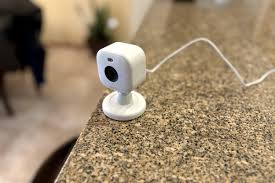
This is non-negotiable. The ideal camera should blend seamlessly into your decor. Look for models that can sit unobtrusively on a bookshelf, mount discreetly in a corner, or even have a magnetic base to stick to a metal surface. The goal is security, not making your home feel like a surveillance state.
Video Quality and Field of View
What’s the best video resolution for an indoor security camera? For most apartments, 1080p (Full HD) is the sweet spot. It provides clear, sharp images without eating up too much Wi-Fi bandwidth or storage space. Some newer models offer 2K resolution, which is even sharper if you want to zoom in on details.
Equally important is the field of view. This is the angle the camera can see. For a small studio or living room, a wide-angle lens (around 130 degrees or more) can often cover the entire space from a single corner, meaning you get maximum coverage with just one device.
Smart Features: Motion Detection and Two-Way Audio
These are the features that turn a simple camera into a powerful security tool.
- Motion Detection: The camera only starts recording and sends an alert to your phone when it detects movement. Modern cameras have smart detection that can distinguish between people, pets, and general motion (like a curtain blowing), which drastically reduces false alarms.
- Two-Way Audio: This allows you to listen in and speak through the camera using an app on your phone. You can tell your dog to get off the couch, greet your kids when they get home from school, or even verbally warn an unwelcome visitor that they are being recorded.
Night Vision
How does a security camera see in the dark? Most indoor cameras use infrared (IR) LEDs. This allows them to capture clear black-and-white video even in complete darkness. Make sure the camera you choose has a decent night vision range, typically around 30 feet (or 10 meters), which is more than enough for any room in an apartment.
Storage Options: Cloud vs. Local
You need a place to store your video footage. You generally have two choices:
- Cloud Storage: Your video clips are uploaded and stored securely on the manufacturer’s servers. This is great because your footage is safe even if the camera is stolen or damaged. Most brands offer this as a monthly subscription service.
- Local Storage: The camera records footage directly onto a microSD card inserted into the device. The main benefit is that there are no monthly fees. The downside is that if the camera is stolen, you lose the footage with it.
Many of the best models offer both options, giving you the flexibility to choose what works for your budget and security needs.
|
Our Picks for the Best Home Camera in 2026
As an Amazon Associate, we earn from qualifying purchases.
|
||
| Num | Product | Action |
|---|---|---|
| 1 | WYZE Cam Pan v3, Indoor/Outdoor IP65-Rated 1080p Pan/Tilt/Zoom Wi-Fi Smart Home Security Camera with Color Night Vision, 2-Way Audio, Compatible with Alexa & Google Assistant, Free Expert Setup |

|
| 2 | WYZE Cam v4 (Latest Model), 2.5K AI Security Camera, Indoor/Outdoor Cameras for Home Security, Baby Monitor & Pet Camera, Vibrant Color Night Vision, No Subscription Required, Free Expert Help |
|
| 3 | Kasa Smart Indoor Pan-Tilt Home Security Camera, 1080p HD Dog Camera w/Night Vision, Motion Detection for Baby & Pet Monitor, Cloud & SD Card Storage, Works w/ Alexa & Google Home, 2.4G WiFi (EC71) |
|
| 4 | Ring Outdoor Cam (Stick Up Cam) | Weather-Resistant Outdoor Camera, Live View, Color Night Vision, Two-Way Talk, Motion alerts, Works with Alexa | White |
|
| 5 | Tapo TP-Link 1080P Indoor Security Camera for Baby Monitor, Dog Camera w/Motion Detection, 2-Way Audio Siren, Night Vision, Cloud & SD Card Storage, Works w/Alexa & Google Home C100 |
|
| 6 | TP-Link Tapo 2K Pan/Tilt Security Camera for Baby Monitor, Dog Camera w/Motion Detection, 2-Way Audio, Siren, Night Vision, Cloud & SD Card Storage, Works with Alexa & Google Home, 2-Pack (C210P2) |
|
| 7 | Ring Battery Doorbell | Home or business security with Head-to-Toe Video, Live View with Two-Way Talk, and Motion Detection & Alerts (newest model), Venetian Bronze |
|
| 8 | 2K Cameras for Home Security-Outdoor/Indoor Camera for Dog/Cat/Pet/Nanny/Baby, Color Night Vision, White Light, Siren, 24/7 SD Recordings, Works with Alexa/Google Home, C1 (C1-White-2pack-2.4G) |
|
| 9 | TP-Link Tapo Pan/Tilt Security Camera for Baby Monitor, Pet Camera w/Motion Detection, 1080P, 2-Way Audio, Night Vision, Cloud & SD Card Storage, Works with Alexa & Google Home (Tapo C200) |
|
| 10 | Blink Mini 2 — Home Security & Pet Camera(s) with HD video, color night view, motion detection, two-way audio, and built-in spotlight — 1 camera (Black) |
|
Setting Up Your Camera: A Simple How-To Guide
Getting your new compact home camera for small apartments up and running is usually incredibly simple. Most modern Wi-Fi cameras are designed for a plug-and-play experience.
- Choose the Perfect Spot: Pick a location that gives you the best possible view of your main entry point or the area you want to monitor. A high corner of a room is often ideal. Make sure it’s within range of a power outlet and your Wi-Fi signal is strong.
- Download the App: Every smart camera has a companion app for your smartphone (iOS or Android). Go to your app store, search for the brand’s app, and download it.
- Power It Up: Plug your camera into the wall using the included power adapter. A light on the camera will usually turn on or start blinking to indicate it’s ready for setup.
- Connect to Wi-Fi: Open the app and follow the on-screen instructions. This typically involves creating an account, selecting your camera model, and scanning a QR code with the camera’s lens to connect it to your home Wi-Fi network. You’ll need your Wi-Fi password handy.
- Customize Your Settings: Once connected, dive into the app’s settings. This is where you can name your camera (e.g., “Living Room”), adjust motion sensitivity, set up notification schedules, and configure your storage preferences.
And that’s it! You’re now ready to monitor your home from anywhere in the world.
Let’s Talk Privacy: Keeping Your Footage Yours
Bringing a camera into your home naturally raises questions about privacy. This is a critical concern, and thankfully, reputable brands take it very seriously. As a security professional, I can’t stress this enough: your security tools should never compromise your privacy.
“The biggest mistake users make is keeping the default password. The very first thing you should do after setting up any smart device, especially a camera, is to create a strong, unique password and enable two-factor authentication. It’s the digital equivalent of a deadbolt on your front door.”
– Dr. Evelyn Reed, Cybersecurity Analyst
Here’s how you can ensure your camera is secure:
- Use a Strong, Unique Password: Avoid “password123” or your dog’s name. Use a mix of upper and lowercase letters, numbers, and symbols.
- Enable Two-Factor Authentication (2FA): This adds a second layer of security. When you log in, the app will require both your password and a temporary code sent to your phone. This makes it nearly impossible for someone to access your account without having your phone.
- Keep Firmware Updated: Manufacturers regularly release updates to patch security vulnerabilities. Most apps will notify you when an update is available; install it promptly.
- Secure Your Wi-Fi: Your camera is only as secure as the network it’s on. Ensure your home Wi-Fi is protected with a strong password and uses WPA2 or WPA3 encryption.
Frequently Asked Questions (FAQ)
Q: Do I need a monthly subscription for a compact home camera for small apartments?
A: Not always. Many cameras offer local storage via a microSD card, which requires no subscription. However, if you want advanced features like longer video history, cloud storage, and smarter person/pet detection, a monthly subscription is often required.
Q: Can I use an indoor security camera without Wi-Fi?
A: Most smart home cameras require a constant Wi-Fi connection to stream video to your phone and send notifications. Some models can record locally to a microSD card without Wi-Fi, but you won’t be able to view the live feed remotely.
Q: Where is the best place to put a camera in a small apartment?
A: The best spot is typically in the main living area, facing the front door. Placing it in a corner, high up on a shelf, gives you the widest possible viewing angle and makes it less likely to be tampered with. Avoid pointing it directly at windows to prevent backlighting issues.
Q: Are security cameras legal in rental apartments?
A: Yes, it is generally legal to have cameras inside your own rented apartment for security purposes. However, you cannot place them in areas where there is a reasonable expectation of privacy, such as bathrooms. It’s also courteous to inform any roommates about the camera’s presence. Always check your local laws and lease agreement.
Q: How much should I expect to spend on a good apartment camera?
A: The market is quite competitive, which is great for consumers. You can find excellent, reliable indoor cameras from reputable brands for anywhere between $30 and $100. More expensive models may offer better resolution, wider fields of view, or more advanced AI features.
Your Peace of Mind is Worth It
Choosing the right compact home camera for small apartments is about more than just technology; it’s about reclaiming a sense of control and security over your personal space. It’s the simple comfort of knowing that when you close your door and head out into the world, you have a trusted eye watching over the things that matter most. By focusing on the right features—discreet design, clear video, smart alerts, and robust privacy controls—you can find the perfect device that fits your home, your lifestyle, and your budget.