Let’s be honest, we’ve all had that nagging feeling after leaving the house: “Did I lock the back door?” or “I hope the new puppy isn’t tearing up the sofa.” In today’s busy world, having a second pair of eyes at home isn’t a luxury; it’s peace of mind. That’s where this in-depth Compact Home Camera Review comes in. These small but mighty gadgets have revolutionized home security, making it accessible and affordable for everyone. But with a sea of options out there, it’s easy to get lost. Don’t worry, I’m here to cut through the noise and help you find the perfect little guardian for your home.
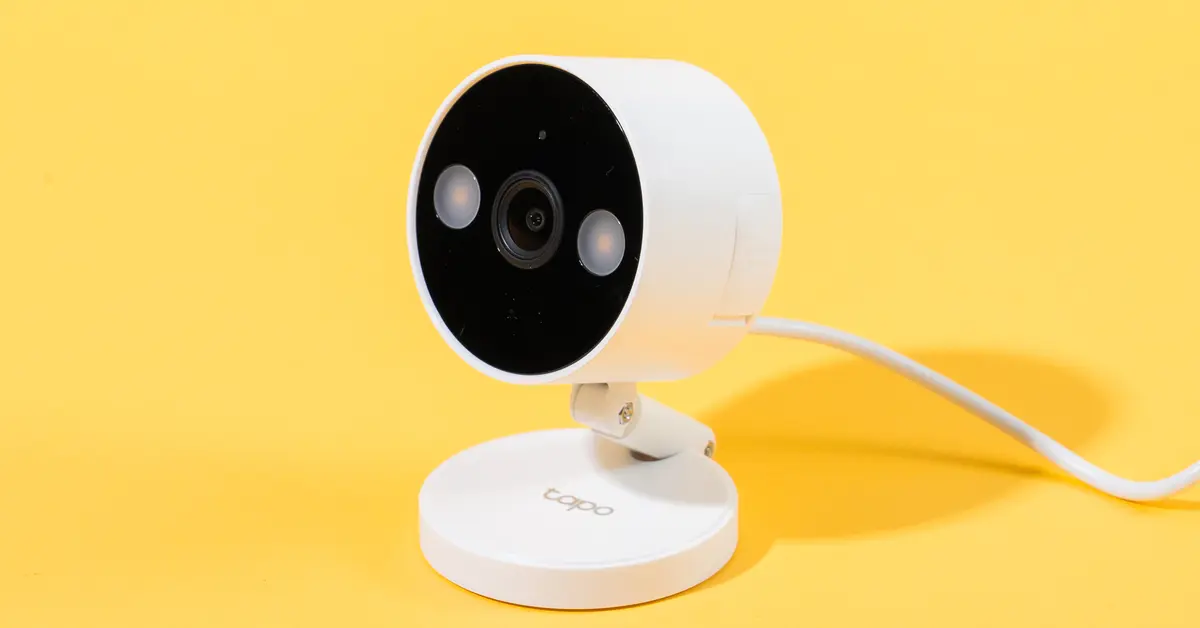
Why Bother With a Compact Home Camera Anyway?
You might think your neighborhood is safe, and maybe it is. But a home camera isn’t just about catching burglars in the act, though it’s certainly good at that. Think of it as your personal window back home, anytime, anywhere.
In my years as a security specialist, I’ve seen these devices do incredible things. I’ve had clients catch their dog sneakily eating food off the kitchen counter, check in on an elderly parent to make sure they’re okay, and even use the two-way audio to guide a delivery person to leave a package in a safe spot. It’s about connection and control. A compact camera is a discreet, powerful tool that keeps you in the loop, transforming anxiety into assurance.
Key Features to Look for in a Compact Home Camera
Navigating the tech specs can feel like learning a new language. Let’s break down what actually matters when you’re choosing a camera.
Video Resolution: It’s All in the Details
You’ll see terms like 1080p, 2K, and 4K thrown around. What’s the real difference?
- 1080p (Full HD): This is the standard and is perfectly adequate for most indoor situations. You’ll get a clear picture of what’s happening in a room.
- 2K or 4K (Ultra HD): These offer a much sharper, more detailed image. Think of it as the difference between recognizing a face and being able to read the small print on a label from across the room. If you want the ability to digitally zoom in on a recording without it becoming a pixelated mess, investing in a higher resolution is a smart move.
Night Vision: Your Eyes in the Dark
Intruders don’t always operate in broad daylight. Good night vision is non-negotiable. There are two main types:
- Infrared (IR) Night Vision: This is the classic black-and-white night vision. It uses infrared LEDs to illuminate the room in a way that’s invisible to the human eye but crystal clear to the camera.
- Color Night Vision: A newer technology that uses highly sensitive sensors and sometimes a small, low-light spotlight to produce a full-color image even in dim conditions. This can be incredibly useful for identifying details like the color of a person’s clothing.
Field of View (FoV): Seeing the Whole Picture
Field of View, measured in degrees, determines how much of the room the camera can see at once. A wider FoV (say, 130 degrees or more) is great for covering a large, open-plan living room from a single corner. A narrower FoV might be fine for monitoring a specific entry point like a hallway. Some cameras even offer pan-and-tilt functionality, allowing you to remotely look around the room.
Smart Detection: Cutting Down the ‘Noise’
Older cameras sent you an alert every time a leaf blew past the window. It was frustrating. Modern smart cameras use AI to be more discerning. Look for these features:
- Person Detection: The camera only alerts you when it spots a human shape.
- Pet Detection: Perfect for pet owners who want to see what their furry friends are up to.
- Sound Detection: Can alert you to specific sounds like a smoke alarm, a baby crying, or glass breaking.
Storage Options: Where Do Your Videos Go?
You have two primary choices for storing your recorded footage:
- Local Storage: This usually involves a microSD card that you insert directly into the camera. The main benefits are a one-time cost for the card and the fact that your footage stays physically within your home. The downside is that if a thief steals the camera, they take the evidence with them.
- Cloud Storage: Your footage is automatically uploaded to a secure server. You can access it from anywhere, and it’s safe even if the camera is damaged or stolen. Most brands offer this as a monthly subscription service, which is a recurring cost to consider.
How Do I Install a Compact Home Camera? It’s Easier Than You Think
Forget drilling and complicated wiring. Most modern compact cameras are designed for a plug-and-play experience.
- Find the Perfect Spot: Choose a location with a good view of the area you want to monitor and a strong Wi-Fi signal. A high corner of a room is often ideal.
- Power It Up: Plug the camera into a nearby wall outlet using the included power adapter.
- Download the App: Every smart camera has a companion app for your smartphone. Download it from the Apple App Store or Google Play Store.
- Connect to Wi-Fi: Follow the in-app instructions to connect the camera to your home’s Wi-Fi network. This usually involves scanning a QR code with the camera’s lens.
- Customize Your Settings: Once connected, you can use the app to name your camera, set up motion detection zones, schedule recording times, and configure your notification preferences. You’ll be up and running in under 10 minutes.
After conducting a thorough compact home camera review of the market, it’s clear that the best device for you depends on your specific needs—from resolution to smart features. The options below represent some of the most trusted choices available today.
|
Our Picks for the Best Home Camera in 2026
As an Amazon Associate, we earn from qualifying purchases.
|
||
| Num | Product | Action |
|---|---|---|
| 1 | Ring Outdoor Cam (Stick Up Cam) | Weather-Resistant Outdoor Camera, Live View, Color Night Vision, Two-Way Talk, Motion alerts, Works with Alexa | White |

|
| 2 | Tapo TP-Link 1080P Indoor Security Camera for Baby Monitor, Dog Camera w/Motion Detection, 2-Way Audio Siren, Night Vision, Cloud & SD Card Storage, Works w/Alexa & Google Home C100 |
|
| 3 | WYZE Cam Pan v3, Indoor/Outdoor IP65-Rated 1080p Pan/Tilt/Zoom Wi-Fi Smart Home Security Camera with Color Night Vision, 2-Way Audio, Compatible with Alexa & Google Assistant, Free Expert Setup |
|
| 4 | Kasa Smart Indoor Pan-Tilt Home Security Camera, 1080p HD Dog Camera w/Night Vision, Motion Detection for Baby & Pet Monitor, Cloud & SD Card Storage, Works w/ Alexa & Google Home, 2.4G WiFi (EC71) |
|
| 5 | TP-Link Tapo Pan/Tilt Security Camera for Baby Monitor, Pet Camera w/Motion Detection, 1080P, 2-Way Audio, Night Vision, Cloud & SD Card Storage, Works with Alexa & Google Home (Tapo C200) |
|
| 6 | Ring Battery Doorbell | Home or business security with Head-to-Toe Video, Live View with Two-Way Talk, and Motion Detection & Alerts (newest model), Venetian Bronze |
|
| 7 | Blink Mini 2 — Home Security & Pet Camera(s) with HD video, color night view, motion detection, two-way audio, and built-in spotlight — 1 camera (Black) |
|
| 8 | TP-Link Tapo 2K Pan/Tilt Security Camera for Baby Monitor, Dog Camera w/Motion Detection, 2-Way Audio, Siren, Night Vision, Cloud & SD Card Storage, Works with Alexa & Google Home, 2-Pack (C210P2) |
|
| 9 | WYZE Cam v4 (Latest Model), 2.5K AI Security Camera, Indoor/Outdoor Cameras for Home Security, Baby Monitor & Pet Camera, Vibrant Color Night Vision, No Subscription Required, Free Expert Help |
|
| 10 | 2K Cameras for Home Security-Outdoor/Indoor Camera for Dog/Cat/Pet/Nanny/Baby, Color Night Vision, White Light, Siren, 24/7 SD Recordings, Works with Alexa/Google Home, C1 (C1-White-2pack-2.4G) |
|
The Elephant in the Room: Privacy and Security
Bringing a camera into your home is a big decision, and it’s natural to have concerns about privacy. A reputable camera brand takes this seriously, but you also have a role to play in securing your device.
“Your smart home is only as secure as its weakest link,” notes Dr. Eleanor Vance, a leading cybersecurity consultant. “For a Wi-Fi camera, that weak link is almost always the user’s password. Treat your camera’s password with the same importance as your online banking password.”
Here are some essential steps to protect your privacy:
- Use a Strong, Unique Password: Avoid “password123” or “admin.” Use a long combination of upper and lowercase letters, numbers, and symbols.
- Enable Two-Factor Authentication (2FA): This adds a second layer of security, usually a code sent to your phone, that’s required to log in. It’s one of the single most effective things you can do.
- Keep Firmware Updated: Manufacturers regularly release updates to patch security vulnerabilities. Enable automatic updates in the app if possible.
- Be Mindful of Placement: Point cameras away from sensitive areas where you expect complete privacy. Some cameras even have physical privacy shutters you can close when you’re home.
Frequently Asked Questions (FAQ)
Q: Do compact home cameras require a Wi-Fi connection?
A: Yes, for the vast majority of smart features, including remote viewing, notifications, and cloud storage, a stable Wi-Fi connection is essential. The camera uses it to communicate with the app on your phone.
Q: Can these indoor cameras be used outdoors?
A: Generally, no. Indoor cameras are not designed to withstand the elements like rain, dust, or extreme temperatures. Using an indoor camera outside will likely damage it and void the warranty. Look for specific “outdoor” models for that purpose.
Q: Is a monthly subscription necessary to use the camera?
A: Not always. Most cameras will allow you to live-stream footage and receive motion alerts without a subscription. However, for advanced features like cloud storage for video history and sophisticated AI detection (like recognizing familiar faces), a subscription plan is typically required.
Q: How much internet data does a home camera use?
A: This depends heavily on the video resolution and how often it records. A camera recording in 1080p will use less data than one in 4K. On average, a camera might use between 60GB to 200GB of data per month if it’s recording frequently.
Q: Can hackers really access my camera feed?
A: While it is technically possible, it is highly unlikely if you take proper security precautions. By using a strong password, enabling two-factor authentication, and keeping your firmware updated, you make it extremely difficult for unauthorized users to gain access.
Your Peace of Mind is the Ultimate Feature
Choosing the right device after a compact home camera review isn’t just about comparing specs on a datasheet. It’s about investing in a sense of security and connection to the place that matters most. Whether you want to ensure your kids got home from school safely, deter a potential break-in, or just say hello to your pet from the office, the right camera empowers you. Take your time, consider your unique needs, prioritize your security, and make an informed choice that brings you and your family lasting peace of mind.