Let’s be honest, the term “security camera” can sound a bit… intense. It brings to mind images of high fences and blinking red lights. But what if we reframed that? What if we thought of it as a tool not just for security, but for a better, more connected life? That’s the heart of the Home Camera For Wellness Lifestyle. It’s about more than just catching intruders; it’s about gaining peace of mind, staying connected with your loved ones (furry ones included), and simplifying your daily routine. In a world that’s constantly moving, having a set of eyes at home isn’t about paranoia; it’s about reassurance. It’s about knowing your kids got home from school safely, checking if your new puppy is behaving, or ensuring your elderly parent is comfortable. This is security evolving into a key component of modern wellness.
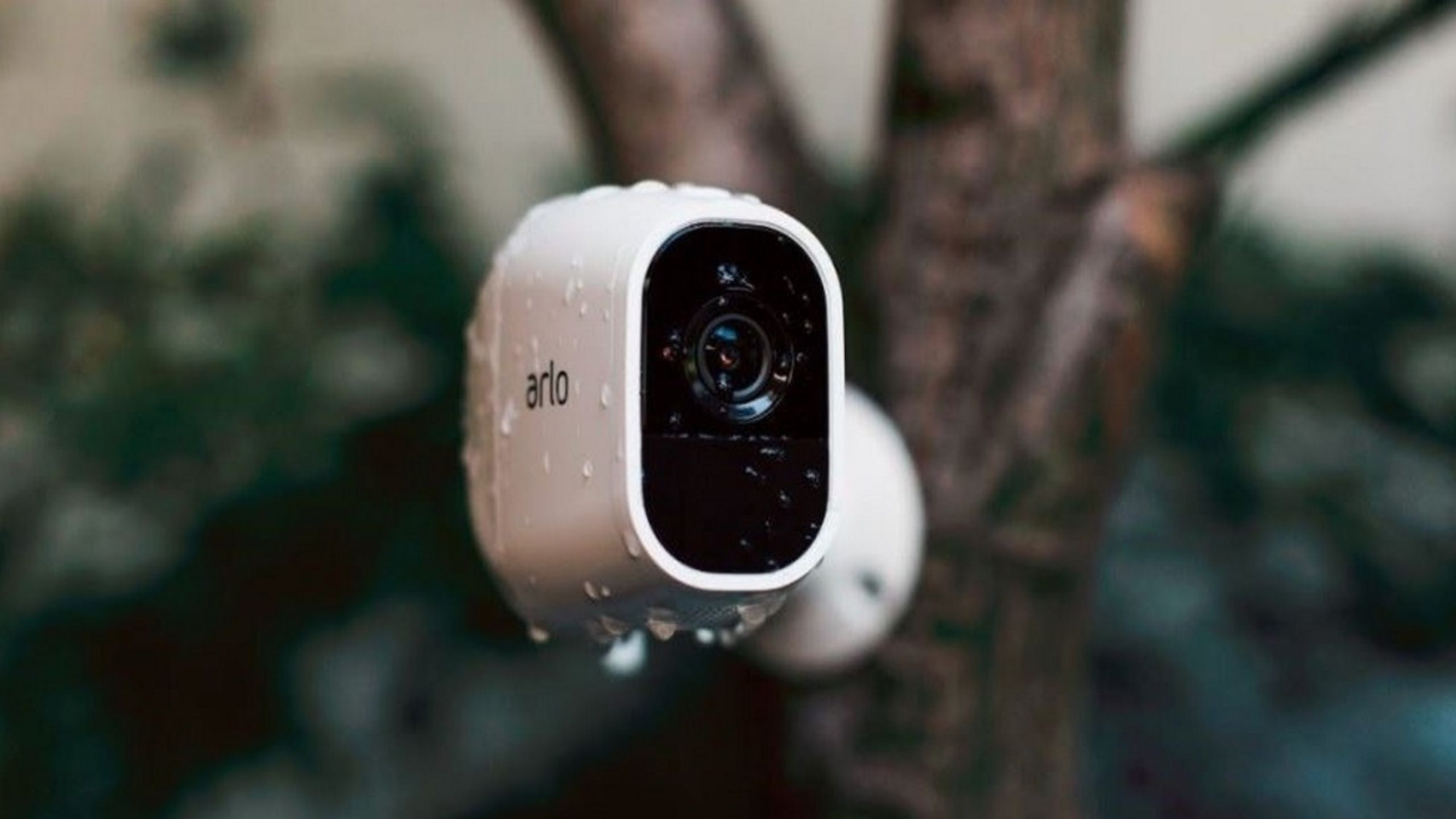
Why You Really Need a Home Camera for a Wellness Lifestyle
You might be thinking, “Is a camera really necessary for my ‘wellness’?” It’s a fair question. The answer lies in what “wellness” truly means today: a state of being comfortable, healthy, and happy. And a huge part of that is mental peace. A home camera directly contributes to this by removing the nagging “what if” questions that can cause daily stress.
- The Pet Parent’s Peace of Mind: Ever been at work, wondering if your dog is tearing up the new sofa or just snoozing peacefully? A quick check-in on your phone can answer that in seconds. Some cameras even let you talk to your pet through two-way audio or toss them a treat! It’s a simple way to stay connected and ensure your furry family member is happy and safe.
- Connecting with Family from Afar: For those with children or elderly parents, a home camera is a game-changer. You can see your kids arrive home from school, ensuring they’re safe and sound. For aging parents who live independently, a camera in a common area (with their full consent, of course) provides a non-intrusive way to check that everything is okay, offering reassurance to everyone involved.
- Defeating “Porch Pirates”: The anxiety of a package delivery is real. Is it on the porch? Did someone take it? A doorbell or outdoor camera eliminates this stress. You get a notification the moment a package arrives and can keep an eye on it until you get home. This small feature can significantly reduce daily anxiety.
- The Forgotten “Did I…?” Moment: Did I close the garage door? Did the cleaner show up on time? Instead of spending your day worrying, a quick glance at your camera feed provides an instant answer. This is about reclaiming your mental energy for more important things.
A home camera for wellness lifestyle isn’t just a gadget; it’s a tool that helps you manage your home and your worries, freeing you up to be more present in your life.
Decoding the Tech: Types of Home Cameras and How They Work
Navigating the world of home cameras can feel overwhelming, but it’s simpler than you think. Most modern cameras operate on a few basic principles: they connect to your home’s Wi-Fi network, allowing you to view live footage and receive alerts on your smartphone, tablet, or computer from anywhere in the world. They’re typically broken down into a few main categories.
Indoor Cameras
These are your versatile workhorses. Designed to be placed on a shelf, mounted on a wall, or tucked away in a corner, they’re perfect for monitoring living rooms, nurseries, or entryways. They are often smaller and more discreet than their outdoor counterparts. My own indoor camera once showed me exactly how my cat was managing to get on top of the kitchen cabinets—a mystery solved!
Outdoor Cameras
Built to withstand the elements—rain, sun, snow, and wind—these cameras are your first line of defense. They are ideal for monitoring driveways, backyards, and entry points. Many come with enhanced features like floodlights and sirens to actively deter potential intruders.
Doorbell Cameras
A fantastic blend of convenience and security. They replace your existing doorbell and allow you to see and speak to whoever is at your door, whether you’re on the couch or on vacation. This is a must-have for managing deliveries and screening visitors.
Key Features to Look for in Your Wellness Camera
When you start shopping, you’ll be hit with a lot of technical terms. Let’s cut through the noise and focus on what really matters for a home camera for wellness lifestyle.
- Video Resolution (HD vs. 4K): Look for at least 1080p (Full HD) resolution. This gives you a clear, crisp image where you can make out important details. 4K is even better but will require more internet bandwidth and storage. For most wellness applications like checking on pets, 1080p is the sweet spot.
- Two-Way Audio: This is non-negotiable. It’s the feature that transforms the camera from a passive observer into an interactive tool. You can calm a whimpering dog, remind your kids to start their homework, or tell a delivery person where to leave a package.
- Night Vision: Your home doesn’t go dark to your worries at night. Good night vision is essential. Look for cameras that offer clear black-and-white infrared vision. Some advanced models even offer color night vision, which can be incredibly helpful for identifying details in low light.
- Smart AI Detection: Generic motion alerts can be annoying. A camera that can tell the difference between a person, a pet, a vehicle, and a rustling tree is a massive upgrade. This ensures you only get alerts that actually matter to you.
- Field of View (FoV): This is just a fancy way of saying how much the camera can see at once. A wider FoV (measured in degrees) means you need fewer cameras to cover a large area like a living room or backyard.
- Storage Options (Cloud vs. Local):
- Cloud Storage: Your video clips are uploaded to a secure server. This is great because your footage is safe even if the camera is stolen. It usually requires a monthly subscription.
- Local Storage: Footage is saved to a microSD card inside the camera. The main benefit is no monthly fees, but if the camera is damaged or stolen, you lose the footage. Many cameras now offer both for ultimate flexibility. You can explore a deep dive into cloud storage options to see which fits your budget and needs.
|
Our Picks for the Best Home Camera in 2026
As an Amazon Associate, we earn from qualifying purchases.
|
||
| Num | Product | Action |
|---|---|---|
| 1 | 2K Cameras for Home Security-Outdoor/Indoor Camera for Dog/Cat/Pet/Nanny/Baby, Color Night Vision, White Light, Siren, 24/7 SD Recordings, Works with Alexa/Google Home, C1 (C1-White-2pack-2.4G) |

|
| 2 | Ring Outdoor Cam (Stick Up Cam) | Weather-Resistant Outdoor Camera, Live View, Color Night Vision, Two-Way Talk, Motion alerts, Works with Alexa | White |
|
| 3 | Kasa Smart Indoor Pan-Tilt Home Security Camera, 1080p HD Dog Camera w/Night Vision, Motion Detection for Baby & Pet Monitor, Cloud & SD Card Storage, Works w/ Alexa & Google Home, 2.4G WiFi (EC71) |
|
| 4 | Ring Battery Doorbell | Home or business security with Head-to-Toe Video, Live View with Two-Way Talk, and Motion Detection & Alerts (newest model), Venetian Bronze |
|
| 5 | TP-Link Tapo 2K Pan/Tilt Security Camera for Baby Monitor, Dog Camera w/Motion Detection, 2-Way Audio, Siren, Night Vision, Cloud & SD Card Storage, Works with Alexa & Google Home, 2-Pack (C210P2) |
|
| 6 | TP-Link Tapo Pan/Tilt Security Camera for Baby Monitor, Pet Camera w/Motion Detection, 1080P, 2-Way Audio, Night Vision, Cloud & SD Card Storage, Works with Alexa & Google Home (Tapo C200) |
|
| 7 | WYZE Cam v4 (Latest Model), 2.5K AI Security Camera, Indoor/Outdoor Cameras for Home Security, Baby Monitor & Pet Camera, Vibrant Color Night Vision, No Subscription Required, Free Expert Help |
|
| 8 | WYZE Cam Pan v3, Indoor/Outdoor IP65-Rated 1080p Pan/Tilt/Zoom Wi-Fi Smart Home Security Camera with Color Night Vision, 2-Way Audio, Compatible with Alexa & Google Assistant, Free Expert Setup |
|
| 9 | Blink Mini 2 — Home Security & Pet Camera(s) with HD video, color night view, motion detection, two-way audio, and built-in spotlight — 1 camera (Black) |
|
| 10 | Tapo TP-Link 1080P Indoor Security Camera for Baby Monitor, Dog Camera w/Motion Detection, 2-Way Audio Siren, Night Vision, Cloud & SD Card Storage, Works w/Alexa & Google Home C100 |
|
A Simple Guide to Installation and Setup
Gone are the days of complex wiring and professional installers for a basic setup. Most modern home cameras are designed for easy DIY installation.
- Choose the Perfect Spot: For an indoor camera, pick a high corner with a clear view of the room and access to a power outlet. For an outdoor camera, place it high enough to be out of easy reach, overlooking key areas like your front door or driveway.
- Mount the Camera: Most cameras come with a mounting bracket and screws. For indoor cameras, sometimes simply placing it on a bookshelf is enough. For outdoor cameras, you’ll need a drill, but it’s usually a straightforward process.
- Power It Up: Plug the camera into a power source. Many indoor cameras use a simple USB adapter, while outdoor models may have a more robust, weather-proofed cable. Truly wire-free, battery-powered options are also very popular for maximum flexibility.
- Connect to the App: Download the manufacturer’s app on your smartphone. The app will guide you through connecting the camera to your home’s Wi-Fi network. This usually involves scanning a QR code on the camera itself. It’s typically a 5-minute process.
- Customize Your Settings: This is the fun part! Set up motion detection zones (e.g., only alert you if there’s motion on your walkway, not the public sidewalk), schedule when the camera should be active, and adjust notification preferences.
Let’s Talk Privacy: Securing Your Security Camera
Inviting a camera into your home requires trust. It’s crucial to take steps to ensure your privacy is protected. A camera is only as secure as you make it.
“The single most important thing a user can do to secure their home camera is to use a long, unique password for their account and enable two-factor authentication (2FA). It’s a simple step that foils the vast majority of unauthorized access attempts.”
– Dr. Alistair Finch, Cybersecurity Expert
Here are some essential privacy practices:
- Strong, Unique Password: Don’t reuse your email or social media password. Create a complex password specifically for your camera account.
- Enable Two-Factor Authentication (2FA): This adds a second layer of security. Even if someone guesses your password, they won’t be able to log in without a code sent to your phone.
- Keep Firmware Updated: Manufacturers regularly release updates to patch security vulnerabilities. Always install them through the app as soon as they are available.
- Buy from Reputable Brands: Stick with well-known brands that have a clear privacy policy and a history of supporting their products with security updates.
Creating a Connected Home: Smart Integrations
The true power of a home camera for wellness lifestyle is unlocked when it works with other devices. This is where it becomes a central part of your smart home. Imagine saying, “Hey Google, show me the backyard camera” to your smart display while you’re cooking. Or creating a routine where your entryway lights turn on automatically when your front door camera detects a person after dark. Integrating your camera with platforms like Amazon Alexa or Google Assistant makes your home not just smarter, but more responsive and intuitive. It’s another way technology can serve your comfort and peace of mind. For more on this, check out our guide to creating a smart home hub.
Frequently Asked Questions
Q: Do I need a monthly subscription for a home camera?
A: Not always. Many cameras offer basic functions like live streaming and motion alerts for free. A subscription is typically required for advanced features like cloud video storage, smart AI detection (person, package), and longer video history.
Q: How much internet speed do I need for a home camera?
A: A good rule of thumb is at least 2-4 Mbps of upload speed per camera. If you have multiple cameras, especially 4K models, you’ll need a more robust internet plan to ensure smooth streaming and recording without slowing down your other devices.
Q: Are wireless cameras truly wireless?
A: It depends on the model. “Wireless” usually refers to the connection to your internet (via Wi-Fi). Most “wireless” cameras still need to be plugged into a power outlet. “Wire-free” cameras are the ones that run on rechargeable batteries and are truly free of all cables.
Q: Can I access my camera’s footage from anywhere?
A: Yes! That’s one of the biggest benefits. As long as your camera is connected to the internet at home and your smartphone has an internet connection (Wi-Fi or cellular), you can view your live feed and recordings from anywhere in the world through the companion app.
Q: Is it legal to have cameras inside and outside my home?
A: Generally, yes, it’s legal to record video on your own property. However, laws vary by region, especially regarding audio recording and pointing cameras at a neighbor’s private property (like their windows or backyard). It’s always a good idea to check your local regulations.
Your Home, Your Sanctuary
Choosing a home camera for wellness lifestyle is an investment in your peace of mind. It’s about leveraging technology to create a home environment where you feel safe, connected, and in control. By understanding the key features, respecting privacy, and integrating it into your daily life, a simple camera can become an indispensable tool for a happier, less stressful existence. Make the choice that brings you not just security, but a genuine sense of well-being.