Let’s be real, the housewarming gift rotation can get a little stale. A bottle of wine is gone in a night, a scented candle burns out, and that quirky decorative vase might just end up in a closet. But what if you could give something that offers genuine, lasting value? Gifting a home camera as a housewarming gift isn’t just about giving a cool gadget; it’s about giving the invaluable gift of peace of mind. For new homeowners, who are just getting used to the sounds and rhythms of a new space, that sense of security is everything.
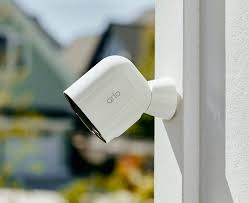
Why Is a Home Camera a Top-Tier Housewarming Gift?
You might be thinking, “Isn’t a camera a bit… impersonal?” I’d argue it’s one of the most personal and thoughtful gifts you can give. You’re not just giving a piece of tech; you’re showing you care about your friends’ or family’s safety and well-being in their new chapter.
Think about the practical anxieties of a new homeowner:
- Package Pirates: Who’s grabbing that delivery off the new front porch?
- Furry Friend Check-ins: Is the dog adjusting well to the new place while they’re at work?
- Unexpected Visitors: Who’s at the door? Is it a neighbor with a welcome pie or a solicitor?
- Vacation Worries: The first big trip away from the new house can be nerve-wracking. A quick check-in from a phone can ease all those fears.
A modern security camera solves these problems and more. It’s a silent guardian, a convenient communication tool, and a way to stay connected to their biggest investment. It’s a gift that keeps on giving, long after the last moving box has been unpacked.
What Are the Main Types of Home Cameras?
The world of home security can seem overwhelming, but it really boils down to a few key types. Choosing the right one depends on the new homeowner’s space and potential needs.
Indoor Cameras
These are the versatile workhorses of home security. Perfect for placing on a bookshelf or mounting in the corner of a living room, they are ideal for:
- Keeping an eye on pets.
- Monitoring a main entryway or a back sliding door from the inside.
- Checking in on the house while away.
They are typically more affordable and easier to set up than their outdoor counterparts.
Outdoor Cameras
Built to withstand the elements—rain, snow, and sun—outdoor cameras are the first line of defense. They are designed to deter potential intruders before they even reach the door. Look for features like weather resistance (an IP rating of IP65 or higher is a must) and excellent night vision. They’re perfect for monitoring driveways, backyards, and side entrances.
Video Doorbells
Perhaps the most popular home camera as a housewarming gift, a video doorbell replaces the traditional peephole with a smart, connected solution. It allows homeowners to see and speak to whoever is at their door, whether they’re on the couch or on a beach halfway around the world. It’s a fantastic starting point for anyone new to home security.
What Features Truly Matter When Choosing a Home Camera?
When you’re browsing options, the list of features can be a mile long. As a security expert, I can tell you which ones actually make a difference in day-to-day life.
Here’s a quick-glance checklist of what to look for:
- Video Resolution: Aim for at least 1080p HD. This provides clear, sharp video where you can actually make out faces and details. Anything less can be frustratingly blurry. 2K or 4K is even better but often comes with a higher price tag and requires more storage.
- Night Vision: This is non-negotiable. Most cameras use infrared (IR) LEDs for black-and-white night vision. Some higher-end models offer color night vision, which can be incredibly helpful for identifying details like the color of a car or a person’s clothing.
- Field of View (FoV): This is how wide an angle the camera can see. A wider FoV (130 degrees or more) means you need fewer cameras to cover a large area like a living room or backyard.
- Two-Way Audio: A built-in microphone and speaker are essential. It allows the homeowner to listen in and talk back through the camera’s app. This is perfect for telling a delivery driver where to leave a package or startling a squirrel that’s getting too friendly with the bird feeder.
- Motion Detection & Alerts: All security cameras have motion detection, but the quality varies. Look for cameras with “smart” or “AI” detection that can differentiate between people, animals, and vehicles. This dramatically reduces the number of false alarms from swaying trees or a passing car.
- Storage Options: Where does the video go?
- Local Storage: A microSD card slot on the camera itself. This is a one-time purchase with no monthly fees, but if the camera is stolen, the footage is gone with it.
- Cloud Storage: The footage is uploaded to a secure server. This is safer and accessible from anywhere, but it almost always requires a monthly subscription fee. Many brands offer a free trial, which is a great perk for a gift.
|
Our Picks for the Best Home Camera in 2026
As an Amazon Associate, we earn from qualifying purchases.
|
||
| Num | Product | Action |
|---|---|---|
| 1 | 2K Cameras for Home Security-Outdoor/Indoor Camera for Dog/Cat/Pet/Nanny/Baby, Color Night Vision, White Light, Siren, 24/7 SD Recordings, Works with Alexa/Google Home, C1 (C1-White-2pack-2.4G) |

|
| 2 | Ring Battery Doorbell | Home or business security with Head-to-Toe Video, Live View with Two-Way Talk, and Motion Detection & Alerts (newest model), Venetian Bronze |
|
| 3 | Blink Mini 2 — Home Security & Pet Camera(s) with HD video, color night view, motion detection, two-way audio, and built-in spotlight — 1 camera (Black) |
|
| 4 | TP-Link Tapo 2K Pan/Tilt Security Camera for Baby Monitor, Dog Camera w/Motion Detection, 2-Way Audio, Siren, Night Vision, Cloud & SD Card Storage, Works with Alexa & Google Home, 2-Pack (C210P2) |
|
| 5 | WYZE Cam Pan v3, Indoor/Outdoor IP65-Rated 1080p Pan/Tilt/Zoom Wi-Fi Smart Home Security Camera with Color Night Vision, 2-Way Audio, Compatible with Alexa & Google Assistant, Free Expert Setup |
|
| 6 | TP-Link Tapo Pan/Tilt Security Camera for Baby Monitor, Pet Camera w/Motion Detection, 1080P, 2-Way Audio, Night Vision, Cloud & SD Card Storage, Works with Alexa & Google Home (Tapo C200) |
|
| 7 | Ring Outdoor Cam (Stick Up Cam) | Weather-Resistant Outdoor Camera, Live View, Color Night Vision, Two-Way Talk, Motion alerts, Works with Alexa | White |
|
| 8 | Kasa Smart Indoor Pan-Tilt Home Security Camera, 1080p HD Dog Camera w/Night Vision, Motion Detection for Baby & Pet Monitor, Cloud & SD Card Storage, Works w/ Alexa & Google Home, 2.4G WiFi (EC71) |
|
| 9 | WYZE Cam v4 (Latest Model), 2.5K AI Security Camera, Indoor/Outdoor Cameras for Home Security, Baby Monitor & Pet Camera, Vibrant Color Night Vision, No Subscription Required, Free Expert Help |
|
| 10 | Tapo TP-Link 1080P Indoor Security Camera for Baby Monitor, Dog Camera w/Motion Detection, 2-Way Audio Siren, Night Vision, Cloud & SD Card Storage, Works w/Alexa & Google Home C100 |
|
A Simple Guide to Installation and Setup
One of the best things about modern cameras is that they are designed for DIY installation. You don’t need to be a tech wizard. Gifting a home camera as a housewarming gift is even better when you can assure the recipient it won’t be a headache to set up.
Here’s the typical process:
- Choose the Right Spot: Find a location that offers a clear, unobstructed view of the area you want to monitor. For outdoor cameras, place them high enough to be out of easy reach (8-10 feet is ideal). For indoor cameras, a high shelf or corner mount works well.
- Power It Up: Most indoor cameras plug into a standard wall outlet. Wireless outdoor cameras run on rechargeable batteries, offering more placement flexibility. Just make sure they’re installed in a spot that’s accessible for occasional recharging.
- Download the App: Every smart camera has a companion app for a smartphone or tablet. The instructions will guide the user to download the correct one.
- Connect to Wi-Fi: Follow the in-app instructions to connect the camera to the home’s Wi-Fi network. This usually involves scanning a QR code with the camera. It’s a surprisingly simple process.
- Customize Settings: Once connected, they can dive into the app to set motion detection zones, adjust alert sensitivity, and invite other family members to view the camera feed.
The Elephant in the Room: Privacy and Security
Giving a camera means you also need to be mindful of privacy. It’s crucial to choose a reputable brand and to empower the new homeowner with the knowledge to secure their device.
As a security professional, my number one tip is to treat your camera’s Wi-Fi network like a digital front door. Use a strong, unique password for your Wi-Fi and for the camera app itself, and always enable two-factor authentication (2FA). It’s the simplest, most effective step you can take to prevent unauthorized access.
— Dr. Alistair Finch, Cybersecurity Analyst
Key Privacy Practices:
- Strong, Unique Passwords: Avoid “Password123” at all costs.
- Enable Two-Factor Authentication (2FA): This adds a second layer of security, usually a code sent to a phone, making it much harder for anyone else to log in.
- Mindful Placement: Avoid placing cameras in highly private areas like bedrooms or bathrooms.
- Keep Firmware Updated: Reputable companies regularly release updates to patch security vulnerabilities. The app will usually notify the user when an update is available.
Frequently Asked Questions
Q: Is it weird to give a home camera as a housewarming gift?
A: Not at all! In today’s world, it’s a practical and thoughtful gift that shows you care about their safety and peace of mind. Frame it as a tool for convenience and security, and it will be warmly received.
Q: Do all security cameras require a monthly subscription?
A: No, but many offer optional subscriptions for advanced features and extended cloud video storage. Look for cameras that also have a local storage option (like a microSD card slot) if you want to give a gift that works fully without any ongoing fees.
Q: What’s the difference between a wired and a wire-free camera?
A: A wired camera is powered by a cable, providing constant power but limiting placement. A wire-free camera runs on a rechargeable battery, offering maximum flexibility in where you can put it, but it does require periodic recharging.
Q: How difficult is it to install a home camera?
A: Most modern DIY cameras are incredibly easy to install. The process typically involves mounting the camera, plugging it in or inserting the battery, and following simple on-screen instructions in a smartphone app. It usually takes less than 30 minutes.
Q: Can the homeowner view the camera from anywhere?
A: Yes! That’s one of the biggest benefits. As long as the camera is connected to Wi-Fi at home and the homeowner has an internet connection on their phone, they can view the live feed and recordings from anywhere in the world.
The Gift of a Safer Home
Choosing a housewarming gift is about celebrating a new beginning. While a decorative item adds to the look of a home, a security camera adds to the feel of it—making it a true sanctuary. It’s a sophisticated, practical, and caring choice that says, “Welcome home, and may you always feel safe here.” When you choose a home camera as a housewarming gift, you’re investing in your loved ones’ daily comfort and long-term security. And there’s no better gift than that.