Let’s be real for a moment. That feeling when you hear a strange noise downstairs at 2 AM, or when you get a delivery notification but there’s no package at your door—it’s unsettling. In a perfect world, we wouldn’t need to worry. But in the real world, a little peace of mind goes a long way. Finding the Best Home Camera Under 100 dollars isn’t just about saving money; it’s about getting that invaluable sense of security without breaking the bank. And trust me, as someone who has seen it all in this industry, you absolutely can get top-notch features for less than the cost of a fancy dinner out.
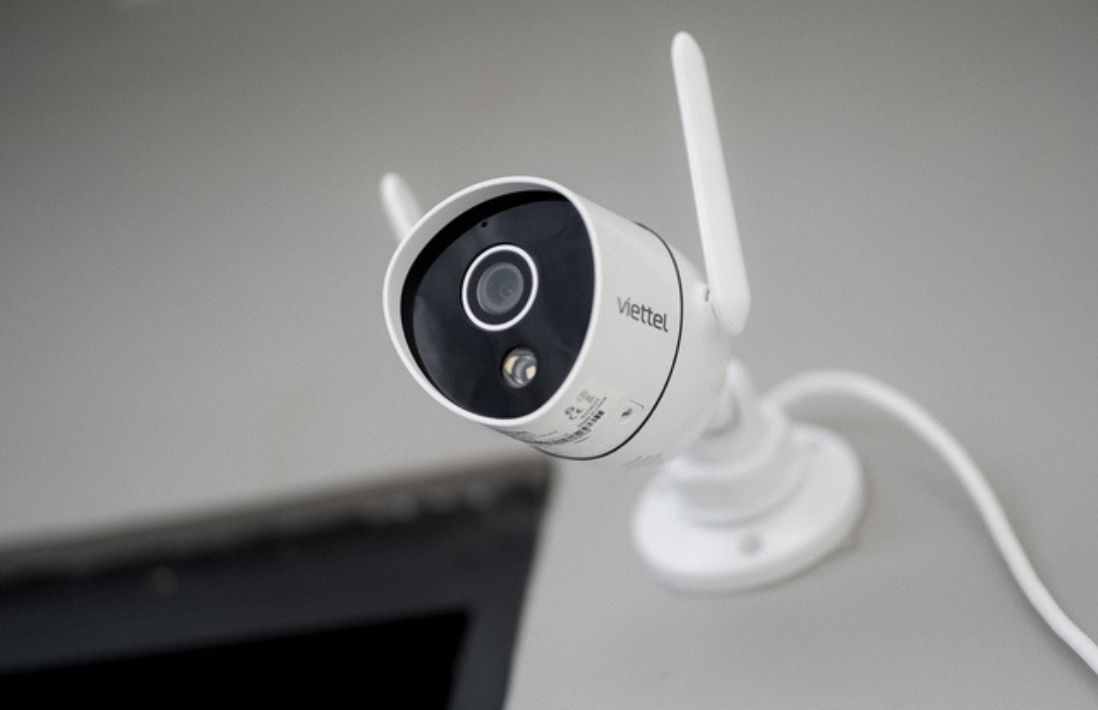
Why Even Bother with a Home Camera?
You might be thinking, “Is a camera really necessary for my home?” It’s a fair question. But think of a home camera less as a fortress wall and more as a friendly, ever-vigilant neighbor. It’s there to help you:
- Keep an eye on things from anywhere: Check in on your pets napping on the couch, make sure the kids got home from school safely, or see who’s at the front door, all from your smartphone.
- Deter potential troublemakers: The mere sight of a camera is often enough to make a would-be burglar think twice and move on to an easier target. It’s a simple, effective first line of defense.
- Capture crucial evidence: In the unfortunate event of a break-in or package theft, clear video footage is invaluable for police reports and insurance claims. My own indoor camera once helped me prove a water leak started from a neighbor’s apartment, saving me a huge headache with the landlord.
- Enjoy your vacation in peace: Instead of worrying about what’s happening back home, a quick glance at your camera feed can reassure you that everything is just as you left it.
An affordable security camera isn’t an extravagance; it’s a practical tool for modern life.
The Lowdown on Camera Types (Without the Tech Jargon)
When you start shopping, you’ll see a lot of terms thrown around. Let’s cut through the noise. For under $100, you’re primarily looking at two main categories.
Indoor Cameras
These are your go-to for monitoring rooms inside your house. They’re typically smaller, lighter, and easier to set up. Just plug them in, connect to Wi-Fi, and place them on a shelf or table. They’re perfect for monitoring main entryways like the front door or back patio door from the inside, or for keeping an eye on the living room.
Outdoor Cameras
Built to withstand the elements—rain, sun, and dust—these cameras are your sentinels for the perimeter of your home. They often require a bit more effort to install, sometimes needing to be mounted to a wall. However, their weather-resistant designs mean they can guard your driveway, backyard, or porch year-round. Many of the best home camera under 100 options now include excellent weatherproofing.
Wired vs. Wire-Free
- Wired: This doesn’t necessarily mean “wired to the internet.” It usually means wired for power. These cameras plug into a standard wall outlet. The benefit? You never have to worry about a battery dying at a critical moment.
- Wire-Free: These are battery-powered, offering incredible flexibility in placement. You can stick them just about anywhere without worrying about outlets. The trade-off is that you’ll need to recharge or replace the batteries periodically.
Key Features in the Best Home Camera Under 100
You’d be surprised what you can get for under a hundred bucks these days. Don’t settle for less! Here are the non-negotiable features you should look for.
- Video Resolution (1080p is the Gold Standard): Forget about grainy, pixelated footage. 1080p (Full HD) is the minimum you should accept. It provides clear, sharp video where you can actually make out faces and details, which is critical if you ever need to use the footage as evidence.
- Night Vision: A camera that’s blind in the dark is useless. Look for infrared (IR) night vision, which allows the camera to see clearly in complete darkness, usually in black and white. Some newer models even offer color night vision, which uses ambient light to produce a colored image.
- Two-Way Audio: This is a game-changer. It means your camera has both a microphone and a speaker. You can hear what’s happening and speak through the camera from your phone. It’s perfect for telling the delivery driver where to leave a package or startling a prowler in your yard.
- Smart Motion Detection & Alerts: Your camera should be smart enough to tell you when something actually happens. Look for customizable motion zones (so a tree blowing in the wind doesn’t trigger an alert) and person detection, which helps differentiate between a human and a stray cat.
- Field of View: This is how wide an angle the camera can see. A wider field of view (110 degrees or more) means you need fewer cameras to cover a larger area, like a whole living room or backyard.
- Storage Options (Cloud vs. Local): You need a place to save your video clips.
- Local Storage: This usually means a slot for a microSD card. You buy the card once, and there are no monthly fees. The downside is if a thief steals the camera, they take the footage with it.
- Cloud Storage: Your footage is uploaded to a secure online server. It’s safe from theft and accessible anywhere. Most brands offer a basic free plan, but the most useful features often require a monthly subscription.
|
Our Picks for the Best Home Camera in 2026
As an Amazon Associate, we earn from qualifying purchases.
|
||
| Num | Product | Action |
|---|---|---|
| 1 | Kasa Smart Indoor Pan-Tilt Home Security Camera, 1080p HD Dog Camera w/Night Vision, Motion Detection for Baby & Pet Monitor, Cloud & SD Card Storage, Works w/ Alexa & Google Home, 2.4G WiFi (EC71) |

|
| 2 | TP-Link Tapo 2K Pan/Tilt Security Camera for Baby Monitor, Dog Camera w/Motion Detection, 2-Way Audio, Siren, Night Vision, Cloud & SD Card Storage, Works with Alexa & Google Home, 2-Pack (C210P2) |
|
| 3 | Tapo TP-Link 1080P Indoor Security Camera for Baby Monitor, Dog Camera w/Motion Detection, 2-Way Audio Siren, Night Vision, Cloud & SD Card Storage, Works w/Alexa & Google Home C100 |
|
| 4 | WYZE Cam Pan v3, Indoor/Outdoor IP65-Rated 1080p Pan/Tilt/Zoom Wi-Fi Smart Home Security Camera with Color Night Vision, 2-Way Audio, Compatible with Alexa & Google Assistant, Free Expert Setup |
|
| 5 | Ring Outdoor Cam (Stick Up Cam) | Weather-Resistant Outdoor Camera, Live View, Color Night Vision, Two-Way Talk, Motion alerts, Works with Alexa | White |
|
| 6 | Blink Mini 2 — Home Security & Pet Camera(s) with HD video, color night view, motion detection, two-way audio, and built-in spotlight — 1 camera (Black) |
|
| 7 | Ring Battery Doorbell | Home or business security with Head-to-Toe Video, Live View with Two-Way Talk, and Motion Detection & Alerts (newest model), Venetian Bronze |
|
| 8 | TP-Link Tapo Pan/Tilt Security Camera for Baby Monitor, Pet Camera w/Motion Detection, 1080P, 2-Way Audio, Night Vision, Cloud & SD Card Storage, Works with Alexa & Google Home (Tapo C200) |
|
| 9 | WYZE Cam v4 (Latest Model), 2.5K AI Security Camera, Indoor/Outdoor Cameras for Home Security, Baby Monitor & Pet Camera, Vibrant Color Night Vision, No Subscription Required, Free Expert Help |
|
| 10 | 2K Cameras for Home Security-Outdoor/Indoor Camera for Dog/Cat/Pet/Nanny/Baby, Color Night Vision, White Light, Siren, 24/7 SD Recordings, Works with Alexa/Google Home, C1 (C1-White-2pack-2.4G) |
|
Getting Set Up: It’s Easier Than You Think
Don’t let the idea of “installation” intimidate you. For most modern cameras, you don’t need to be a tech wizard. It’s usually a simple, 15-minute process.
- Pick Your Spot: Find a location that gives you the best view of the area you want to monitor. A high corner of a room is great for indoor cameras. For outdoor, position it high enough to be out of easy reach.
- Power It Up: Plug it into a wall outlet or, for wire-free models, make sure the battery is fully charged.
- Download the App: Every smart camera has a companion app for your smartphone. This is your command center.
- Connect to Wi-Fi: Follow the simple in-app instructions to connect the camera to your home’s Wi-Fi network. This is usually as easy as scanning a QR code.
- Customize Your Settings: This is the fun part! Set up your motion detection zones, adjust alert sensitivity, and schedule when you want the camera to be active.
Privacy Isn’t a Luxury: Securing Your Security Camera
Putting a camera in your home invites a valid question: what about privacy? It’s a crucial concern, and one that any reputable security expert takes seriously. Your peace of mind shouldn’t come at the cost of your personal data.
“A home security camera is only as secure as the network it’s connected to. The most common vulnerability we see isn’t the camera itself, but a weak, easily guessable Wi-Fi password. Securing your home network is the first and most important step in securing your camera.”
— Dr. Eleanor Vance, Cybersecurity Analyst
Here are a few simple but powerful steps to protect your privacy:
- Use a Strong, Unique Password: Don’t reuse the same password you use for everything else. Create a long, complex password for your camera app account.
- Enable Two-Factor Authentication (2FA): This is one of the best security tools available. It means that even if someone steals your password, they can’t log in without a second code, which is usually sent to your phone.
- Keep Your Firmware Updated: Camera manufacturers regularly release updates to patch security vulnerabilities. Always install these updates as soon as they are available. Most apps will notify you.
- Be Mindful of Placement: Point cameras away from private areas where you don’t need surveillance, like bedrooms or bathrooms. Some indoor cameras even come with a physical privacy shutter you can close when you’re home.
Frequently Asked Questions (FAQ)
Q: Do I need to pay a monthly subscription for the best home camera under 100?
A: Not necessarily. Many excellent budget-friendly cameras offer free options, such as local storage via a microSD card or a limited amount of free cloud storage for motion-triggered clips. Subscriptions typically unlock more advanced features and longer video history, but they are often optional.
Q: Can these affordable cameras see in complete darkness?
A: Yes, absolutely. Almost every decent security camera today, regardless of price, comes equipped with infrared (IR) LEDs for night vision. This allows them to capture clear black-and-white video even in pitch-black conditions.
Q: Is it legal to record audio with my home camera?
A: This is a great question and it varies by location. In many places, laws require the consent of at least one party (and sometimes all parties) to record a conversation. As a general rule, it’s fine to record audio on your own property, but it’s wise to disable audio recording if your camera captures conversations from a neighbor’s yard or a public sidewalk. Always check your local regulations.
Q: How much internet data do these Wi-Fi cameras use?
A: It depends on the video quality and how often the camera is recording. A camera that only records when motion is detected will use far less data than one that records 24/7. For most users with a standard home internet plan, a few cameras will not cause any noticeable slowdown.
Q: Can I access my camera footage when I’m away from home?
A: Yes! That’s one of the primary benefits. As long as both your camera and your smartphone have an internet connection, you can view the live feed and recorded clips from anywhere in the world through the camera’s dedicated app.
Your Peace of Mind is Priceless, But Your Camera Doesn’t Have to Be
Securing your home and protecting your family is a fundamental need. The great news is that technology has made it more accessible and affordable than ever before. You no longer need a complex, professionally installed system costing thousands of dollars to gain invaluable peace of mind. By focusing on the key features that matter—clear 1080p video, reliable night vision, two-way audio, and smart alerts—you can find the perfect and best home camera under 100 to watch over what matters most.