Let’s be honest, that nagging feeling of “Did I lock the back door?” or “I wonder if that package arrived safely?” is something we’ve all experienced. In today’s world, peace of mind is priceless. That’s precisely why the decision to buy a home camera accessories set is one of the smartest investments you can make for your family’s safety and your own tranquility. It’s not just about catching burglars; it’s about staying connected to your home, no matter where you are. But with so many options, where do you even begin? Don’t worry, I’m here to walk you through it, step by step.
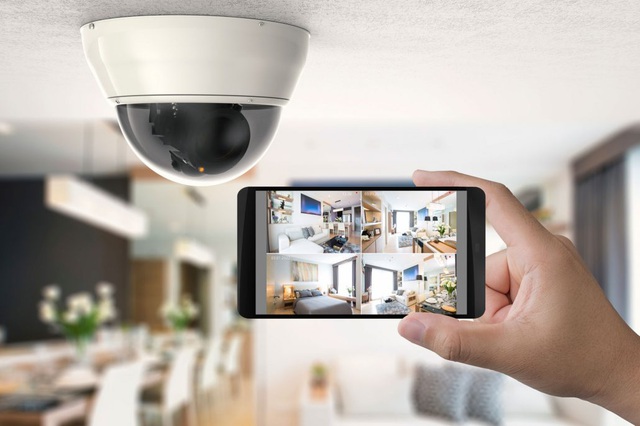
Why Your Peace of Mind Starts with a Camera
A few years back, a client of mine was constantly worried about their elderly parent who lived alone. After we installed a simple indoor camera with two-way audio, everything changed. It wasn’t about surveillance; it was about connection. They could check in, say a quick hello, and ensure everything was alright. That’s the real power of a modern security camera system.
It’s your extra set of eyes on:
- Your Front Porch: See who’s at the door, deter package thieves, and keep a log of all activity.
- Your Kids and Pets: Check if the kids got home from school safely or find out which furry friend is really responsible for chewing the sofa cushions.
- Your Property Perimeter: Monitor your garden, driveway, or backyard, especially at night.
- Vulnerable Areas: Keep an eye on a back gate, a basement window, or a detached garage.
A well-placed camera is more than a recording device; it’s a powerful deterrent that makes potential intruders think twice.
Before You Buy a Home Camera Accessories Set: Know Your Needs
Jumping straight into buying the first shiny box you see is a common mistake. The best system for your neighbor might not be the best for you. Let’s break down the first big decision.
Indoor vs. Outdoor: What’s the Difference?
This might seem obvious, but the distinction is critical.
- Indoor Cameras: These are designed for the controlled environment inside your home. They are typically smaller, less obtrusive, and often focus on features like two-way talk and pan-and-tilt functions to cover a whole room.
- Outdoor Cameras: These are the tough guys. They need to be weatherproof (look for an IP rating like IP65 or higher) to withstand rain, snow, dust, and extreme temperatures. They also tend to have more powerful night vision and a more robust build.
Wired vs. Wire-Free: The Great Debate
This choice boils down to convenience versus consistency.
- Wired Cameras: These cameras connect to power via a cable and often connect to your network via Wi-Fi or an Ethernet cable. The upside? You never have to worry about changing batteries, and the connection can be more stable. The downside? Installation can be more complex, sometimes requiring you to drill holes.
- Wire-Free (Battery-Powered) Cameras: The ultimate in flexibility. You can place these cameras virtually anywhere within Wi-Fi range without worrying about outlets. However, you’ll need to recharge or replace the batteries periodically (every few months, depending on usage).
Unpacking the Essentials: What’s in a Home Camera Accessories Set?
When you buy a home camera accessories set, you’re getting a starter kit for your home’s security. A typical bundle includes the core components you need to get up and running.
- The Cameras: Usually two or more, depending on the kit.
- Mounting Hardware: This includes screws, wall anchors, and mounting brackets. A good set provides options for mounting on walls, ceilings, or even under eaves.
- Power Adapters and Cables: For wired cameras, you’ll get the necessary power bricks and cables. For wire-free systems, you’ll get a charging cable.
- Hub or Base Station: Some wire-free systems (like those from Arlo or Eufy) use a central hub that connects to your router. This hub communicates with the cameras, which can help extend battery life and provide local storage options.
- Window Decals: Don’t underestimate these! A simple sticker telling the world your property is protected can be a surprisingly effective deterrent.
Key Features That Truly Matter
It’s easy to get lost in a sea of technical jargon. Let’s focus on the features that will make a real difference in your day-to-day security.
Resolution: Is 1080p Enough?
The short answer is yes, for most people. 1080p (Full HD) provides clear, crisp video that’s good enough to identify faces and read license plates from a reasonable distance. While 2K or 4K cameras offer even more detail, they also use more bandwidth and storage space. For general home monitoring, 1080p is the sweet spot.
Night Vision: Seeing in the Dark
This is non-negotiable. There are two main types:
- Infrared (IR) Night Vision: This is the classic black-and-white night vision. It uses IR LEDs to illuminate the scene, which is invisible to the human eye but clear as day to the camera.
- Color Night Vision: A newer technology that uses advanced sensors and sometimes a small, built-in spotlight to record in full color, even in low-light conditions. This can be crucial for identifying the color of a car or a person’s clothing.
Motion Detection and Smart Alerts
Your camera is useless if it doesn’t tell you when something is wrong. Modern cameras use advanced algorithms to distinguish between different types of motion. You can often customize “activity zones” to ignore a busy street and only focus on your walkway. Even better, many now offer smart alerts that can tell the difference between a person, a vehicle, and an animal, drastically reducing false alarms.
Two-Way Audio: More Than Just Watching
A built-in microphone and speaker allow you to listen in and talk back through your camera using your smartphone. You can tell the delivery driver where to leave a package, greet your kids when they get home, or tell your dog to get off the furniture.
Expert Insight: “The biggest security risk for smart home devices, including cameras, isn’t a sophisticated hack; it’s a weak password. Always change the default password, create something long and unique, and enable two-factor authentication (2FA) immediately. It’s the digital equivalent of double-locking your front door.” – Dr. Alistair Finch, Cybersecurity Analyst.
Installation Made Easy: A Step-by-Step Guide
You don’t need to be a tech wizard to install a modern security camera system.
- Plan Your Placement: Walk around your property. Identify key entry points and vulnerable areas. Think about camera height – about 8-10 feet off the ground is ideal for outdoor cameras to get a good view while being out of easy reach.
- Charge Everything Up: If you have a wire-free system, fully charge the batteries before you do anything else.
- Set Up the App and Hub: Download the manufacturer’s app on your smartphone. Follow the instructions to connect the hub (if you have one) to your router and sync your cameras to it before you mount them.
- Test Your Wi-Fi Signal: Take the camera to its intended mounting spot and check the live feed in the app. Make sure you have a strong, stable Wi-Fi signal. If not, you might need a Wi-Fi extender.
- Mount the Cameras: Use the included hardware to securely mount the cameras. Most mounts are adjustable, so you can fine-tune the viewing angle.
- Configure Your Settings: Dive into the app and customize everything. Set up motion detection zones, schedule when the cameras should be active, and adjust your notification preferences.
Supercharge Your Setup: Must-Have Extra Accessories
While the initial kit is great, a few extra accessories can take your security to the next level. Consider these when you buy a home camera accessories set or as future upgrades.
- Solar Panels: For outdoor, wire-free cameras, a small solar panel can provide a constant trickle charge, meaning you may never have to take the camera down to charge it again.
- Protective Skins/Housings: Silicone skins can help your camera blend in with its surroundings (e.g., a black skin for a dark eave) and add an extra layer of weather protection.
- Wi-Fi Range Extenders: If a camera is at the edge of your Wi-Fi’s reach, a dedicated extender or a mesh Wi-Fi system will ensure a reliable connection.
- High-Endurance MicroSD Cards: If your camera offers local storage, don’t just use any old memory card. High-endurance cards are specifically designed for the constant rewriting of video footage and are far more reliable.
Frequently Asked Questions (FAQ)
Q: What’s the most important accessory in a home camera set?
A: Besides the camera itself, the mounting hardware is crucial. A secure, versatile mount allows you to position the camera for the perfect viewing angle, which is fundamental to effective surveillance. Without a good mount, even the best camera is ineffective.
Q: Do I need a subscription for my home camera?
A: It depends. Most cameras offer free basic features like live streaming and motion alerts. However, a paid subscription is often required for advanced features like cloud storage for video clips, smart person/vehicle detection, and setting custom activity zones.
Q: How can I improve my camera’s Wi-Fi connection?
A: First, try moving your router to a more central location in your home. If that’s not enough, a Wi-Fi range extender or upgrading to a mesh Wi-Fi system are the best solutions for eliminating dead spots and ensuring strong signal strength to all your devices.
Q: How high should I mount my outdoor camera?
A: The sweet spot is generally 8 to 10 feet high. This is high enough to be out of easy reach for tampering but low enough to capture clear facial details. Always angle it slightly downwards to focus on your property, not your neighbor’s.
Q: Are battery-powered cameras reliable?
A: Absolutely. Modern battery technology has come a long way. A quality wire-free camera can last for several months on a single charge with typical usage. They are extremely reliable, and their installation flexibility is a major advantage for many homeowners.
Your Home, Your Sanctuary
Ultimately, the goal is to feel safe and secure in your own home. Taking the step to buy a home camera accessories set is a proactive move towards achieving that peace of mind. By assessing your unique needs, understanding the key features, and planning your installation, you can build a security system that works for you. You’re not just installing technology; you’re investing in a sense of security that allows you to relax, knowing your home is being watched over, even when you’re not there.