Living apart from aging parents comes with a unique set of worries. A simple phone call can offer reassurance, but it doesn’t always paint the full picture of their well-being. This is where a Home Camera For Elderly Parents can be an invaluable tool, not for surveillance, but for connection and peace of mind. It’s about bridging the distance, allowing you to check in visually and ensure they are safe and sound, without being intrusive. As a Senior Solutions Expert at An Ninh Gia Dinh 247, I’ve helped countless families find this balance, turning anxiety into assurance.
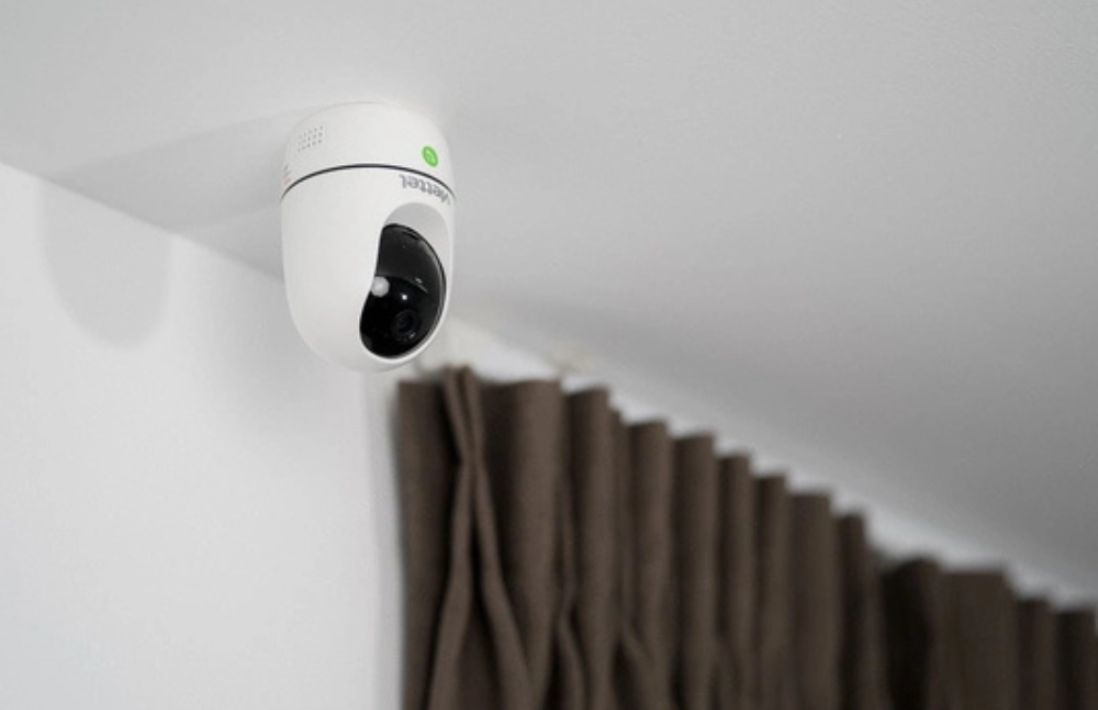
Why Do You Need a Camera for an Elderly Parent?
Let’s be honest, the idea can feel a bit strange at first. But a camera designed for this purpose is less about watching and more about caring from afar. It’s a modern-day safety net that offers tangible benefits for both you and your loved ones.
- Immediate Peace of Mind: A quick glance at a live feed can instantly confirm that everything is okay. Did Mom take her medication? Is Dad moving around comfortably after his surgery? These small visual cues can alleviate a world of worry.
- A Non-Intrusive Way to Check In: Constantly calling can sometimes feel like nagging to an independent parent. A camera allows you to check in passively. You see they’re having their morning coffee, and you can go about your day without needing to interrupt theirs.
- Emergency Detection: Modern cameras are incredibly smart. Many can send you alerts for unusual motion or sounds. A sudden loud noise or a prolonged period of no movement could be a signal that you need to call them or a neighbor to check in.
- Deterrent and Evidence: While we hope it never happens, elderly individuals can be targets for scams or unqualified caregivers. The visible presence of a camera can deter bad actors, and the recordings can provide crucial evidence if an unfortunate incident occurs.
Key Features to Look For in a Home Camera for Elderly Parents
Navigating the tech jargon can be overwhelming. Let’s break down the features that really matter for this specific need. Think of this as your essential checklist.
Two-Way Audio Communication
This is non-negotiable. Two-way audio turns the camera from a passive viewing device into an active communication tool. It’s like having a video intercom. You can say a quick “hello,” remind them about an appointment, or talk them through finding the TV remote. My own sister uses this feature to chat with our mom while she’s cooking; it makes her feel like she’s right there in the kitchen. It’s a powerful feature for combating loneliness.
Excellent Video Quality and Night Vision
What’s the point of a camera if the image is a blurry, unrecognizable blob?
- Resolution: Look for a camera with at least 1080p (Full HD) resolution. This ensures you can clearly see faces, read labels on medication bottles, or notice potential hazards on the floor.
- Night Vision: Falls and other incidents don’t just happen during the day. Infrared (IR) night vision is essential for seeing clearly in low-light or dark conditions without disturbing your parents’ sleep with a bright light.
Wide Field of View
You want to see the room, not just a tiny corner of it. A camera with a wide-angle lens (110 degrees or more) is ideal for covering main living areas like the living room or kitchen with a single device. Some cameras even offer pan-and-tilt functions, which you can control from your phone to look around the room.
Smart Alerts and Detection
A camera that constantly bombards you with notifications for every little movement is useless. You’ll just end up ignoring them. Look for cameras with intelligent alerts.
- Person Detection: The camera can distinguish between a person, a pet, and a shadow from a passing car, so you only get notified when it matters.
- Sound Detection: This can be configured to alert you to specific sounds, like a smoke alarm or a loud crash.
“The most effective security setup is one that provides actionable information, not just a stream of data. An alert that tells you a person was detected in the kitchen at 3 AM is far more valuable than a generic ‘motion detected’ alert.” – Dr. Eleanor Vance, Smart Home Technology Analyst.
The Privacy Talk: A Crucial Conversation
Installing a home camera for elderly parents absolutely requires a conversation. This is about respect and trust. The goal is to make them feel safer, not spied on.
- Be Open and Honest: Explain your worries and how a camera can help you feel more at ease. Frame it as a tool for connection and emergency support.
- Involve Them in the Decision: Show them the options. Let them have a say in what kind of camera it is and, most importantly, where it will be placed.
- Establish “No-Go” Zones: This is critical. Cameras should only be placed in common areas like the living room, kitchen, or main hallways. Private spaces like bedrooms and bathrooms are strictly off-limits.
- Discuss Access: Who will be able to view the camera feed? Just you? You and your siblings? Agree on this upfront.
How Do You Install and Set Up the Camera?
You don’t need to be a tech wizard. Most modern Wi-Fi cameras are designed for plug-and-play simplicity.
- Choose the Right Spot: Pick a location with a good view of the room and a strong Wi-Fi signal. A high shelf or the corner of a mantelpiece often works well. Ensure it’s near a power outlet.
- Power It On: Simply plug the camera into the wall using the included adapter.
- Download the App: On your smartphone, download the manufacturer’s app from the Apple App Store or Google Play Store.
- Connect to Wi-Fi: The app will guide you through the process of connecting the camera to your parents’ home Wi-Fi network. This usually involves scanning a QR code with the camera.
- Configure Settings: Once connected, you can use the app to customize motion sensitivity, set up notification schedules, and invite other family members to view the feed.
Pro-Tip: I always recommend setting the camera up at your own house first. Get it fully configured and linked to your account. That way, when you take it to your parents’ home, all you need to do is plug it in and connect it to their Wi-Fi. It makes the on-site process much faster and less stressful.
Frequently Asked Questions (FAQ)
Q: Can a home camera for elderly parents be hacked?
A: Any internet-connected device carries some risk, but you can minimize it significantly. Choose a reputable brand, use a strong, unique password for your account, and enable two-factor authentication (2FA). Reputable companies like An Ninh Gia Dinh 247 use strong encryption to protect your video feeds.
Q: Do these cameras require a monthly subscription?
A: It varies. Many cameras offer free basic services like live streaming and motion alerts. However, for features like extended cloud video storage or advanced AI detection (like fall detection), a monthly subscription is often required. Always check the subscription model before you buy.
Q: What if my parents don’t have Wi-Fi?
A: While most cameras rely on Wi-Fi, there are options that use a 4G/LTE cellular connection, just like your smartphone. These often have higher monthly service costs but are a great solution for homes without reliable internet.
Q: Are there cameras with a medical alert or panic button feature?
A: Yes. Some systems integrate the camera with a wearable panic button. If your parent presses the button, it can automatically send an alert to you and other emergency contacts, sometimes even connecting you directly to the camera’s two-way audio. This combines active and passive monitoring into one powerful system.
Q: Is it legal to place a camera in my parents’ home?
A: Generally, if you own the home or have permission from the homeowner (your parent), it is legal to place video cameras in common areas. However, recording audio without consent is restricted in some states/regions. The most important thing is transparency and getting your parents’ explicit consent.
Your Partner in Providing Care
Choosing a home camera for elderly parents is a decision rooted in love and a desire for their safety. It’s about using technology to close the physical distance and provide a reassuring presence when you can’t be there in person. By focusing on key features like two-way audio, clear video, and respectful placement, you can create a system that enhances their security while honoring their independence. Make an informed choice, have that important conversation, and gain the invaluable peace of mind that comes from knowing your loved ones are safe.