Let’s be honest, that feeling when you hear a strange noise at night or wonder if your package was actually delivered is not a pleasant one. In today’s world, peace of mind is priceless, and that’s exactly where a good security system comes in. If you’re ready to buy a commercial home camera, you’re making a smart move towards protecting your family and property. But with a sea of options, technical jargon, and flashy features, it’s easy to feel a bit lost.
That’s where I come in. As a Senior Solutions Expert at Family Security 247, I’ve helped countless families navigate this process. Think of me as your personal guide. We’re going to cut through the noise together, figure out what you really need, and find the perfect camera that makes you feel secure, whether you’re at home or halfway across the world.
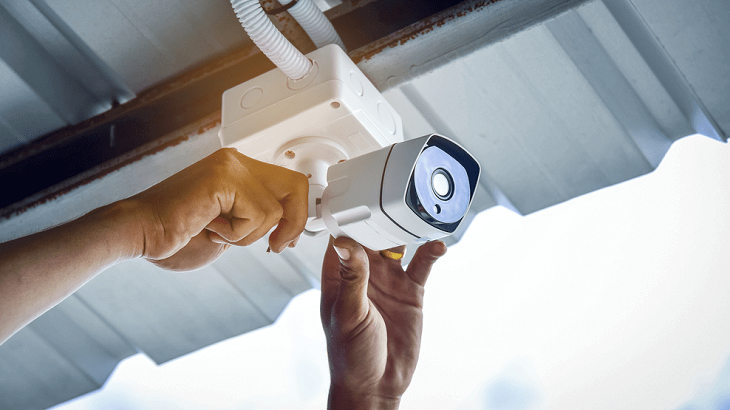
Why Bother With a Home Camera in the First Place?
You might be wondering if a security camera is overkill. The answer is a resounding no. A modern home camera is much more than just a crime deterrent; it’s a window into your home that provides convenience and connection.
Simply put, a home security camera acts as your eyes and ears when you can’t be there. It connects to your home’s Wi-Fi network, allowing you to view a live video feed from your smartphone, tablet, or computer. Just last week, my own camera alerted me to a delivery driver leaving a package in the rain, allowing me to ask a neighbor to move it under the porch. It’s these little moments of control and awareness that truly define modern home security.
Beyond deterring potential intruders, cameras help you:
- Check in on pets: See what your furry friends are up to while you’re at work.
- Monitor your kids: Make sure the kids get home from school safely or that the new babysitter is doing a great job.
- Verify deliveries: Get confirmation that your important packages have arrived.
- Record evidence: In the unfortunate event of a break-in or vandalism, clear video footage is invaluable for law enforcement.
What Are the Main Types of Home Security Cameras?
Not all cameras are created equal. The right one for you depends on where you want to place it and what you want to monitor.
Indoor Cameras
These are your go-to for monitoring activity inside your home. They are typically smaller, lighter, and designed to blend in with your decor. They’re perfect for keeping an eye on the main living area, a nursery, or a vulnerable entry point like a back door. Many include two-way audio, so you can talk to your kids or tell the dog to get off the couch.
Outdoor Cameras
Built to withstand the elements—rain, snow, heat, and cold—outdoor cameras are your first line of defense. They are more robust and often come with more powerful night vision and weatherproofing ratings (look for terms like IP65 or higher). Ideal placement includes overlooking the driveway, front porch, or backyard.
Doorbell Cameras
A game-changer in home security. These replace your existing doorbell and give you a live view of who’s at your front door, whether you’re home or not. You can speak to visitors directly through your phone, making it seem like you’re always home.
Floodlight Cameras
These are heavy-duty outdoor cameras with powerful, motion-activated floodlights built-in. They not only record suspicious activity but also illuminate the area, which is a massive deterrent for anyone lurking in the dark.
Key Features to Look For When You Buy a Commercial Home Camera
This is where things can get technical, but don’t worry. Let’s break down the most important features in simple terms.
- Video Resolution: You’ll see terms like 1080p, 2K, or 4K. Think of it like your TV—the higher the number, the clearer the picture. While 1080p (Full HD) is a good baseline, I strongly recommend at least 2K resolution. This allows you to digitally zoom in on details like a license plate or a face without it becoming a pixelated mess.
- Field of View: This is simply how much the camera can see at once, measured in degrees. A wider field of view (e.g., 160°) means you need fewer cameras to cover a large area like a backyard.
- Night Vision: How does the camera see in the dark? Most use infrared (IR) LEDs, which produce a black-and-white image. More advanced cameras offer color night vision, which uses ambient light and more sensitive sensors to show you what’s happening in full color, providing much more detail.
- Smart Motion Detection: Basic motion detection alerts you to any movement—a passing car, swaying trees, or a stray cat. This leads to “alert fatigue.” Look for cameras with AI-powered detection that can tell the difference between a person, a vehicle, and an animal. This ensures you only get alerts that truly matter.
- Storage Options: Where does your video footage go?
- Cloud Storage: Your recordings are uploaded to a secure server. This is great because your footage is safe even if a thief steals the camera itself. Most services require a monthly subscription.
- Local Storage: The video is saved on a microSD card or a local hard drive (like a hub or NVR). This is a one-time cost with no monthly fees, but if the device is damaged or stolen, you lose the footage.
- Power Source:
- Wired: Plugs into a power outlet or is hardwired into your home’s electrical system. It’s reliable, with no batteries to worry about, but installation can be more complex.
- Wireless/Battery-Powered: These are incredibly easy to install anywhere. The trade-off is that you’ll need to recharge or replace the batteries periodically (every few months, depending on usage).
|
Our Picks for the Best Home Camera in 2026
As an Amazon Associate, we earn from qualifying purchases.
|
||
| Num | Product | Action |
|---|---|---|
| 1 | WYZE Cam v4 (Latest Model), 2.5K AI Security Camera, Indoor/Outdoor Cameras for Home Security, Baby Monitor & Pet Camera, Vibrant Color Night Vision, No Subscription Required, Free Expert Help |

|
| 2 | Kasa Smart Indoor Pan-Tilt Home Security Camera, 1080p HD Dog Camera w/Night Vision, Motion Detection for Baby & Pet Monitor, Cloud & SD Card Storage, Works w/ Alexa & Google Home, 2.4G WiFi (EC71) |
|
| 3 | Tapo TP-Link 1080P Indoor Security Camera for Baby Monitor, Dog Camera w/Motion Detection, 2-Way Audio Siren, Night Vision, Cloud & SD Card Storage, Works w/Alexa & Google Home C100 |
|
| 4 | 2K Cameras for Home Security-Outdoor/Indoor Camera for Dog/Cat/Pet/Nanny/Baby, Color Night Vision, White Light, Siren, 24/7 SD Recordings, Works with Alexa/Google Home, C1 (C1-White-2pack-2.4G) |
|
| 5 | Ring Battery Doorbell | Home or business security with Head-to-Toe Video, Live View with Two-Way Talk, and Motion Detection & Alerts (newest model), Venetian Bronze |
|
| 6 | Blink Mini 2 — Home Security & Pet Camera(s) with HD video, color night view, motion detection, two-way audio, and built-in spotlight — 1 camera (Black) |
|
| 7 | WYZE Cam Pan v3, Indoor/Outdoor IP65-Rated 1080p Pan/Tilt/Zoom Wi-Fi Smart Home Security Camera with Color Night Vision, 2-Way Audio, Compatible with Alexa & Google Assistant, Free Expert Setup |
|
| 8 | Ring Outdoor Cam (Stick Up Cam) | Weather-Resistant Outdoor Camera, Live View, Color Night Vision, Two-Way Talk, Motion alerts, Works with Alexa | White |
|
| 9 | TP-Link Tapo Pan/Tilt Security Camera for Baby Monitor, Pet Camera w/Motion Detection, 1080P, 2-Way Audio, Night Vision, Cloud & SD Card Storage, Works with Alexa & Google Home (Tapo C200) |
|
| 10 | TP-Link Tapo 2K Pan/Tilt Security Camera for Baby Monitor, Dog Camera w/Motion Detection, 2-Way Audio, Siren, Night Vision, Cloud & SD Card Storage, Works with Alexa & Google Home, 2-Pack (C210P2) |
|
A Simple Guide to Installing Your New Camera
Feeling intimidated by the idea of installation? You don’t need to be a pro. Most modern cameras are designed for easy DIY setup.
- Plan Your Placement: Before you drill any holes, identify the key areas you want to cover. For outdoor cameras, place them high enough to be out of easy reach (around 8-10 feet) and angled slightly down. Avoid pointing them directly at the sun, which can cause glare.
- Test Your Wi-Fi Signal: Take your smartphone to the spot where you want to install the camera. Do you have a strong Wi-Fi signal? If not, you may need a Wi-Fi extender to ensure a reliable connection.
- Charge It Up: If you have a battery-powered camera, make sure it’s fully charged before you mount it.
- Download the App and Sync: Every camera comes with a companion app. Download it to your phone, create an account, and follow the in-app instructions to connect the camera to your Wi-Fi network. It’s usually as simple as scanning a QR code.
- Mount the Camera: Once it’s synced and you can see a live feed, you can mount it securely. Most come with a mounting bracket and all the necessary screws.
- Adjust the View: Use the live feed on your app to adjust the camera angle to get the perfect view. Set up your motion detection zones to focus on important areas like walkways and ignore public sidewalks.
Let’s Talk Privacy: Is My Camera Secure?
This is a question I get all the time, and it’s an important one. You’re putting a camera in your home; you need to trust it. Reputable brands take security very seriously, but you also have a role to play.
“The front door to your digital security is often the default password. Leaving it unchanged is like leaving your physical front door wide open with a welcome mat out.”
– Dr. Alistair Finch, Cybersecurity Analyst
Here’s how you can keep your cameras secure:
- Use a Strong, Unique Password: Don’t reuse the same password you use for your email or social media.
- Enable Two-Factor Authentication (2FA): This adds an extra layer of security, requiring a code from your phone to log in. It’s one of the single most effective things you can do.
- Keep Firmware Updated: Manufacturers regularly release updates to patch security vulnerabilities. Enable automatic updates in the app if possible.
- Buy from a Reputable Brand: Stick with well-known brands that have a proven track record of supporting their products and prioritizing user privacy.
Frequently Asked Questions (FAQ)
Q: What’s the difference between a commercial home camera and a regular one?
A: The term “commercial home camera” typically refers to a higher-quality, more durable, and feature-rich camera available to consumers. It implies professional-grade features like advanced AI detection, better build quality, and more robust security protocols compared to very basic, entry-level models.
Q: Do I need a subscription for my home camera?
A: It depends on the model and how you want to store video. Many cameras offer basic functions like live viewing for free, but if you want to store recordings in the cloud to review later, you will likely need a monthly subscription. Some models offer free local storage via a microSD card.
Q: Where is the best place to install an outdoor camera?
A: The best spots are covering main points of entry: your front door, back door, and driveway. Placing a camera overlooking your front yard can also capture activity on the street. Mount it about 8-10 feet high to prevent tampering, but not so high that you can’t make out details.
Q: How much data does a security camera use?
A: This varies greatly depending on the video resolution and how much motion it records. A camera recording in 1080p or 2K can use anywhere from 60GB to 200GB of data per month if it’s recording frequently. It’s a good idea to have an unlimited home internet plan.
Q: Can home security cameras be hacked?
A: Any device connected to the internet has a potential risk of being hacked. However, you can dramatically reduce this risk by choosing a reputable brand, using a strong and unique password, enabling two-factor authentication (2FA), and keeping your camera’s software (firmware) updated.
Your Home, Your Peace of Mind
Choosing to buy a commercial home camera is an investment in your family’s safety and your own peace of mind. By focusing on the features that matter most—clear resolution, smart detection, and secure storage—you can build a system that works for you. Don’t get bogged down by the technical details. Remember the goal: to create a safe and secure environment for the people you care about most. Now you have the knowledge to make an informed choice and take that important step toward a more secure home.