Let’s be honest, that smart doorbell on your front door is a game-changer. But have you ever gotten a motion alert, checked the feed, and thought, “I wish I could see what’s happening just out of frame”? You’re not alone. That’s precisely where the power of a Home Camera For Smart Doorbell Integration comes into play. It’s about transforming your front porch from a single vantage point into a comprehensive security network.
Here at Family Security 247, we see it all the time. A doorbell catches the delivery driver, but a separate, integrated camera catches the porch pirate lurking from the side. This guide is your roadmap to creating that seamless, intelligent security bubble around your home, turning two smart devices into one powerful team.
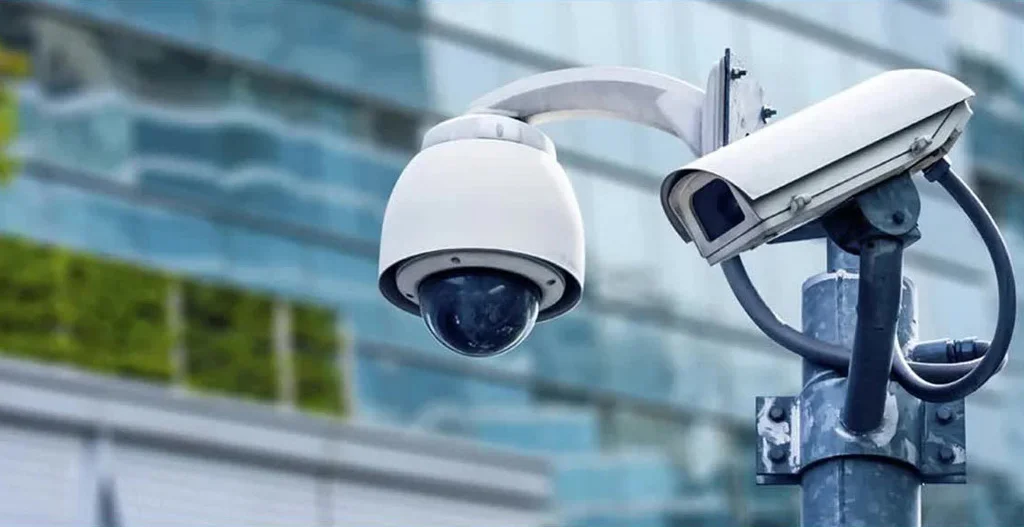
Why You Need More Than Just a Doorbell
A smart doorbell is an incredible first line of defense. It lets you see and speak to whoever is at your door, from anywhere in the world. But it has its limits. Think of it as a bouncer at a club—it can only see what’s directly in front of it.
- Blind Spots: Most doorbells have a “fisheye” view, but they can’t see around corners, down the driveway, or across the yard. This leaves significant blind spots for someone to approach undetected.
- Limited Context: Did that motion alert come from a person, a passing car, or just a squirrel? Without a wider view from another camera, you’re missing the full story of what triggered the event.
- Post-Event Tracking: If someone does something suspicious and then walks off your porch, the doorbell’s view ends. An integrated home camera can pick up where the doorbell left off, tracking their movement across your property.
Pairing a dedicated home camera with your smart doorbell isn’t about redundancy; it’s about creating a layered security system that provides complete situational awareness.
The Power Couple: How Home Camera for Smart Doorbell Integration Works
So, how does this magic actually happen? It’s all about the ecosystem. Think of it like Apple products—an iPhone works beautifully with a MacBook and an Apple Watch because they’re all designed to speak the same language. The same principle applies to your home security.
When you have a home camera for smart doorbell integration, you’re usually working within a single brand’s ecosystem (like Ring, Google Nest, Arlo, or Wyze). When the doorbell detects motion or is pressed, it can automatically trigger the nearby camera to start recording.
Here’s a real-world example from my own setup: The other day, my Ring doorbell alerted me to a delivery. Instantly, the Ring app also showed me a live feed from my Ring Floodlight Cam overlooking the driveway. I could see the delivery van, confirm it was a legitimate delivery, and watch the driver leave, all from one screen. That’s the power of integration.
“True smart home security isn’t about having many gadgets; it’s about having the right gadgets that communicate seamlessly. When your doorbell and cameras work in concert, they create an intelligent net that provides a much clearer picture of any event.” – Dr. Evelyn Reed, Smart Home Security Analyst.
This seamless communication means you get smarter, more contextual notifications and can review a single event from multiple angles, all stitched together in your app’s timeline.
Key Features to Look for in a Compatible Home Camera
When you’re shopping for a camera to pair with your doorbell, not just any camera will do. You need to look for specific features that enhance the integration.
Ecosystem Compatibility is King
This is the most important rule. If you have a Google Nest Doorbell, you’ll get the best experience with a Google Nest Cam. If you have a Ring Doorbell, stick with Ring cameras. While some third-party integrations exist via platforms like IFTTT (If This Then That), a native, single-brand setup is almost always smoother and more reliable.
Field of View and Resolution
- Field of View (FoV): You want a camera with a wide FoV (ideally 130 degrees or more) to cover the blind spots your doorbell misses.
- Resolution: Look for at least 1080p HD resolution. This ensures that when you need to zoom in on a face or a license plate, the image is clear and usable. A 2K or 4K camera is even better if it’s within your budget.
Smart Motion Detection
Modern cameras are incredibly smart. Don’t settle for one that just detects any old motion. Look for a home camera for smart doorbell integration that offers:
- Person Detection: Ignores swaying trees and passing cars to only alert you when a person is detected.
- Package Detection: Can specifically notify you when a package is dropped off or, more importantly, picked up.
- Customizable Motion Zones: Allows you to draw specific areas in the camera’s view to monitor, like your walkway or garden, while ignoring the public sidewalk.
Night Vision and Weather Resistance
Your security doesn’t stop when the sun goes down.
- Color Night Vision: Many modern cameras use ambient light or a small spotlight to provide a full-color image at night, which is far more useful for identification than traditional black-and-white infrared.
- Weather Resistance: For any outdoor camera, look for an IP rating of at least IP65. This ensures it’s protected against dust, rain, and snow.
|
Our Picks for the Best Home Camera in 2026
As an Amazon Associate, we earn from qualifying purchases.
|
||
| Num | Product | Action |
|---|---|---|
| 1 | TP-Link Tapo 2K Pan/Tilt Security Camera for Baby Monitor, Dog Camera w/Motion Detection, 2-Way Audio, Siren, Night Vision, Cloud & SD Card Storage, Works with Alexa & Google Home, 2-Pack (C210P2) |

|
| 2 | Ring Outdoor Cam (Stick Up Cam) | Weather-Resistant Outdoor Camera, Live View, Color Night Vision, Two-Way Talk, Motion alerts, Works with Alexa | White |
|
| 3 | WYZE Cam Pan v3, Indoor/Outdoor IP65-Rated 1080p Pan/Tilt/Zoom Wi-Fi Smart Home Security Camera with Color Night Vision, 2-Way Audio, Compatible with Alexa & Google Assistant, Free Expert Setup |
|
| 4 | WYZE Cam v4 (Latest Model), 2.5K AI Security Camera, Indoor/Outdoor Cameras for Home Security, Baby Monitor & Pet Camera, Vibrant Color Night Vision, No Subscription Required, Free Expert Help |
|
| 5 | Kasa Smart Indoor Pan-Tilt Home Security Camera, 1080p HD Dog Camera w/Night Vision, Motion Detection for Baby & Pet Monitor, Cloud & SD Card Storage, Works w/ Alexa & Google Home, 2.4G WiFi (EC71) |
|
| 6 | Ring Battery Doorbell | Home or business security with Head-to-Toe Video, Live View with Two-Way Talk, and Motion Detection & Alerts (newest model), Venetian Bronze |
|
| 7 | Blink Mini 2 — Home Security & Pet Camera(s) with HD video, color night view, motion detection, two-way audio, and built-in spotlight — 1 camera (Black) |
|
| 8 | TP-Link Tapo Pan/Tilt Security Camera for Baby Monitor, Pet Camera w/Motion Detection, 1080P, 2-Way Audio, Night Vision, Cloud & SD Card Storage, Works with Alexa & Google Home (Tapo C200) |
|
| 9 | Tapo TP-Link 1080P Indoor Security Camera for Baby Monitor, Dog Camera w/Motion Detection, 2-Way Audio Siren, Night Vision, Cloud & SD Card Storage, Works w/Alexa & Google Home C100 |
|
| 10 | 2K Cameras for Home Security-Outdoor/Indoor Camera for Dog/Cat/Pet/Nanny/Baby, Color Night Vision, White Light, Siren, 24/7 SD Recordings, Works with Alexa/Google Home, C1 (C1-White-2pack-2.4G) |
|
Setting Up Your Integrated System: A Step-by-Step Guide
Getting your new camera and doorbell to talk to each other is easier than you might think. While the exact steps vary by brand, the general process is universal.
- Install Your Devices: First, physically install both your smart doorbell and your new home camera according to the manufacturer’s instructions. Make sure both are connected to your home’s Wi-Fi network.
- Use a Single App: Download the brand’s official app (e.g., the Ring app, Google Home app) and add both devices to your account. You should be able to see both the doorbell and the camera in your list of devices.
- Link the Devices: This is the key integration step. Look in the app’s settings for an option like “Linked Devices” or “Device Linking.”
- Create a Rule: Select your doorbell as the “trigger” device. Then, choose the event you want to trigger the camera. This is usually “When motion is detected” or “When the doorbell is rung.”
- Select the Action: Choose your new home camera as the “action” device. The action will be “Start recording.”
- Test the System: Save the rule. Then, walk in front of your doorbell to trigger a motion event. Check your app’s event history to confirm that both the doorbell and the camera recorded the event simultaneously.
And that’s it! You’ve just created a powerful, integrated security duo.
Privacy in a Connected World: Securing Your System
With more cameras comes a greater responsibility to secure them. A home camera for smart doorbell integration is a powerful tool, but you must protect it from unauthorized access.
- Use a Strong, Unique Password: Don’t reuse the same password you use for your email or social media. Create a long, complex password for your security camera account.
- Enable Two-Factor Authentication (2FA): This is non-negotiable. 2FA adds a second layer of security by requiring a code from your phone to log in, even if someone steals your password.
- Check Privacy Settings: Familiarize yourself with the privacy zones and audio recording settings in your app. You can often black out areas you don’t want to record (like a neighbor’s window) and disable audio recording if required by local laws or your personal preference.
Frequently Asked Questions (FAQ)
Q: Can any home camera work with any smart doorbell?
A: Generally, no. For the most seamless and reliable experience, it’s best to use a camera and doorbell from the same brand and ecosystem, like Ring, Google Nest, or Arlo. This ensures they can communicate directly through the manufacturer’s app.
Q: What’s the main benefit of integrating a home camera with a smart doorbell?
A: The main benefit is context and coverage. The camera covers the doorbell’s blind spots, giving you a complete picture of any event. When motion is detected, both devices can record, allowing you to see where someone came from and where they went from multiple angles.
Q: Do I need a subscription for this integration?
A: While the basic linking feature is often free, you will almost always need a paid subscription plan (like Ring Protect or Nest Aware) to store and review the video recordings from either device. These plans also typically unlock advanced features like person and package detection.
Q: How does a home camera for smart doorbell integration help with package delivery?
A: It’s a perfect team. The doorbell can notify you of the delivery, and a second camera positioned with a wider view can keep an eye on the package after the driver leaves, giving you a better chance of catching a potential porch pirate in the act.
Q: Is it hard to set up the integration myself?
A: Not at all. Most major brands have made the process very user-friendly within their apps. It’s typically a matter of going into the settings, selecting “Linked Devices,” and creating a simple “if this happens, then that camera records” rule, which usually takes less than five minutes.
Your Home, Your Fortress
Ultimately, building a truly secure home is about creating smart, overlapping layers of protection. A standalone doorbell is good, but it’s just one piece of the puzzle. By choosing the right home camera for smart doorbell integration, you’re not just adding another gadget; you’re creating an intelligent, responsive security network that works together to give you the one thing that truly matters: peace of mind. Make the smart choice, and turn your home into the fortress it deserves to be.