Let’s be honest, we’ve all been there. It’s the middle of the night, you hear a strange rustle outside, and your mind immediately jumps to the worst-case scenario. Is it just the neighbor’s cat, or something more sinister? That feeling of uncertainty is exactly why the decision to buy a home camera for your backyard is one of the smartest security moves you can make. It’s not just about catching burglars; it’s about gaining peace of mind, knowing you have a reliable set of eyes watching over your property, your pets, and your family, 24/7. This guide is here to cut through the technical jargon and help you find the perfect camera for your home.
For those who are considering a comprehensive solution beyond just a single camera, understanding how to buy premium home camera system can provide a more integrated approach to securing your entire property.
Why You Absolutely Need a Backyard Camera
Your backyard is more than just a patch of grass. It’s a private extension of your living space, a playground for your kids, and often a storage area for valuable items like grills, bikes, and tools. Unfortunately, it’s also a common entry point for intruders. My own camera once caught a would-be package thief who thought he could sneak around the back. The crystal-clear footage was all the police needed. A backyard camera acts as a powerful deterrent and an invaluable source of evidence. It’s your first line of defense, watching over your space when you can’t.
What Types of Backyard Cameras Are Out There?
Walking into the world of security cameras can feel a bit overwhelming with all the different shapes and specs. But it really boils down to a few key categories. Think of it like choosing a car; you need the right model for the right terrain.
Wired vs. Wire-Free: The Power Struggle
- Wired Cameras: These cameras connect directly to your home’s power source and often to your internet router via an Ethernet cable (Power over Ethernet or PoE). The upside? An incredibly stable and reliable connection that you never have to worry about. The downside? Installation can be a bit more involved, sometimes requiring you to drill through walls.
- Wire-Free (Battery-Powered) Cameras: These are the champions of convenience. You can mount them just about anywhere without worrying about cables. They run on rechargeable batteries that can last for months. The catch? You’ll need to remember to recharge them, and their performance can sometimes be affected by Wi-Fi signal strength.
Bullet, Dome, and PTZ: A Shape for Every Situation
- Bullet Cameras: These are the classic, highly visible cameras you probably picture in your head. Their obvious presence is a great deterrent in itself. They are typically fixed, pointing in one direction.
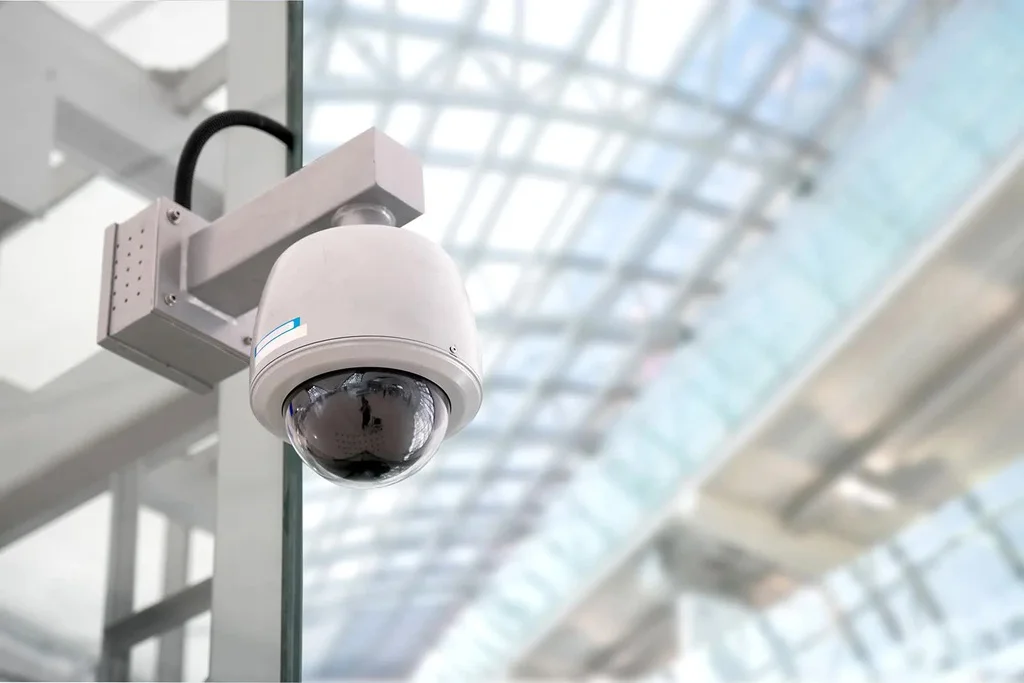
- Dome Cameras: More discreet and vandal-resistant, dome cameras are a sleeker choice. Their tinted coverings make it hard for people to know exactly where the lens is pointing.
- PTZ (Pan-Tilt-Zoom) Cameras: These are the power players. You can remotely control them to pan across a wide area, tilt up and down, and zoom in on specific points of interest. They are perfect for monitoring large, open backyards.
Key Features to Look For When You Buy a Home Camera for Backyard
This is where the rubber meets the road. The features you choose will determine how effective your camera truly is. Don’t get swayed by marketing buzzwords; focus on what actually matters for backyard security.
- Crystal-Clear Resolution: Forget grainy, unrecognizable footage. Look for a camera with at least 1080p (Full HD) resolution. For larger yards where you might need to zoom in, 2K or 4K resolution is even better, ensuring you can capture details like license plates or faces from a distance.
- Powerful Night Vision: A camera is useless if it goes blind after sunset. There are two main types:
- Infrared (IR) Night Vision: This gives you the standard black-and-white video in the dark. It’s reliable and can see a good distance.
- Color Night Vision: A newer technology that uses ambient light or a small, built-in spotlight to record in full color at night. This is a game-changer for identifying details like the color of a car or a person’s clothing.
- Wide Field of View: The field of view, measured in degrees, determines how much your camera can see at once. For a backyard, you’ll want something with at least a 130-degree view to minimize blind spots.
- Weatherproof Durability: Your backyard camera will be facing rain, snow, heat, and cold. Look for an IP rating of at least IP65, which means it’s protected against dust and jets of water. IP66 or IP67 offers even more robust protection.
- Two-Way Audio: This feature turns your camera into an intercom. You can hear what’s happening and speak through the camera’s built-in speaker. It’s perfect for telling a delivery driver where to leave a package or scaring off an unwanted visitor (or raccoon).
- Smart Motion Detection: Basic motion detection can lead to a flood of false alerts from falling leaves or passing cars. Look for cameras with AI-powered detection that can specifically identify people, vehicles, and animals, so you only get the alerts that matter.
- Video Storage Options: Where will your footage be saved?
- Local Storage: The camera saves video to a microSD card or a local hard drive (NVR). This means no monthly fees, but if the camera is stolen, you lose the footage.
- Cloud Storage: Your video is uploaded to a secure server. You can access it from anywhere, and it’s safe from theft. Most cloud services require a monthly subscription fee.
The sheer number of choices can be overwhelming, which is why many people prefer to buy home camera online where they can easily compare specs and user reviews.
How Do I Install My New Backyard Camera?
While a professional installation is always an option, many modern cameras are designed for easy DIY setup. Here’s a basic rundown:
- Plan Your Placement: Identify the key areas you want to monitor. Common spots include overlooking a back door, a gate, a detached garage, or a patio area. Aim for a high vantage point (8-10 feet off the ground) to get a wide view and keep it out of easy reach.
- Test Your Wi-Fi Signal: Before you start drilling holes, take your camera to the chosen spot and check the Wi-Fi signal strength on your phone or through the camera’s app. A weak signal will lead to laggy video and connection drops.
- Mount the Camera: Use the included template and hardware to securely mount the camera to a wall, eave, or fence post. Make sure it’s angled correctly to cover your target area.
- Connect to Power: For a wired camera, you’ll need to run a power cable to a nearby outlet. For a wire-free model, just make sure the battery is fully charged.
- Set Up the App: Download the manufacturer’s app on your smartphone and follow the on-screen instructions to connect the camera to your Wi-Fi network. This usually involves scanning a QR code and is typically a very simple process.
- Customize Your Settings: Once connected, dive into the app’s settings. Define motion zones to ignore high-traffic areas, adjust motion sensitivity, and set up your notification preferences.
Pro Tips for Maximum Backyard Security
- Cover All Entry Points: Make sure your camera’s view covers any gates, back doors, or low-level windows.
- Use Lighting to Your Advantage: A well-lit yard is a major deterrent. Many cameras have built-in spotlights that activate when motion is detected, which not only provides better video quality but also startles intruders.
- Consider Overlapping Fields of View: For larger properties, using two cameras with overlapping views eliminates blind spots and ensures you have coverage from multiple angles.
|
Our Picks for the Best Home Camera in 2026
As an Amazon Associate, we earn from qualifying purchases.
|
||
| Num | Product | Action |
|---|---|---|
| 1 | Ring Battery Doorbell | Home or business security with Head-to-Toe Video, Live View with Two-Way Talk, and Motion Detection & Alerts (newest model), Venetian Bronze |

|
| 2 | TP-Link Tapo Pan/Tilt Security Camera for Baby Monitor, Pet Camera w/Motion Detection, 1080P, 2-Way Audio, Night Vision, Cloud & SD Card Storage, Works with Alexa & Google Home (Tapo C200) |
|
| 3 | Blink Mini 2 — Home Security & Pet Camera(s) with HD video, color night view, motion detection, two-way audio, and built-in spotlight — 1 camera (Black) |
|
| 4 | Tapo TP-Link 1080P Indoor Security Camera for Baby Monitor, Dog Camera w/Motion Detection, 2-Way Audio Siren, Night Vision, Cloud & SD Card Storage, Works w/Alexa & Google Home C100 |
|
| 5 | WYZE Cam v4 (Latest Model), 2.5K AI Security Camera, Indoor/Outdoor Cameras for Home Security, Baby Monitor & Pet Camera, Vibrant Color Night Vision, No Subscription Required, Free Expert Help |
|
| 6 | WYZE Cam Pan v3, Indoor/Outdoor IP65-Rated 1080p Pan/Tilt/Zoom Wi-Fi Smart Home Security Camera with Color Night Vision, 2-Way Audio, Compatible with Alexa & Google Assistant, Free Expert Setup |
|
| 7 | Ring Outdoor Cam (Stick Up Cam) | Weather-Resistant Outdoor Camera, Live View, Color Night Vision, Two-Way Talk, Motion alerts, Works with Alexa | White |
|
| 8 | TP-Link Tapo 2K Pan/Tilt Security Camera for Baby Monitor, Dog Camera w/Motion Detection, 2-Way Audio, Siren, Night Vision, Cloud & SD Card Storage, Works with Alexa & Google Home, 2-Pack (C210P2) |
|
| 9 | 2K Cameras for Home Security-Outdoor/Indoor Camera for Dog/Cat/Pet/Nanny/Baby, Color Night Vision, White Light, Siren, 24/7 SD Recordings, Works with Alexa/Google Home, C1 (C1-White-2pack-2.4G) |
|
| 10 | Kasa Smart Indoor Pan-Tilt Home Security Camera, 1080p HD Dog Camera w/Night Vision, Motion Detection for Baby & Pet Monitor, Cloud & SD Card Storage, Works w/ Alexa & Google Home, 2.4G WiFi (EC71) |
|
Let’s Talk Privacy: Is Someone Watching Me?
This is a perfectly valid concern. The last thing you want is for your security camera to become a security risk. Protecting your privacy is paramount.
“The single most important step any user can take is to immediately change the default username and password on their camera,” advises Dr. Alistair Finch, a leading cybersecurity consultant. “Default credentials are often publicly available online, making them an open door for hackers. A strong, unique password is your first and best line of defense.”
Here’s how to lock down your camera:
- Use a Strong, Unique Password: Don’t reuse passwords from other accounts. Combine upper and lowercase letters, numbers, and symbols.
- Enable Two-Factor Authentication (2FA): This adds a second layer of security, requiring a code from your phone in addition to your password to log in.
- Keep Your Firmware Updated: Manufacturers regularly release updates to patch security vulnerabilities. Always install them as soon as they become available.
- Secure Your Wi-Fi Network: Your camera is only as secure as the network it’s on. Ensure your home Wi-Fi has a strong password and uses WPA2 or WPA3 encryption.
Integrating Your Camera with a Smart Home Ecosystem
Modern security cameras don’t live in a vacuum. Many can integrate seamlessly with smart home platforms like Amazon Alexa and Google Assistant. This allows you to do things like view your camera feed on a smart display with a simple voice command (“Alexa, show me the backyard camera”) or create automations, such as having your smart lights turn on when the camera detects motion. As technology evolves, so do security solutions. Anyone planning for the long-term might be interested in what’s next and even look to buy luxury home camera 2025 for cutting-edge features and integration.
Frequently Asked Questions
How far can a backyard security camera see at night?
This varies by model, but most quality outdoor cameras have an IR night vision range of 30 to 100 feet (about 10 to 30 meters). High-end models can see even further. Always check the product specifications for the exact night vision distance.
Do outdoor cameras need to be connected to Wi-Fi?
Most modern smart cameras require a Wi-Fi connection to send video to your phone and the cloud. However, some wired systems (like PoE systems) connect directly to a recorder (NVR) and can operate without an internet connection, though you’ll lose remote viewing capabilities.
Can my neighbor’s camera legally record my backyard?
Laws vary by location, but generally, a neighbor can record their own property. If their camera incidentally captures a portion of your yard, it is often considered legal. However, if a camera is pointed directly into your home or a private area, it could be a violation of privacy laws.
How long do the batteries last on wire-free cameras?
Battery life depends heavily on usage, settings, and weather. With typical use, most batteries last between 2 to 6 months on a single charge. High-traffic areas that trigger frequent recordings will drain the battery much faster.
What is the difference between motion detection and person detection?
Standard motion detection is triggered by any change in pixels, which can be caused by anything from a person to a swaying tree branch. Person detection uses artificial intelligence (AI) to specifically identify the shape of a human, dramatically reducing false alarms.
Your Backyard’s Guardian Angel Awaits
Choosing to buy a home camera for your backyard is an investment in your home’s security and your family’s peace of mind. By focusing on the features that matter most—like clear resolution, reliable night vision, and smart alerts—you can find a device that acts as a silent, vigilant guardian. Take your time, assess your property’s unique needs, and select a camera that empowers you to feel safe and in control. After all, a secure home is a happy home.