Hello there. As the lead solutions expert at “An Ninh Gia Dinh 247,” I’ve spent countless hours in homes just like yours, talking to families about what keeps them up at night. And you know what comes up time and time again? The driveway. It’s more than just a patch of asphalt; it’s the gateway to your home. That’s why your decision to buy a home camera for your driveway is one of the smartest security moves you can make. It’s about seeing that package get delivered safely, knowing who’s pulling up before the doorbell rings, and having a clear record if something ever goes bump in the night.
But let’s be real, the market is flooded with options. It’s easy to get lost in a sea of technical jargon. My goal today is to cut through that noise. We’re going to have a straightforward chat, expert to homeowner, about finding the perfect camera to watch over your driveway and give you that priceless peace of mind.
Why Your Driveway is Your First Line of Defense
Think of your home’s security in layers, like an onion. The very outer layer is your property line, and the first major entry point is your driveway. Securing it isn’t just about catching intruders, though that’s a huge part of it. A well-placed driveway camera serves multiple, everyday purposes:
- Package Theft Prevention: This is the big one for most people. A visible camera is a massive deterrent to porch pirates. You’ll also get an alert the moment a delivery is made.
- Visitor Verification: See who’s at your home—a friend, the delivery person, or someone unexpected—long before they reach your front door.
- Vehicle Security: Keep an eye on your cars. It helps deter break-ins, vandalism, and gives you a clear view if a hit-and-run happens in front of your house.
- Evidence Collection: In the unfortunate event of a break-in or vandalism, high-quality video footage is invaluable for law enforcement and insurance claims. I once had a client whose camera footage clearly captured the license plate of a car that sideswiped his parked truck, saving him a massive headache with his insurance company.
What Kind of Driveway Cameras Are Out There?
When you start looking to buy a home camera for your driveway, you’ll mainly see a few styles. Don’t get overwhelmed; it’s simpler than it looks.
Camera Styles
- Bullet Cameras: These are the classic, rectangular cameras you probably picture in your head. They are highly visible, which makes them a great deterrent. Their shape also allows for larger lenses and better night vision capabilities.
- Dome Cameras: These are more discreet and vandal-resistant. The dome casing makes it hard for people to know exactly where the lens is pointing, which is a nice psychological advantage.
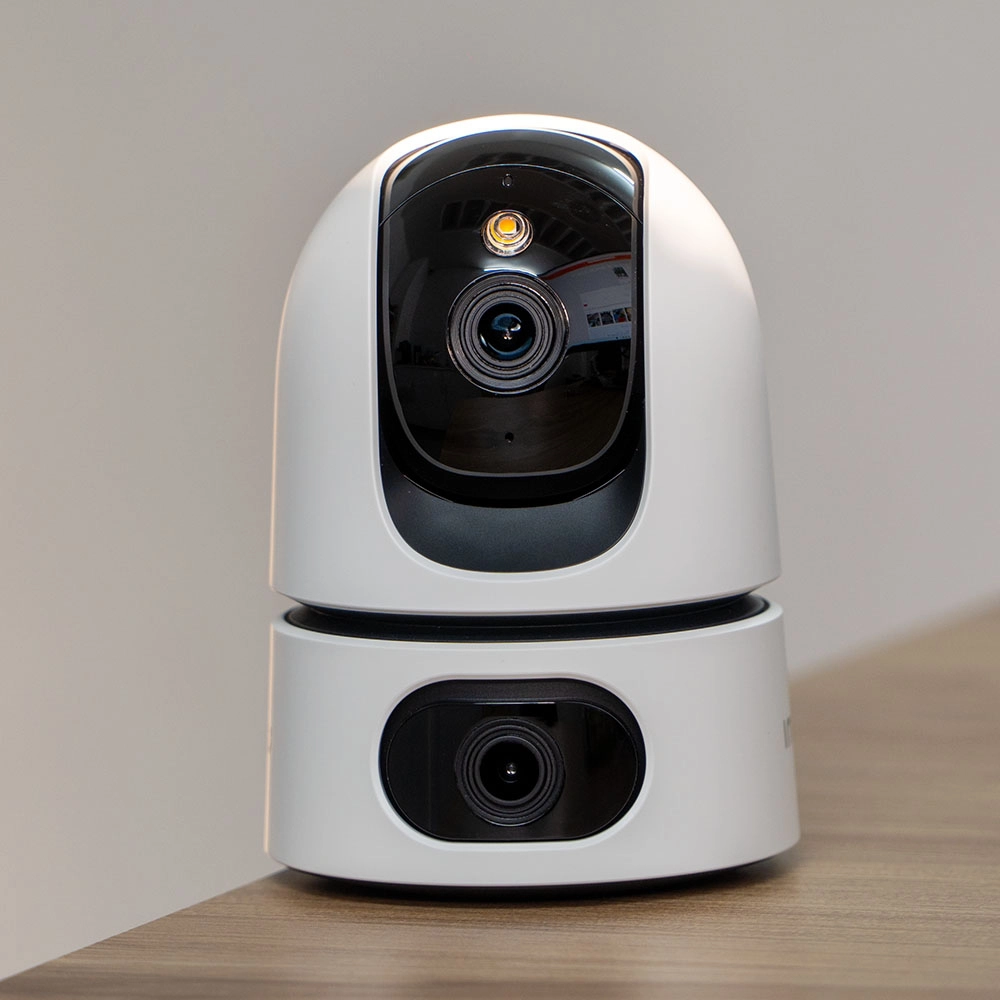
- PTZ (Pan-Tilt-Zoom) Cameras: These are the power players. They allow you to remotely control the camera to pan across a wide area, tilt up and down, and zoom in on specific details. They’re fantastic for covering large, oddly shaped driveways.
Wired vs. Wireless
This is one of the most important decisions you’ll make.
- Wired Cameras (PoE): These cameras get both power and internet through a single Ethernet cable (Power over Ethernet). They are incredibly reliable and not susceptible to Wi-Fi jammers or dropouts. The downside? Installation is more involved, often requiring you to run cables through walls or conduits.
- Wireless Cameras (Wi-Fi): These are much easier to install. They just need a power source nearby (either a standard outlet or a rechargeable battery). Their performance, however, is entirely dependent on the strength of your Wi-Fi signal. A weak signal means a spotty connection and unreliable footage.
The Non-Negotiable Features for a Driveway Camera
Alright, let’s get into the nitty-gritty. When you’re comparing models, these are the features that truly matter for driveway surveillance. Don’t compromise on these.
Video Resolution: Don’t Settle for Less than 1080p
Video quality is paramount. A blurry, pixelated image is useless. 1080p (Full HD) is the absolute minimum you should consider. However, for a driveway, I strongly recommend 2K (Quad HD) or 4K (Ultra HD) resolution. Why? Because you’ll want to be able to zoom in on details like faces and license plates without the image turning into a mess of blocks.
Night Vision: What Happens in the Dark?
Your driveway doesn’t close at 5 PM. You need a camera that can see clearly in the dark. There are two main types:
- Infrared (IR) Night Vision: This is the standard black-and-white night vision. It uses IR LEDs to illuminate the area, which is invisible to the human eye but clear as day for the camera.
- Color Night Vision: A growing number of cameras use highly sensitive sensors and sometimes a small, motion-activated spotlight to record in full color at night. This is a game-changer for identifying the color of a car or a person’s clothing.
Field of View (FoV): How Much Can It See?
Field of View, measured in degrees, determines how wide of an area the camera can capture. For a typical driveway, you’ll want a wide-angle lens—something around 130 degrees or more—to see from the street to your garage door without major blind spots.
Weather Resistance: Can It Handle Mother Nature?
An outdoor camera needs to be tough. Look for an IP rating on the spec sheet. This rating tells you how well it’s protected against solids (like dust) and liquids (like rain).
An IP65 rating is the minimum I’d recommend. It means the camera is dust-tight and can withstand water jets from any direction (think heavy rain). For harsher climates with driving snow or torrential downpours, look for IP66 or IP67.
Smart Motion Detection: Smarter, Not Harder Alerts
Older cameras sent you an alert every time a leaf blew by. It was maddening. Modern cameras use AI to differentiate between people, vehicles, animals, and general motion. This means you only get the alerts that matter. Some can even detect when a package is delivered or picked up. This is a must-have feature to avoid alert fatigue.
Storage Options: Where Do the Recordings Go?
You have two main choices for storing your video footage:
- Local Storage: The video is saved to a microSD card inside the camera or a separate Network Video Recorder (NVR) inside your home. You have physical control of your data and usually no monthly fees.
- Cloud Storage: The video is uploaded to the manufacturer’s secure servers. You can access it from anywhere, and your footage is safe even if the camera is stolen. This almost always requires a monthly subscription fee.
Many cameras offer both, which is the ideal scenario.
|
Our Picks for the Best Home Camera in 2026
As an Amazon Associate, we earn from qualifying purchases.
|
||
| Num | Product | Action |
|---|---|---|
| 1 | WYZE Cam Pan v3, Indoor/Outdoor IP65-Rated 1080p Pan/Tilt/Zoom Wi-Fi Smart Home Security Camera with Color Night Vision, 2-Way Audio, Compatible with Alexa & Google Assistant, Free Expert Setup |

|
| 2 | Blink Mini 2 — Home Security & Pet Camera(s) with HD video, color night view, motion detection, two-way audio, and built-in spotlight — 1 camera (Black) |
|
| 3 | 2K Cameras for Home Security-Outdoor/Indoor Camera for Dog/Cat/Pet/Nanny/Baby, Color Night Vision, White Light, Siren, 24/7 SD Recordings, Works with Alexa/Google Home, C1 (C1-White-2pack-2.4G) |
|
| 4 | Tapo TP-Link 1080P Indoor Security Camera for Baby Monitor, Dog Camera w/Motion Detection, 2-Way Audio Siren, Night Vision, Cloud & SD Card Storage, Works w/Alexa & Google Home C100 |
|
| 5 | Ring Battery Doorbell | Home or business security with Head-to-Toe Video, Live View with Two-Way Talk, and Motion Detection & Alerts (newest model), Venetian Bronze |
|
| 6 | TP-Link Tapo 2K Pan/Tilt Security Camera for Baby Monitor, Dog Camera w/Motion Detection, 2-Way Audio, Siren, Night Vision, Cloud & SD Card Storage, Works with Alexa & Google Home, 2-Pack (C210P2) |
|
| 7 | TP-Link Tapo Pan/Tilt Security Camera for Baby Monitor, Pet Camera w/Motion Detection, 1080P, 2-Way Audio, Night Vision, Cloud & SD Card Storage, Works with Alexa & Google Home (Tapo C200) |
|
| 8 | Ring Outdoor Cam (Stick Up Cam) | Weather-Resistant Outdoor Camera, Live View, Color Night Vision, Two-Way Talk, Motion alerts, Works with Alexa | White |
|
| 9 | Kasa Smart Indoor Pan-Tilt Home Security Camera, 1080p HD Dog Camera w/Night Vision, Motion Detection for Baby & Pet Monitor, Cloud & SD Card Storage, Works w/ Alexa & Google Home, 2.4G WiFi (EC71) |
|
| 10 | WYZE Cam v4 (Latest Model), 2.5K AI Security Camera, Indoor/Outdoor Cameras for Home Security, Baby Monitor & Pet Camera, Vibrant Color Night Vision, No Subscription Required, Free Expert Help |
|
Getting the Placement Just Right
Even the best camera is ineffective if it’s installed poorly. When you finally buy a home camera for your driveway and are ready to mount it, follow these steps:
- Find the Perfect Vantage Point: The corner of your garage or under an eave on the second story is often ideal. This gives you a wide, downward-looking angle that covers the entire area.
- Mount It High: Place the camera about 8-10 feet off the ground. This keeps it out of easy reach for vandals but is still low enough to capture clear facial details.
- Check Your Angles: Point the camera away from direct sunlight, which can wash out the image. Also, be mindful of your neighbors’ privacy. Ensure the camera’s view is primarily focused on your property. Most apps allow you to create digital “privacy zones” to black out sensitive areas.
- Test Your Wi-Fi Signal: If you’re using a wireless camera, take your phone to the exact spot you plan to mount the camera and run a Wi-Fi speed test. You need a strong, stable signal for reliable video streaming. If it’s weak, you may need a Wi-Fi extender.
Let’s Talk About Privacy and Security
A camera that’s meant to protect you shouldn’t become a vulnerability itself. Securing your security camera is non-negotiable.
“The single most important step any user can take is to enable two-factor authentication (2FA) on their camera account. It’s a simple, free layer of security that makes it exponentially harder for an unauthorized person to access your camera’s live feed, even if they manage to guess your password.”
– Dr. Evelyn Reed, Cybersecurity Analyst
Here’s your security checklist:
- Use a strong, unique password for your camera account.
- Enable two-factor authentication (2FA) immediately.
- Keep your camera’s firmware updated to patch any security holes.
- Be cautious about what brands you buy. Stick with reputable companies that have a clear privacy policy.
Frequently Asked Questions About Driveway Cameras
Q: How much should I expect to spend when I buy a home camera for a driveway?
A: A good, reliable outdoor camera with the features we’ve discussed typically ranges from $100 to $250. More advanced PTZ or 4K models can cost more. Remember to factor in potential cloud storage subscription fees.
Q: Do I really need a monthly subscription?
A: Not necessarily. If you choose a camera with good local storage options (like a large microSD card), you can avoid monthly fees. However, subscriptions often unlock more advanced AI features and provide the security of off-site cloud backup.
Q: Can these cameras see license plates clearly?
A: This depends heavily on the camera’s resolution and the distance to the car. A 4K camera mounted correctly has a much better chance of capturing a readable license plate than a 1080p camera, especially at night. Digital zoom is key here.
Q: How far can a wireless camera be from my Wi-Fi router?
A: There’s no single answer, as it depends on your router and obstacles like brick walls. As a general rule, try to keep it within 50-75 feet for a stable connection. Always test the signal at the installation spot before drilling any holes.
Q: Is it legal for me to record my driveway?
A: In most places, yes, it is legal to record your own property. However, laws vary regarding recording audio and pointing cameras at areas where your neighbors have a reasonable expectation of privacy (like their windows). It’s always a good idea to check your local and state regulations.
Your Peace of Mind is Worth It
Choosing the right security camera can feel like a big decision, because it is. It’s an investment in your home’s safety and your family’s peace of mind. By focusing on the essentials—great resolution, clear night vision, smart detection, and a secure setup—you can confidently filter out the noise and find the perfect solution.
Now you’re equipped with the knowledge to go out and buy a home camera for your driveway that won’t just record what happens, but will actively deter trouble from ever starting. And that’s a feeling of security you can’t put a price on.