It’s a feeling many of us know all too well. That little knot of worry in your stomach when you think about your aging parents or loved ones living alone. You want to respect their independence, but you can’t help but wonder if they’re safe. Are they taking their medication? Did they get up from their nap okay? This is precisely why more and more families are looking to buy a home camera for elderly care, not as a tool for spying, but as a bridge for connection and a source of profound peace of mind.
But where do you even begin? The market is flooded with options, each one boasting a dizzying array of technical specs. It’s easy to feel overwhelmed. Don’t worry, you’ve come to the right place. As a Senior Security Solutions Expert at An Ninh Gia Dinh 247, I’ve helped countless families navigate this exact decision. My goal today is to cut through the jargon and walk you through everything you need to know, just like we’re sitting down for a cup of coffee. Let’s find the perfect solution to keep your loved ones safe and give you the reassurance you deserve.
Why a Camera is More Than Just a Camera for Senior Care
First things first, let’s reframe what we’re talking about. When used for elder care, a security camera transforms from a simple surveillance device into a powerful tool for connection and safety. It’s not about watching their every move; it’s about being there when you can’t physically be present.
Here’s what a dedicated elderly care camera truly offers:
- Non-Intrusive Check-Ins: Instead of calling multiple times a day (which can sometimes feel like nagging), a quick glance at a live feed can confirm that everything is alright. You can see if they’re up and about, watching TV, or enjoying their morning coffee.
- Faster Emergency Response: Modern cameras can send instant alerts to your phone if they detect unusual motion or sound. In a critical situation, like a fall, this immediate notification can shave precious minutes off response times.
- Monitoring Daily Routines: Is your mom forgetting to take her afternoon pills? Is your dad sleeping in much later than usual? A camera can provide gentle insights into their daily patterns, helping you spot potential health issues before they become serious problems.
- Social Connection: This is a big one that often gets overlooked. Features like two-way audio allow you to have a quick, face-to-face chat. It’s a wonderful way to say good morning or remind them of a doctor’s appointment, making them feel less isolated.
What Are the Best Types of Cameras for Monitoring Elderly Relatives?
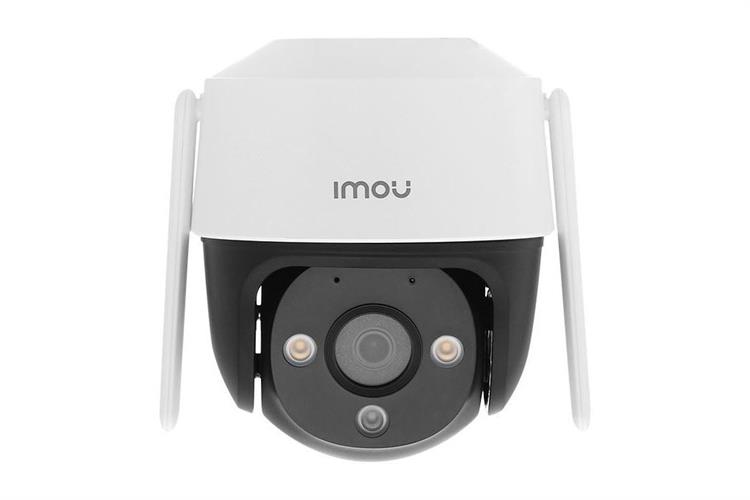
The best type of camera for senior care is one that balances comprehensive coverage with ease of use and respect for privacy. Your main choices are typically Pan-Tilt-Zoom (PTZ) cameras, which can move to see a whole room, and stationary cameras for fixed views of key areas.
Pan-Tilt-Zoom (PTZ) Cameras: The All-Seeing Eye
Think of these as your eyes in the room. Using an app on your phone, you can remotely pan the camera left and right, tilt it up and down, and even zoom in for a closer look.
- Pros: Excellent for covering large, open-plan areas like a living room or kitchen with a single device. You can follow your loved one’s movement or check on specific areas of the room without needing multiple cameras.
- Cons: The movement can sometimes feel a bit intrusive if not used thoughtfully. They are also slightly more expensive than their stationary counterparts.
Stationary Cameras: Simple and Effective
These cameras have a fixed field of view. You point them at a specific area, and that’s what they watch. They are incredibly simple and are often the go-to choice for monitoring specific zones.
- Pros: More affordable, less mechanically complex, and feel less invasive since they aren’t actively moving. Perfect for hallways, entryways, or a specific corner of the kitchen where medication is kept.
- Cons: You’ll need multiple cameras to cover the same area a single PTZ camera can.
A Note on Hidden or Discreet Cameras
While the idea might seem appealing for a “fly on the wall” perspective, I strongly advise against it. The foundation of using a home camera for elderly care is trust. Installing a camera without your loved one’s knowledge and consent can seriously damage your relationship and is a significant breach of their privacy. Always have an open conversation first.
Key Features When You Buy a Home Camera for Elderly Care
Okay, let’s get into the nitty-gritty. When you’re comparing models, these are the non-negotiable features you should be looking for.
- Excellent Two-Way Audio: This is paramount. You’re not just listening; you’re communicating. Look for clear, crisp audio that doesn’t have a significant delay. It essentially turns the camera into a high-tech video intercom, perfect for quick chats or guiding them through a task.
- High-Definition (HD) Video: Aim for at least 1080p resolution. Why? Clarity is key. You want to be able to see facial expressions clearly, read the label on a medicine bottle, or check for potential hazards on the floor.
- Reliable Night Vision: Many accidents happen at night when a loved one gets up to use the restroom. A camera with high-quality infrared (IR) night vision will give you a clear black-and-white image even in complete darkness, ensuring you can check in anytime without disturbing their sleep.
- Customizable Motion and Sound Alerts: The camera should be smart enough to tell you what matters. Look for features that allow you to set specific motion zones (e.g., only alert me if there’s movement near the front door, not the TV) and adjust sound sensitivity to detect a cry for help or a loud crash.
- Fall Detection: This is a more advanced, specialized feature but can be a true lifesaver. Some cameras use AI to specifically identify the signature movements of a fall and send a priority alert. While not foolproof, it adds a powerful layer of safety.
- An Easy-to-Use App: Remember, you are the primary user of the app. It should be intuitive, stable, and easy to navigate. The last thing you want is to be fumbling with a clunky interface during a moment of panic.
- Secure Storage Options: You’ll need a way to save video clips. You have two main choices:
- Local Storage: A microSD card inside the camera. It’s a one-time cost, and the footage stays in the house.
- Cloud Storage: Your video is uploaded to the manufacturer’s secure servers. This usually involves a monthly subscription but ensures your footage is safe even if the camera is stolen or damaged.
“A common mistake I see is people focusing solely on camera specs and forgetting about the network. Your camera is only as reliable as your Wi-Fi. Ensure the camera is placed in an area with a strong, stable signal for uninterrupted peace of mind.”
— Dr. Alistair Finch, Smart Home Security Analyst
How to Install Your Senior Care Camera for Maximum Benefit
Placement is everything. You want to maximize visibility while completely respecting privacy.
- Identify High-Traffic, High-Risk Areas: The living room, kitchen, and main hallways are excellent choices. These are places where your loved one spends the most time and where falls or accidents are more likely to occur.
- Choose a Corner Placement: Placing a camera high in a corner of a room provides the widest possible vantage point, minimizing blind spots.
- Ensure a Clear View of Exits: Positioning a camera with a view of the front and back doors allows you to see who is coming and going, adding a layer of security against unfamiliar visitors.
- Check the Power Source: Most indoor cameras are plug-in, so make sure there’s an outlet nearby. Avoid using long, trailing extension cords that could become a tripping hazard.
- Test the App and Alerts: Once it’s set up, walk around the room, talk through the two-way audio, and trigger a motion alert. Make sure everything is working perfectly before you need it.
Crucially, never install cameras in private areas like bathrooms or bedrooms. This is a non-negotiable line that protects your loved one’s dignity.
The Elephant in the Room: Privacy and Dignity
This conversation is the most important part of the entire process. Approaching your parent or loved one about installing a camera requires sensitivity and empathy.
- Frame it as a Tool for Connection: Emphasize the two-way talk feature and how it will help you stay in touch.
- Be Transparent: Show them the camera, explain how it works, and show them the live view on your phone. Reassure them about where it will be placed and that there will be no cameras in private spaces.
- Give Them Control: Some camera systems have physical privacy shields or can be scheduled to turn off during certain hours. Offering them this control can help them feel more comfortable and empowered.
- Secure Your Account: Protect their privacy from the outside world by using a strong, unique password for the camera app and enabling two-factor authentication (2FA) if available.
Frequently Asked Questions (FAQ)
Q: Can these cameras automatically call for help in an emergency?
A: Most cameras will send an alert to your phone, and from there, you can call emergency services. Some premium subscription services offer professional monitoring that can dispatch help on your behalf after verifying an alarm, such as one from a fall detection camera.
Q: Do I need to pay for a monthly subscription?
A: It depends. Many cameras offer basic functions like live streaming and motion alerts for free. A subscription is usually required for advanced features like storing video clips in the cloud, person detection, or professional monitoring.
Q: Is it legal to put a camera in my parent’s home?
A: Generally, if you have the homeowner’s consent, it is legal to install cameras in common areas. However, laws can vary by location, and secretly recording audio is illegal in many places. The golden rule is always to have an open conversation and get their permission. This is about trust, not just legality.
Q: What is the main difference between a baby monitor and a home camera for elderly care?
A: While they share some technology, elderly care cameras are designed with different features in mind. They often have more sophisticated AI for person or fall detection, a wider field of view for covering entire rooms, and apps designed for remote check-ins rather than constant listening for a baby’s cry.
Q: How much should I expect to spend when I buy a home camera for elderly care?
A: You can find reliable, high-quality cameras ranging from $40 to $150. Models with advanced features like AI-powered fall detection or PTZ capabilities will be at the higher end of that range. Remember to factor in potential cloud storage subscription costs.
Your Partner in Peace of Mind
Choosing the right technology can feel daunting, but the goal is simple: to create a safe, connected environment for the people you love most. It’s about leveraging technology to bridge distances and provide care when you can’t be there in person. By focusing on essential features like clear two-way audio, high-definition video, and reliable alerts, you can make a confident choice.
Remember, the best technology is the one that fosters trust and enhances your relationship. Making the right choice when you buy a home camera for elderly care is a significant step toward achieving that priceless peace of mind for both you and your loved one.