Feeling that pull to boost your home security is completely natural. In today’s world, having an extra set of eyes on your property brings a level of peace of mind that’s hard to put a price on. But as we become more conscious of our environmental footprint, a new question arises: can we protect our homes without costing the earth? The answer is a resounding yes. It all starts with smart choices and some eco friendly installation tips for your home camera setup. As a senior solutions expert at Family Security 247, I’ve helped countless families find this perfect balance, and I’m here to show you how you can do it too.
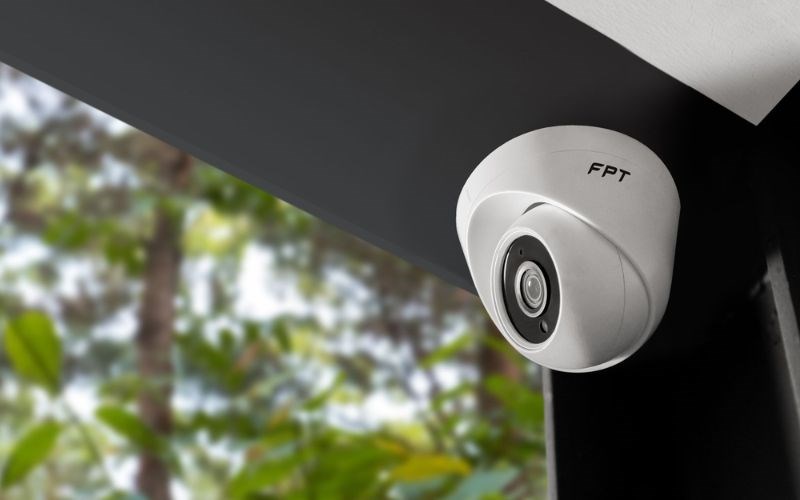
Why Bother with a Home Camera in the First Place?
Let’s be honest, the primary reason you’re here is for security. A home camera is more than just a gadget; it’s your silent guardian. It acts as a powerful deterrent to would-be intruders—the mere sight of a camera can make them think twice. Beyond that, it allows you to:
- Check in on loved ones: Keep an eye on your kids when they get home from school or make sure your elderly parents are doing okay.
- Monitor your pets: Ever wonder what your furry friends are up to all day? Now you can know.
- Receive important alerts: Get notified about package deliveries, unexpected visitors, or unusual activity, right on your smartphone.
- Gather evidence: In the unfortunate event of a break-in or vandalism, clear video footage is invaluable for law enforcement.
The goal is to achieve all this security and convenience in the most sustainable way possible.
Choosing the Right Gear: The First Step to an Eco-Friendly Setup
Before you even think about drilling a single hole, your journey towards a green security system begins with the camera itself. Not all cameras are created equal when it comes to their environmental impact.
How Do I Pick an Energy-Efficient Camera?
This is the most critical question. Your camera will be running 24/7, so its energy consumption matters.
- Look for Low Power Consumption: Check the product specifications for its power draw, measured in watts (W). A camera that uses 2-4 watts is significantly better than one that uses 8-10 watts over the course of a year.
- Prioritize ENERGY STAR Certified Products: While less common for security cameras than for larger appliances, brands that prioritize energy efficiency often highlight low-power features.
- Consider Solar-Powered Options: For outdoor cameras, this is a game-changer. A camera with an integrated or accompanying solar panel can run almost entirely on renewable energy, drastically cutting its reliance on your home’s electricity. It’s the ultimate in eco friendly installation tips for a home camera.
What About the Camera’s Materials and Lifespan?
A product’s sustainability is also about how long it lasts and what it’s made of.
- Durability is Key: A well-built, weatherproof camera that lasts for seven years is far more eco-friendly than a cheap one you have to replace every two years. Look for IP ratings (like IP66 or IP67) which indicate resistance to dust and water.
- Recycled Materials: Some forward-thinking brands are now using post-consumer recycled plastics in their camera housings. It’s a small detail that contributes to a circular economy.
“The most sustainable product is often the one you don’t have to replace. Investing in a high-quality, energy-efficient camera from a reputable brand not only provides better security but also minimizes electronic waste and long-term energy costs.” – Dr. Alistair Finch, Smart Home Technology Analyst
Your Guide to Eco Friendly Installation Tips for a Home Camera
Okay, you’ve chosen your energy-sipping, long-lasting camera. Now comes the installation. How you place and power your camera can have a surprisingly large impact on its efficiency and environmental footprint.
- Plan for Placement Perfection: Before you install anything, walk around your property. The goal is to cover the most critical areas with the fewest number of cameras. One well-placed wide-angle camera overlooking your entire front yard is more efficient than two or three poorly placed ones. This reduces material usage, energy consumption, and electronic waste.
- Harness Natural Light: Many cameras use infrared (IR) LEDs to see in the dark, which consumes extra power. Try to position outdoor cameras where they can benefit from ambient street lighting or motion-activated porch lights. This can reduce how often the camera’s own power-hungry IR system needs to kick in.
- Think About Your Power Source: This is where you can make the biggest difference.
- Go Solar: As mentioned, if you’re installing an outdoor camera, a solar-powered model is the top choice. They are virtually energy-neutral on sunny days and have batteries to last through cloudy periods.
- Use Rechargeable Batteries: For wire-free indoor cameras, always opt for models with rechargeable battery packs. Disposable batteries are a significant source of toxic landfill waste.
- Consider Power-over-Ethernet (PoE): If you’re going with a wired system, PoE is a fantastic option. It sends both power and data over a single Ethernet cable. This is more energy-efficient than using a separate power adapter for each camera and reduces cable clutter and material waste.
- Minimize Your Wiring: If you are running cables, plan the most direct route possible. Shorter cable runs mean using less plastic, copper, and other materials. It’s a simple step that contributes to a more sustainable installation.
- Mount Securely, But Not Excessively: Use the appropriate screws and anchors for the surface (wood, brick, vinyl). A secure mount prevents the camera from falling and breaking, avoiding premature replacement. At the same time, don’t overdo it—there’s no need to create unnecessary damage to your home’s structure.
|
Our Picks for the Best Home Camera in 2026
As an Amazon Associate, we earn from qualifying purchases.
|
||
| Num | Product | Action |
|---|---|---|
| 1 | Ring Battery Doorbell | Home or business security with Head-to-Toe Video, Live View with Two-Way Talk, and Motion Detection & Alerts (newest model), Venetian Bronze |

|
| 2 | TP-Link Tapo Pan/Tilt Security Camera for Baby Monitor, Pet Camera w/Motion Detection, 1080P, 2-Way Audio, Night Vision, Cloud & SD Card Storage, Works with Alexa & Google Home (Tapo C200) |
|
| 3 | Tapo TP-Link 1080P Indoor Security Camera for Baby Monitor, Dog Camera w/Motion Detection, 2-Way Audio Siren, Night Vision, Cloud & SD Card Storage, Works w/Alexa & Google Home C100 |
|
| 4 | WYZE Cam Pan v3, Indoor/Outdoor IP65-Rated 1080p Pan/Tilt/Zoom Wi-Fi Smart Home Security Camera with Color Night Vision, 2-Way Audio, Compatible with Alexa & Google Assistant, Free Expert Setup |
|
| 5 | 2K Cameras for Home Security-Outdoor/Indoor Camera for Dog/Cat/Pet/Nanny/Baby, Color Night Vision, White Light, Siren, 24/7 SD Recordings, Works with Alexa/Google Home, C1 (C1-White-2pack-2.4G) |
|
| 6 | Blink Mini 2 — Home Security & Pet Camera(s) with HD video, color night view, motion detection, two-way audio, and built-in spotlight — 1 camera (Black) |
|
| 7 | WYZE Cam v4 (Latest Model), 2.5K AI Security Camera, Indoor/Outdoor Cameras for Home Security, Baby Monitor & Pet Camera, Vibrant Color Night Vision, No Subscription Required, Free Expert Help |
|
| 8 | Kasa Smart Indoor Pan-Tilt Home Security Camera, 1080p HD Dog Camera w/Night Vision, Motion Detection for Baby & Pet Monitor, Cloud & SD Card Storage, Works w/ Alexa & Google Home, 2.4G WiFi (EC71) |
|
| 9 | TP-Link Tapo 2K Pan/Tilt Security Camera for Baby Monitor, Dog Camera w/Motion Detection, 2-Way Audio, Siren, Night Vision, Cloud & SD Card Storage, Works with Alexa & Google Home, 2-Pack (C210P2) |
|
| 10 | Ring Outdoor Cam (Stick Up Cam) | Weather-Resistant Outdoor Camera, Live View, Color Night Vision, Two-Way Talk, Motion alerts, Works with Alexa | White |
|
Fine-Tuning Your Settings for Peak Green Performance
Installation is done, but the eco-friendly journey isn’t over. How you configure your camera’s software settings plays a huge role in its day-to-day energy use.
How Can I Make My Camera’s Settings More Eco-Friendly?
It’s all about making the camera work smarter, not harder.
- Use Motion-Activated Recording: Instead of recording 24/7, set your camera to only record when it detects motion. This drastically reduces the energy needed for data processing and storage, whether it’s on a local SD card or in the cloud.
- Optimize Video Quality: Does the camera watching your back garden really need to be streaming in 4K resolution? Often, 1080p is more than sufficient and uses significantly less energy and data. Tweak the resolution and frame rate (fps) to find a balance between clarity and efficiency.
- Create Activity Zones: Most smart cameras allow you to define specific “activity zones.” You can draw a box around your driveway or front path. This tells the camera to ignore irrelevant motion—like trees swaying in the wind or cars driving by on the street—preventing useless recordings and saving power.
- Schedule On/Off Times: If you only need a camera in your living room to be active when you’re not home, set a schedule for it to turn on and off automatically. There’s no point in having it run when you’re there.
Don’t Forget About Privacy and Data Security
In a way, digital security is a form of sustainability. A camera that gets hacked becomes a liability, potentially needing to be replaced and creating e-waste. Protecting your device ensures its longevity and effectiveness.
- Use a Strong, Unique Password: Never use the default password. Create a long password with a mix of letters, numbers, and symbols.
- Enable Two-Factor Authentication (2FA): This adds a crucial second layer of security, requiring a code from your phone to log in.
- Keep Your Firmware Updated: Manufacturers regularly release updates to patch security vulnerabilities. Always install them promptly.
Frequently Asked Questions (FAQ)
Q1: Do solar-powered security cameras work on cloudy days?
Yes, they do. Solar-powered cameras are equipped with rechargeable batteries that store excess power generated on sunny days. A fully charged battery can typically power the camera for several days or even weeks of cloudy weather, depending on the model and usage.
Q2: Is a wired or a wire-free camera more eco-friendly?
It depends on the specific model and how it’s used. A solar-powered wire-free camera is often the most eco-friendly choice for outdoors. For indoors, a low-wattage wired camera (especially PoE) can be more efficient than a battery-powered one that requires frequent recharging from the grid or uses disposable batteries.
Q3: How much energy does a typical home security camera use?
A typical modern Wi-Fi camera uses between 2 and 6 watts of power. While this seems small, over a full year, a 5-watt camera running 24/7 will consume about 44 kWh of electricity. Choosing a 2-watt camera instead would save over half of that energy.
Q4: How can I recycle my old security camera?
Old security cameras are considered electronic waste (e-waste) and should not be thrown in the regular trash. Look for local e-waste recycling programs or drop-off points in your community. Many electronics retailers also have take-back programs for old devices.
Q5: Does recording in higher resolution like 4K use more energy?
Absolutely. Higher resolution video requires more processing power from the camera’s internal components, which in turn consumes more electricity. It also uses more data, which increases the energy load on your Wi-Fi router and cloud servers. Sticking to 1080p is a great eco-friendly compromise for most situations.
Your Secure and Sustainable Home Awaits
Securing your home and being mindful of the planet are not mutually exclusive goals. By making conscious choices about the products you buy, planning your installation thoughtfully, and optimizing your settings, you can build a powerful security system that gives you peace of mind without a heavy environmental toll. It’s about being smarter, more efficient, and more intentional. Following these eco friendly installation tips for your home camera is the first step toward a safer, and greener, home for you and your family.