Let’s be honest, the garage is often the forgotten frontier of home security. It’s a place filled with valuables—your car, expensive tools, bicycles, maybe even a chest freezer stocked with food. Yet, for many, it’s a security blind spot. That’s where a dedicated Home Camera For Garage Safety transforms from a “nice-to-have” gadget into an essential piece of your security puzzle. It’s about more than just catching a potential intruder; it’s about peace of mind, knowing that a vulnerable entry point to your home is under a watchful eye.
But where do you even start? The market is flooded with options, each boasting a dizzying array of features. Don’t worry, that’s what I’m here for. As a Senior Security Solutions Expert at Family Security 247, I’ve helped countless families navigate this exact challenge. Together, we’re going to break down everything you need to know to choose, install, and optimize the perfect camera for your garage.
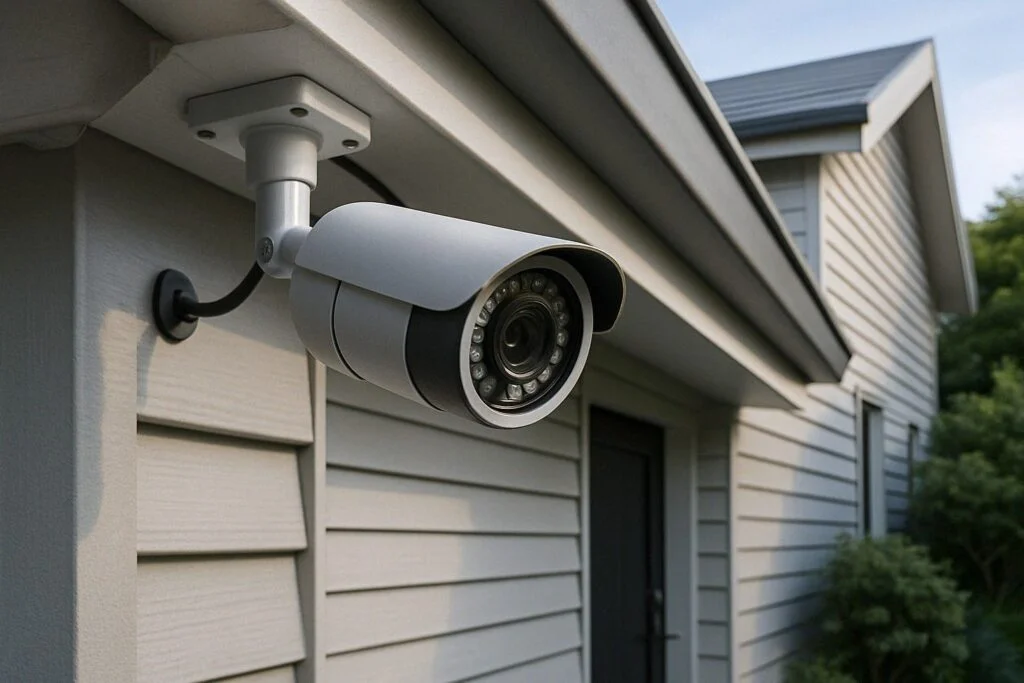
Why Your Garage is a Security Weak Spot
Think of your garage door. It’s the largest moving part of your home, and often, it’s the least secure. Many homeowners leave the door connecting the garage to the house unlocked, assuming the main garage door is enough. This oversight can turn your garage into a convenient, covered entry point for burglars.
A home camera for garage safety serves several critical purposes:
- Deterrence: The mere presence of a visible camera can make a potential thief think twice and move on to an easier target.
- Evidence: In the unfortunate event of a break-in or vandalism, high-quality video footage is invaluable for law enforcement and insurance claims.
- Monitoring: Keep an eye on package deliveries left at your garage door, check if the kids remembered to close it, or even make sure your new puppy isn’t chewing on the lawnmower cables.
- Remote Access: Did you forget to close the garage door on your way to work? A quick check on your phone can confirm, and with a smart garage door opener, you can even close it from anywhere.
What to Look For in a Home Camera for Garage Safety
Choosing the right camera isn’t about getting the one with the most features; it’s about getting the one with the right features for a garage environment. Garages present unique challenges—fluctuating light, dust, temperature changes, and wide spaces.
Crystal-Clear Resolution: See Every Detail
This is non-negotiable. Grainy, unrecognizable footage is useless.
- 1080p (Full HD): This is the absolute minimum standard you should accept. It’s clear enough to identify faces and read license plates under good conditions.
- 2K or 4K (Ultra HD): A significant step up. The extra detail allows you to digitally zoom in on footage without it becoming a pixelated mess. This is particularly useful for large garages or for capturing details from a distance.
Night Vision: Your Eyes in the Dark
Your garage is pitch black at night. A camera without excellent night vision is only working half the time.
- Infrared (IR) Night Vision: This is the standard black-and-white night vision you see in movies. It uses IR LEDs to illuminate the area, which is invisible to the human eye but clear as day for the camera.
- Color Night Vision: A newer technology that uses highly sensitive sensors and sometimes a small, built-in spotlight to produce full-color video in low-light conditions. This can be crucial for identifying the color of a person’s clothing or vehicle.
Field of View: No More Blind Spots
Field of view (FOV) is how wide an angle the camera can see, measured in degrees. For a typically wide, rectangular space like a garage, a wider FOV is better. Look for a camera with at least a 130-degree field of view to cover the entire space with a single device.
Durability and Weather Resistance: Built to Last
Even if installed inside, a garage isn’t a climate-controlled living room. It gets hot in the summer, cold in the winter, and can be dusty or damp.
- Operating Temperature: Check the manufacturer’s specifications to ensure the camera can handle the temperature extremes in your region.
- IP Rating: If you plan to mount the camera on the exterior of your garage, an IP (Ingress Protection) rating is essential. An IP65 rating or higher ensures it’s protected against dust and rain.
Smart Features That Actually Matter
This is where a modern home camera for garage safety really shines.
- Smart Motion Detection: Basic motion detection can lead to a flood of false alerts from leaves blowing or shadows changing. Look for cameras that offer person detection, vehicle detection, or customizable motion zones. This ensures you only get notified about what truly matters.
- Two-Way Audio: This feature is a fantastic deterrent. If you see someone suspicious lurking, you can speak to them directly through your phone. It’s also handy for instructing a delivery driver on where to place a package.
- Reliable Connectivity: Most garage cameras use Wi-Fi. Make sure your Wi-Fi signal is strong and stable in your garage. If it’s weak, consider a Wi-Fi extender or a camera that can connect via an Ethernet cable.
|
Our Picks for the Best Home Camera in 2026
As an Amazon Associate, we earn from qualifying purchases.
|
||
| Num | Product | Action |
|---|---|---|
| 1 | TP-Link Tapo Pan/Tilt Security Camera for Baby Monitor, Pet Camera w/Motion Detection, 1080P, 2-Way Audio, Night Vision, Cloud & SD Card Storage, Works with Alexa & Google Home (Tapo C200) |

|
| 2 | Ring Outdoor Cam (Stick Up Cam) | Weather-Resistant Outdoor Camera, Live View, Color Night Vision, Two-Way Talk, Motion alerts, Works with Alexa | White |
|
| 3 | Ring Battery Doorbell | Home or business security with Head-to-Toe Video, Live View with Two-Way Talk, and Motion Detection & Alerts (newest model), Venetian Bronze |
|
| 4 | 2K Cameras for Home Security-Outdoor/Indoor Camera for Dog/Cat/Pet/Nanny/Baby, Color Night Vision, White Light, Siren, 24/7 SD Recordings, Works with Alexa/Google Home, C1 (C1-White-2pack-2.4G) |
|
| 5 | TP-Link Tapo 2K Pan/Tilt Security Camera for Baby Monitor, Dog Camera w/Motion Detection, 2-Way Audio, Siren, Night Vision, Cloud & SD Card Storage, Works with Alexa & Google Home, 2-Pack (C210P2) |
|
| 6 | Tapo TP-Link 1080P Indoor Security Camera for Baby Monitor, Dog Camera w/Motion Detection, 2-Way Audio Siren, Night Vision, Cloud & SD Card Storage, Works w/Alexa & Google Home C100 |
|
| 7 | Blink Mini 2 — Home Security & Pet Camera(s) with HD video, color night view, motion detection, two-way audio, and built-in spotlight — 1 camera (Black) |
|
| 8 | WYZE Cam v4 (Latest Model), 2.5K AI Security Camera, Indoor/Outdoor Cameras for Home Security, Baby Monitor & Pet Camera, Vibrant Color Night Vision, No Subscription Required, Free Expert Help |
|
| 9 | WYZE Cam Pan v3, Indoor/Outdoor IP65-Rated 1080p Pan/Tilt/Zoom Wi-Fi Smart Home Security Camera with Color Night Vision, 2-Way Audio, Compatible with Alexa & Google Assistant, Free Expert Setup |
|
| 10 | Kasa Smart Indoor Pan-Tilt Home Security Camera, 1080p HD Dog Camera w/Night Vision, Motion Detection for Baby & Pet Monitor, Cloud & SD Card Storage, Works w/ Alexa & Google Home, 2.4G WiFi (EC71) |
|
Placement is Everything: Where to Install Your Garage Camera
The best camera in the world is useless if it’s pointing at the wrong thing. Proper placement is key to maximizing its effectiveness. Here’s a simple, step-by-step approach.
- Choose the High Ground: Mount the camera in a high corner of the garage, looking down. This provides the broadest possible view and keeps it out of easy reach of an intruder.
- Cover the Entrances: The primary goal is to capture anyone coming in or out. Ensure the camera has a clear, unobstructed view of the main garage door and any other entry points, like a side door or a window.
- Mind the Glare: Avoid pointing the camera directly at a light source or a window. Bright backlighting can wash out the image, making it impossible to see details. Many modern cameras have WDR (Wide Dynamic Range) technology to help with this, but good placement is still your best bet.
- Test Before You Drill: Before you permanently mount the camera, use temporary adhesive or have someone hold it in place while you check the live feed on your phone. Walk around the garage to identify any blind spots and adjust the position accordingly.
“A well-placed camera acts as both a deterrent and a witness. The ideal spot covers all points of entry without being easily tampered with. Remember, the goal is proactive security, not just reactive recording.” – Dr. Alistair Finch, Cybersecurity and Smart Home Analyst.
Addressing Privacy Concerns: Is My Camera Secure?
This is a question I get all the time, and it’s an important one. You’re adding a connected device to your home; you need to be sure it’s secure.
- Choose Reputable Brands: Stick with well-known brands that have a proven track record of security and provide regular firmware updates.
- Use a Strong, Unique Password: Don’t reuse passwords from other accounts. Create a complex password for your camera’s app using a mix of upper and lower-case letters, numbers, and symbols.
- Enable Two-Factor Authentication (2FA): This is one of the most effective ways to secure your account. 2FA requires a second form of verification (like a code sent to your phone) in addition to your password, making it much harder for unauthorized users to gain access.
- Secure Your Wi-Fi: Your camera is only as secure as the network it’s connected to. Ensure your home Wi-Fi network is protected with a strong WPA2 or WPA3 password.
Frequently Asked Questions (FAQ)
Q: Do I need a wired or wireless camera for my garage?
A: “Wireless” usually refers to the data connection (Wi-Fi), not the power. Most cameras, even Wi-Fi ones, still need to be plugged into a power outlet. A truly wire-free, battery-powered camera offers easier installation but requires regular recharging or battery replacement, which can be a hassle. For a garage with power outlets, a plug-in Wi-Fi camera is often the most reliable choice.
Q: Can a garage camera withstand extreme temperatures?
A: Yes, but you must check the specifications. Most high-quality indoor/outdoor cameras are designed to operate in a wide range of temperatures, typically from -4°F to 113°F (-20°C to 45°C) or even wider. Always confirm the operating temperature range is suitable for your local climate before you buy.
Q: How much does a good home camera for garage safety cost?
A: You can find a reliable, high-performing home camera for garage safety ranging from $50 to $200. The price difference usually comes down to features like 4K resolution, advanced AI detection, color night vision, and brand reputation. Often, there may also be an optional monthly subscription for cloud video storage.
Q: Will my camera work if the Wi-Fi goes down?
A: It depends on the model. Most Wi-Fi cameras will stop sending notifications and you won’t be able to view the live feed. However, models with a local storage option (like a microSD card) will often continue to record footage, which you can access once your Wi-Fi is restored.
Q: Is cloud storage or local storage better for garage security footage?
A: Both have pros and cons. Local storage (microSD card) has no monthly fees, but if a thief steals the camera, they also steal the evidence. Cloud storage is secure and accessible from anywhere, but it typically requires a monthly subscription fee. Many people opt for a camera that offers both for complete peace of mind.
Your First Line of Defense
Your garage is more than just a place to park your car; it’s an integral part of your home. Securing it shouldn’t be an afterthought. By investing in the right home camera for garage safety, you’re not just buying a piece of technology; you’re investing in the security and tranquility of your family. Take your time, assess your needs based on the features we’ve discussed, and make an informed choice. Your future self will thank you for the peace of mind.