As a parent, your world revolves around your child’s well-being. That feeling of wanting to have an extra set of eyes on them, especially when they’re in their own room, is completely natural. That’s where choosing the right Home Camera For Kids Bedroom Safety comes in, not as a tool for constant surveillance, but as a modern solution for peace of mind. It’s about being there for them, even when you’re not physically in the room. But with so many options out there, how do you pick the one that’s right for your family? Don’t worry, I’m here to walk you through it, step by step.
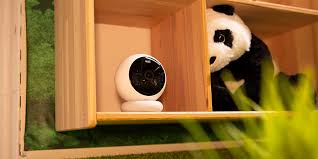
Why Even Consider a Camera in a Kid’s Room?
Let’s get straight to the heart of it. The idea of a camera in a child’s private space can feel a bit strange at first. But when you reframe it as a safety tool, the benefits become clear. It’s less about watching and more about watching over.
A good camera can help you:
- Check in without disturbing them: Ever creak open the door to check on a napping baby, only to have them wake up instantly? A camera lets you peek in silently from your phone.
- Monitor sleep patterns and safety: For toddlers transitioning to a big-kid bed, a camera can help you ensure they aren’t trying to climb out or getting tangled in their blankets.
- Provide reassurance during playtime: If your child is playing independently in their room, a quick glance at your phone can confirm they’re safe and sound, giving them space to grow while you have peace of mind.
- Communicate instantly: Many cameras have two-way audio, which is fantastic for soothing a fussy baby with your voice or gently reminding an older child that it’s time to clean up their toys.
A quick story from my own experience: I remember when my son was a toddler and had a nasty cough. Instead of running into his room every five minutes through the night, our little indoor camera let me see he was sleeping soundly, despite the occasional cough. It saved me a lot of lost sleep and anxiety.
What Are the Must-Have Features for a Kids Bedroom Camera?
Not all cameras are created equal, especially when it comes to a child’s room. Forget the complex, industrial-looking security systems. You need something user-friendly, secure, and designed for the home.
Crystal-Clear Video Quality (Day and Night)
What’s the point of a camera if you can’t see anything? You’ll want a camera with at least 1080p HD resolution. This gives you a clear, detailed picture on your smartphone or tablet. But what happens when you turn out the lights? That’s where infrared (IR) night vision is a non-negotiable feature. It allows the camera to see clearly in complete darkness without emitting any visible light that could disturb your child’s sleep.
Two-Way Audio: The Digital Walkie-Talkie
This is one of the most-used features for parents. Two-way audio means the camera has both a microphone and a speaker. You can hear everything happening in the room, from a soft cry to the sound of them playing. More importantly, you can talk back through your phone’s app. It’s perfect for saying “I’m on my way” or singing a soft lullaby from the other room.
Smart Alerts: Know What Matters, Instantly
You don’t want to be glued to your phone screen all day. That’s where motion and sound detection comes in handy. You can set the camera to send a notification to your phone only when it detects movement (like your toddler climbing out of the crib) or sound (like a cry). Some advanced cameras even have AI-powered alerts that can distinguish between a person and a pet, or specifically recognize the sound of a baby crying.
Pan, Tilt, and Zoom (PTZ) Functionality
Kids are rarely stationary. One minute they’re in the crib, the next they’re on the other side of the room. A camera with pan, tilt, and zoom (PTZ) capabilities allows you to remotely move the camera lens left and right (pan), up and down (tilt), and zoom in for a closer look, all from your app. This gives you full coverage of the room without needing multiple cameras.
|
Our Picks for the Best Home Camera in 2026
As an Amazon Associate, we earn from qualifying purchases.
|
||
| Num | Product | Action |
|---|---|---|
| 1 | Ring Battery Doorbell | Home or business security with Head-to-Toe Video, Live View with Two-Way Talk, and Motion Detection & Alerts (newest model), Venetian Bronze |

|
| 2 | Tapo TP-Link 1080P Indoor Security Camera for Baby Monitor, Dog Camera w/Motion Detection, 2-Way Audio Siren, Night Vision, Cloud & SD Card Storage, Works w/Alexa & Google Home C100 |
|
| 3 | WYZE Cam v4 (Latest Model), 2.5K AI Security Camera, Indoor/Outdoor Cameras for Home Security, Baby Monitor & Pet Camera, Vibrant Color Night Vision, No Subscription Required, Free Expert Help |
|
| 4 | TP-Link Tapo Pan/Tilt Security Camera for Baby Monitor, Pet Camera w/Motion Detection, 1080P, 2-Way Audio, Night Vision, Cloud & SD Card Storage, Works with Alexa & Google Home (Tapo C200) |
|
| 5 | TP-Link Tapo 2K Pan/Tilt Security Camera for Baby Monitor, Dog Camera w/Motion Detection, 2-Way Audio, Siren, Night Vision, Cloud & SD Card Storage, Works with Alexa & Google Home, 2-Pack (C210P2) |
|
| 6 | Kasa Smart Indoor Pan-Tilt Home Security Camera, 1080p HD Dog Camera w/Night Vision, Motion Detection for Baby & Pet Monitor, Cloud & SD Card Storage, Works w/ Alexa & Google Home, 2.4G WiFi (EC71) |
|
| 7 | 2K Cameras for Home Security-Outdoor/Indoor Camera for Dog/Cat/Pet/Nanny/Baby, Color Night Vision, White Light, Siren, 24/7 SD Recordings, Works with Alexa/Google Home, C1 (C1-White-2pack-2.4G) |
|
| 8 | Blink Mini 2 — Home Security & Pet Camera(s) with HD video, color night view, motion detection, two-way audio, and built-in spotlight — 1 camera (Black) |
|
| 9 | Ring Outdoor Cam (Stick Up Cam) | Weather-Resistant Outdoor Camera, Live View, Color Night Vision, Two-Way Talk, Motion alerts, Works with Alexa | White |
|
| 10 | WYZE Cam Pan v3, Indoor/Outdoor IP65-Rated 1080p Pan/Tilt/Zoom Wi-Fi Smart Home Security Camera with Color Night Vision, 2-Way Audio, Compatible with Alexa & Google Assistant, Free Expert Setup |
|
The Elephant in the Room: Your Guide to Camera Privacy and Security
This is the most important part of our conversation. Placing any internet-connected device in your home, especially in a child’s bedroom, requires you to be proactive about security. The good news is that securing your home camera for kids bedroom safety is entirely manageable.
How Can I Secure My Kid’s Bedroom Camera?
Securing your camera is a critical step to ensure it remains a tool for safety, not a vulnerability. Follow these essential steps right out of the box.
- Change the Default Password Immediately: This is the number one rule. Create a long, complex password that mixes letters (upper and lower case), numbers, and symbols. Don’t reuse passwords from other accounts.
- Enable Two-Factor Authentication (2FA): If the camera’s app offers 2FA, turn it on. This means that even if someone guesses your password, they’ll still need a second code (usually sent to your phone) to log in. It’s like having a second lock on your digital door.
- Keep the Firmware Updated: Reputable manufacturers regularly release firmware updates to patch security holes and improve performance. Set your camera to update automatically or check for updates regularly in the app.
- Secure Your Home Wi-Fi Network: Your camera is only as secure as the network it’s on. Ensure your home Wi-Fi has a strong password and uses WPA2 or WPA3 encryption.
“Many people focus on the camera’s password but forget the front door—their Wi-Fi router. A weak router password makes every device on your network, including your security cameras, vulnerable. Secure your router first.” – Dr. Michael Vance, Cybersecurity Analyst
A Quick-Start Guide to Setting Up Your Camera
Getting your camera up and running is usually a breeze. Most modern cameras are designed for a simple, DIY setup.
- Find the Perfect Spot: Choose a high corner of the room that gives you the best possible view. Make sure it’s out of your child’s reach and that the power cord is secured so it doesn’t become a hazard.
- Plug It In and Power It Up: Connect the camera to a power outlet. Most will have an indicator light to show they are on and ready to connect.
- Download the App: Find the manufacturer’s official app on the Apple App Store or Google Play Store and install it on your smartphone.
- Connect to Wi-Fi: Follow the in-app instructions to connect the camera to your home Wi-Fi network. This usually involves scanning a QR code or temporarily connecting to the camera’s own Wi-Fi signal.
- Customize Your Settings: Once connected, dive into the app’s settings. Adjust motion sensitivity, set up notification zones, and configure your preferences. You’re now ready to go!
Frequently Asked Questions (FAQ)
Q1: Is it legal to have a camera in my child’s bedroom?
Yes, it is perfectly legal for you to place a camera in your own home, including your child’s bedroom, for security purposes. The legal issues arise around recording audio without consent or placing cameras in areas where there is a reasonable expectation of privacy for guests or other residents (like a bathroom).
Q2: What’s the difference between a dedicated baby monitor and a security camera?
Traditional baby monitors often use a dedicated parent unit and may not connect to Wi-Fi, offering a simple, direct connection. However, a modern Wi-Fi home camera for kids bedroom safety offers more features like remote access from anywhere via your phone, cloud storage, and smart home integration, making it a more versatile and long-term solution as your child grows.
Q3: Can these cameras be hacked?
Any internet-connected device carries a theoretical risk. However, by choosing a reputable brand that prioritizes security (with features like end-to-end encryption) and by following the security best practices mentioned above (strong passwords, 2FA, updates), you can dramatically minimize this risk.
Q4: Do I need to pay for a monthly subscription?
It depends on the camera and how you want to store your video recordings. Many cameras offer free options, like local storage on a microSD card or limited cloud storage (e.g., the last 24 hours). Paid subscriptions typically offer longer storage history, advanced AI features, and other premium benefits.
Q5: Where is the best place to position the camera for maximum safety?
The best position is typically high up in a corner of the room, looking down over the crib or bed. This provides a wide vantage point, keeps the device out of reach, and prevents the child from easily unplugging it or tampering with it.
Your Peace of Mind is Priceless
Choosing a home camera for kids bedroom safety is a personal decision, but it’s one that can provide incredible reassurance. It’s about leveraging technology to create a safer environment for the ones you love most. By focusing on essential features like clear video, two-way audio, and robust security protocols, you can find a device that fits seamlessly into your family’s life. You’re not just buying a piece of tech; you’re investing in peace of mind. And as any parent knows, that’s absolutely priceless.