Let’s be honest, we’ve all wondered. What does my dog really do when I leave for work? Is my cat secretly a mastermind plotting world domination from the top of the bookshelf? Leaving our furry family members at home can stir up a mix of guilt and curiosity. That’s where a good Home Camera For Pet Monitoring steps in, transforming from a simple gadget into your personal window into their world, offering peace of mind and a daily dose of cuteness. But with so many options out there, choosing the right one can feel like trying to herd cats. Don’t worry, as your dedicated security expert, I’m here to walk you through everything you need to know.
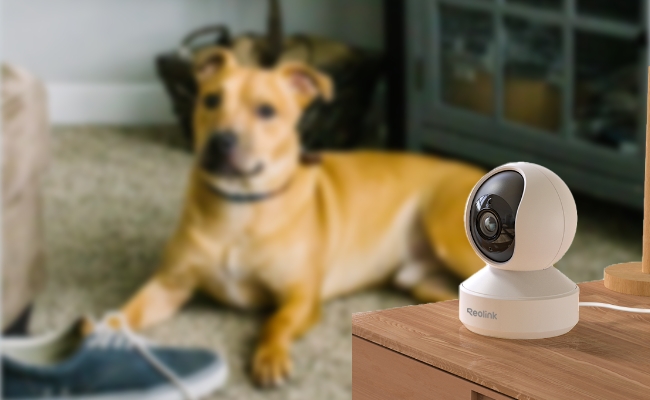
Why Do You Really Need a Pet Camera?
Beyond satisfying your curiosity, a camera dedicated to your pets serves several crucial purposes. It’s a tool for ensuring their well-being, managing behavior, and responding quickly in an emergency. Think of it less as spying and more as a digital lifeline to your best friend.
A dedicated home camera for pet monitoring can help you:
- Ease Separation Anxiety: For both you and your pet! Seeing that they’re just napping peacefully can do wonders for your own stress levels. For pets with anxiety, two-way audio can provide a comforting voice to soothe them.
- Monitor Health and Safety: Did your elderly cat make it to the litter box? Is your new puppy chewing on an electrical cord? A camera provides immediate visual confirmation, allowing you to intervene or call for help if needed. My own camera once alerted me to my beagle trying to get into a chocolate stash I’d forgotten about—it quite literally saved the day.
- Correct Unwanted Behavior: Wondering who’s been scratching the new sofa? A camera provides the evidence you need. Using two-way audio, you can even issue a gentle “No!” in real-time to discourage the behavior as it happens.
- Enjoy and Interact: Modern pet cameras are fun! Many include features like treat dispensers or laser pointers, allowing you to play with your pet from your office desk, strengthening your bond even when you’re apart.
What Are the Main Types of Pet Cameras?
While any indoor security camera can technically be used for pets, some are better suited for the job. They generally fall into three categories.
Static Indoor Cameras
These are your straightforward, no-fuss cameras. You place them on a shelf or mount them to a wall, and they provide a fixed view of a specific area, like your pet’s favorite sleeping spot or their food bowls. They are often the most affordable option and are perfect for smaller apartments or for monitoring a single room.
Pan-and-Tilt (PTZ) Cameras
Pets are rarely stationary. A Pan-Tilt-Zoom (PTZ) camera is a game-changer. Using an app on your phone, you can remotely control the camera’s lens to pan horizontally and tilt vertically, following your pet as they roam around the room. This gives you comprehensive coverage without needing multiple cameras.
Interactive Pet Cams with Treat Dispensers
This is the gold standard for dedicated pet parents. These devices combine a high-quality camera with a built-in container that you can fill with your pet’s favorite treats. With the tap of a button on your app, you can launch a treat across the room for them to chase. It’s a fantastic tool for positive reinforcement and interactive play.
Key Features in a Home Camera for Pet Monitoring
When you start shopping, you’ll be bombarded with tech specs. Let’s cut through the noise and focus on what truly matters for keeping an eye on your four-legged friend.
- Excellent Video Quality (1080p or higher): You want to see more than just a blurry blob. Full HD (1080p) resolution is the standard and provides a crisp, clear image. This allows you to zoom in on details without the picture becoming too pixelated.
- Reliable Night Vision: Your pet’s day doesn’t end when the sun goes down. Good infrared (IR) night vision is essential to see what’s happening in low-light or total darkness without disturbing your pet with a bright light.
- Two-Way Audio: This is non-negotiable. The ability to hear your pet—whether they’re barking, meowing, or whimpering—and to speak to them through the camera’s built-in speaker is incredibly comforting for both of you.
- Wide Field of View and PTZ: A wide-angle lens (110 degrees or more) captures more of the room in one shot. Combine this with pan-and-tilt functionality, and you’ll be able to survey nearly the entire space.
- Smart Alerts (Motion & Sound): You don’t want to be notified every time a shadow moves. Look for cameras with customizable motion sensitivity and, ideally, AI-powered alerts that can distinguish between a pet and a person, or detect specific sounds like barking or meowing.
- Storage Options (Cloud vs. Local):
- Local Storage: The camera records video onto a microSD card. This is a one-time cost and keeps your data private within your home. The downside is that if the camera is stolen, so is your footage.
- Cloud Storage: Your video clips are uploaded to the manufacturer’s secure servers. This is typically a monthly subscription but ensures your footage is safe even if the camera is damaged. Most services offer a free trial.
|
Our Picks for the Best Home Camera in 2026
As an Amazon Associate, we earn from qualifying purchases.
|
||
| Num | Product | Action |
|---|---|---|
| 1 | Ring Outdoor Cam (Stick Up Cam) | Weather-Resistant Outdoor Camera, Live View, Color Night Vision, Two-Way Talk, Motion alerts, Works with Alexa | White |

|
| 2 | Ring Battery Doorbell | Home or business security with Head-to-Toe Video, Live View with Two-Way Talk, and Motion Detection & Alerts (newest model), Venetian Bronze |
|
| 3 | TP-Link Tapo 2K Pan/Tilt Security Camera for Baby Monitor, Dog Camera w/Motion Detection, 2-Way Audio, Siren, Night Vision, Cloud & SD Card Storage, Works with Alexa & Google Home, 2-Pack (C210P2) |
|
| 4 | 2K Cameras for Home Security-Outdoor/Indoor Camera for Dog/Cat/Pet/Nanny/Baby, Color Night Vision, White Light, Siren, 24/7 SD Recordings, Works with Alexa/Google Home, C1 (C1-White-2pack-2.4G) |
|
| 5 | TP-Link Tapo Pan/Tilt Security Camera for Baby Monitor, Pet Camera w/Motion Detection, 1080P, 2-Way Audio, Night Vision, Cloud & SD Card Storage, Works with Alexa & Google Home (Tapo C200) |
|
| 6 | WYZE Cam v4 (Latest Model), 2.5K AI Security Camera, Indoor/Outdoor Cameras for Home Security, Baby Monitor & Pet Camera, Vibrant Color Night Vision, No Subscription Required, Free Expert Help |
|
| 7 | WYZE Cam Pan v3, Indoor/Outdoor IP65-Rated 1080p Pan/Tilt/Zoom Wi-Fi Smart Home Security Camera with Color Night Vision, 2-Way Audio, Compatible with Alexa & Google Assistant, Free Expert Setup |
|
| 8 | Kasa Smart Indoor Pan-Tilt Home Security Camera, 1080p HD Dog Camera w/Night Vision, Motion Detection for Baby & Pet Monitor, Cloud & SD Card Storage, Works w/ Alexa & Google Home, 2.4G WiFi (EC71) |
|
| 9 | Blink Mini 2 — Home Security & Pet Camera(s) with HD video, color night view, motion detection, two-way audio, and built-in spotlight — 1 camera (Black) |
|
| 10 | Tapo TP-Link 1080P Indoor Security Camera for Baby Monitor, Dog Camera w/Motion Detection, 2-Way Audio Siren, Night Vision, Cloud & SD Card Storage, Works w/Alexa & Google Home C100 |
|
“When choosing a camera for your home, especially one connected to the internet, security should be your top priority. Always choose a reputable brand that provides regular firmware updates and enable two-factor authentication immediately. Your pet’s privacy is a part of your home’s overall security.” – Dr. Alistair Finch, Cybersecurity Analyst.
How to Set Up Your Pet Camera for Success
Once you’ve chosen the perfect home camera for pet monitoring, placement and setup are key to getting the most out of it.
- Find the Perfect Spot: Place the camera in the room where your pet spends the most time. A corner of the living room is often ideal, as it provides a wide vantage point. Position it high enough so your pet can’t knock it over or chew on the cord.
- Ensure a Strong Wi-Fi Signal: A stable internet connection is crucial for smooth video streaming. Make sure the camera is placed where your Wi-Fi signal is strong and reliable.
- Secure the Power Cord: Puppies and kittens are notorious chewers. Tuck the power cord away behind furniture or use a cord protector to prevent any dangerous accidents.
- Configure the App Settings: Download the companion app and connect your camera. Take a few minutes to customize the settings. Adjust motion sensitivity to reduce false alarms, set up alert schedules (so you’re not getting notifications while you’re home), and define specific motion-detection zones.
- Test It Out: Before you leave for the first time, do a test run. Walk around the room, talk through the two-way audio, and, if you have one, dispense a treat to make sure everything is working perfectly.
Beyond Watching: Smart Home Integrations
Your pet camera doesn’t have to be a standalone device. When integrated into a larger smart home ecosystem (like Amazon Alexa or Google Home), it becomes even more powerful. You could, for example, set up a routine where if the camera detects your dog barking for more than a minute, it automatically plays a calming playlist on your smart speaker or turns on a smart light to comfort them.
Frequently Asked Questions (FAQ)
Q: Do I need a special ‘pet camera’ or can I just use a regular security camera?
A: You can absolutely use a regular indoor security camera. However, a dedicated home camera for pet monitoring often includes pet-centric features like treat tossing or laser pointers that a standard camera won’t have.
Q: How much internet data does a pet camera use?
A: This varies based on video quality and how often you’re live-streaming. Streaming in 1080p can use around 1-2 GB of data per hour. Most of the time, the camera only uses significant bandwidth when you are actively watching the feed or when it’s uploading a motion-triggered clip to the cloud.
Q: Is 1080p resolution good enough for watching my pet?
A: Yes, 1080p (Full HD) is more than sufficient for most pet monitoring needs. It provides a clear, detailed image that allows you to see exactly what your pet is up to and check on their well-being. Higher resolutions like 2K or 4K are available but are often overkill for this purpose.
Q: Can I access the camera feed when I’m away from home?
A: Absolutely! That’s the primary benefit. As long as your camera is connected to your home Wi-Fi and your smartphone has an internet connection (cellular or Wi-Fi), you can view the live feed from anywhere in the world through the camera’s app.
Q: Are there any pet cameras that don’t require a subscription?
A: Yes, many cameras offer full functionality without a subscription by saving video clips to a local microSD card. A subscription is typically only required if you want to store your video recordings in the cloud for an extended period.
Your Window to Their World
Choosing a home camera for pet monitoring is an investment in your peace of mind and your pet’s safety. It bridges the distance when you’re away, assuring you that your home is secure and your beloved companion is happy and safe. By focusing on the features that matter—clear video, two-way talk, and smart alerts—you can find the perfect device to stay connected to your furry friend, no matter where you are.