Heading off on a well-deserved vacation is one of life’s great pleasures. But let’s be honest, there’s often a little voice in the back of your head, right? “Did I lock the back door?” “Is everything okay at home?” This is where investing in a Home Camera For Travel Safety isn’t just a tech upgrade; it’s a purchase for your peace of mind. As a Senior Security Solutions Expert at Family Security 247, I’ve helped countless families find that exact sense of calm. It’s about more than just security; it’s about staying connected to your safe space, no matter where in the world you are.
Why You Genuinely Need a Home Security Camera
You might think a security camera is only for preventing burglaries, and while that’s a huge part of it, the reality is much broader. Think of it as your eyes and ears at home when you can’t be there. It’s about seeing that your pet sitter arrived on time, confirming a package was delivered safely to your porch, or even just checking in to see that a sudden storm hasn’t caused any damage.
A modern home camera for travel safety acts as a deterrent for potential intruders, provides crucial evidence if an incident does occur, and, most importantly, allows you to instantly verify any alerts you receive. Instead of panicking over a motion alert, you can simply open an app on your phone and see that it was just the neighbor’s cat strolling through your garden. That immediate verification is priceless.
What Are the Different Types of Home Cameras?
Navigating the world of home security can feel overwhelming, but it really boils down to three main categories. Let’s break them down in simple terms.
Indoor Cameras
These are your go-to for monitoring the inside of your home. They are typically smaller, less obtrusive, and designed to blend in with your decor. They’re perfect for keeping an eye on main living areas, entryways from the inside, or rooms with valuable items. Many even come with privacy features, like a physical shutter or the ability to automatically turn off when your phone’s location shows you’re home.
Outdoor Cameras
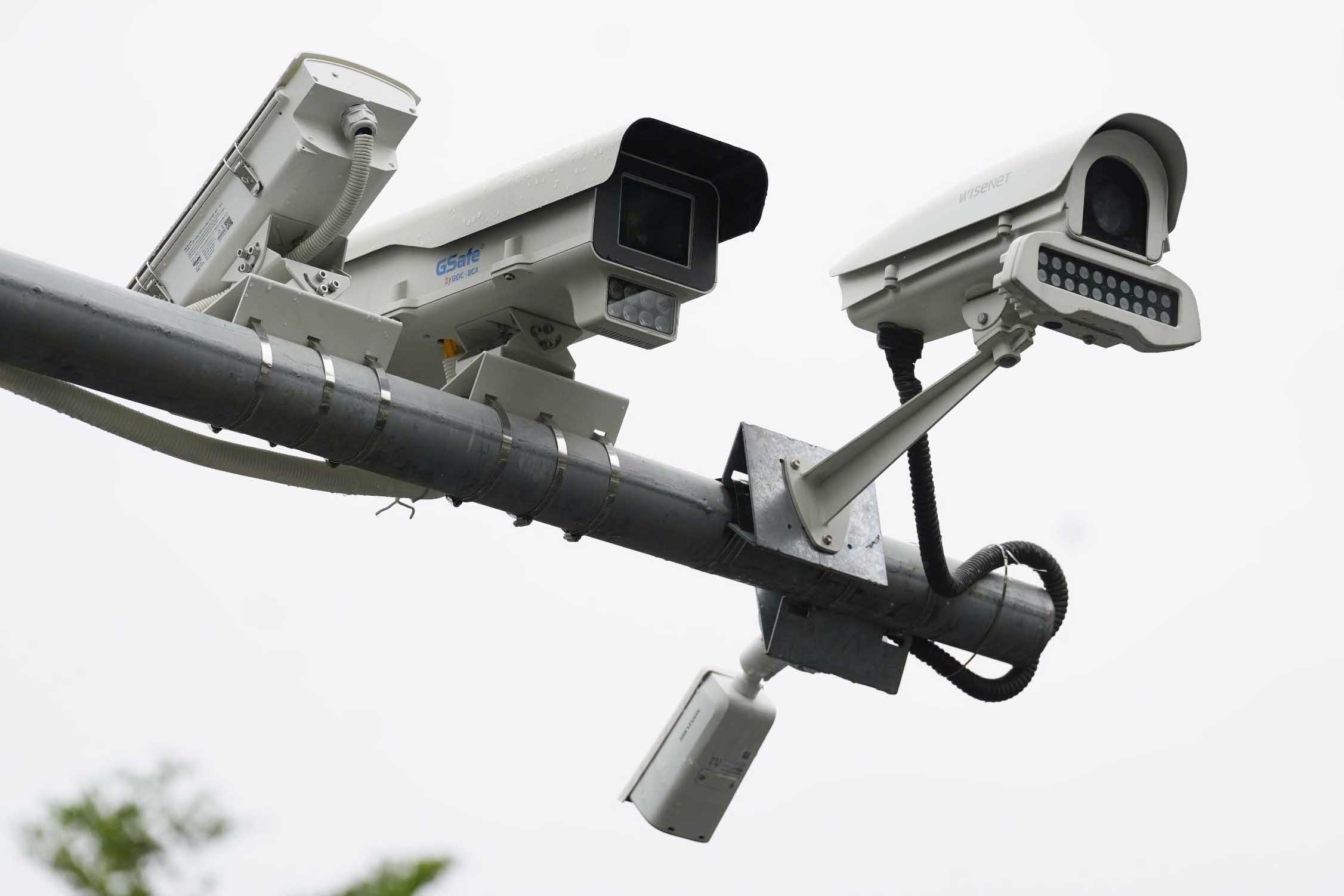
Built to withstand the elements—rain, snow, heat, and dust—outdoor cameras are your first line of defense. They are designed to monitor driveways, backyards, porches, and other access points to your property. They often come with more robust features like powerful night vision, spotlights, and sometimes even sirens to actively scare off unwelcome visitors.
Video Doorbells
A hybrid of a doorbell and a security camera, these have become incredibly popular. They replace your existing doorbell and allow you to see, hear, and speak to anyone at your front door, whether you’re on the couch or on a beach halfway across the world. They are fantastic for screening visitors and monitoring package deliveries.
Key Features to Look For in a Home Camera for Travel Safety
Not all cameras are created equal. When your goal is peace of mind while traveling, certain features become non-negotiable. Here’s what you should have on your checklist:
- HD Resolution (1080p or higher): You need to see things clearly. 1080p is the standard for a reason, as it provides enough detail to identify faces or read a license plate. A 2K or 4K camera offers even more detail, which can be crucial.
- Reliable Night Vision: A lot can happen after dark. Look for cameras with strong infrared (IR) night vision for clear black-and-white images. Some advanced models even offer color night vision, which uses ambient light or a small spotlight to capture footage in full color.
- Smart Motion Detection and Alerts: This is a game-changer. Basic motion detection will alert you every time a leaf blows by. Smart detection uses AI to differentiate between people, animals, vehicles, and general motion. This drastically reduces false alarms, so when you get an alert, you know it’s worth checking.
- Two-Way Audio: This feature allows you to listen to what’s happening and speak through the camera’s speaker using your phone. You can tell a delivery driver where to leave a package or verbally warn a potential intruder that they are being recorded.
- Field of View (FoV): This is how wide an angle the camera can see, measured in degrees. A wider FoV (e.g., 130 degrees or more) means you can cover more area with a single camera, which can save you money.
- Storage Options (Cloud vs. Local):
- Cloud Storage: Your video clips are uploaded to a secure server. This is great because your footage is safe even if a thief steals the camera. It usually requires a monthly subscription.
- Local Storage: Footage is saved to a microSD card or a local hard drive. The main benefit is that there are no monthly fees, and you have physical control over your data.
- Easy-to-Use Mobile App: This is your command center. The app should be intuitive, stable, and allow you to easily view live feeds, watch recorded clips, and adjust settings from anywhere with an internet connection.
|
Our Picks for the Best Home Camera in 2026
As an Amazon Associate, we earn from qualifying purchases.
|
||
| Num | Product | Action |
|---|---|---|
| 1 | 2K Cameras for Home Security-Outdoor/Indoor Camera for Dog/Cat/Pet/Nanny/Baby, Color Night Vision, White Light, Siren, 24/7 SD Recordings, Works with Alexa/Google Home, C1 (C1-White-2pack-2.4G) |

|
| 2 | WYZE Cam Pan v3, Indoor/Outdoor IP65-Rated 1080p Pan/Tilt/Zoom Wi-Fi Smart Home Security Camera with Color Night Vision, 2-Way Audio, Compatible with Alexa & Google Assistant, Free Expert Setup |
|
| 3 | WYZE Cam v4 (Latest Model), 2.5K AI Security Camera, Indoor/Outdoor Cameras for Home Security, Baby Monitor & Pet Camera, Vibrant Color Night Vision, No Subscription Required, Free Expert Help |
|
| 4 | Ring Battery Doorbell | Home or business security with Head-to-Toe Video, Live View with Two-Way Talk, and Motion Detection & Alerts (newest model), Venetian Bronze |
|
| 5 | Tapo TP-Link 1080P Indoor Security Camera for Baby Monitor, Dog Camera w/Motion Detection, 2-Way Audio Siren, Night Vision, Cloud & SD Card Storage, Works w/Alexa & Google Home C100 |
|
| 6 | TP-Link Tapo 2K Pan/Tilt Security Camera for Baby Monitor, Dog Camera w/Motion Detection, 2-Way Audio, Siren, Night Vision, Cloud & SD Card Storage, Works with Alexa & Google Home, 2-Pack (C210P2) |
|
| 7 | Ring Outdoor Cam (Stick Up Cam) | Weather-Resistant Outdoor Camera, Live View, Color Night Vision, Two-Way Talk, Motion alerts, Works with Alexa | White |
|
| 8 | Blink Mini 2 — Home Security & Pet Camera(s) with HD video, color night view, motion detection, two-way audio, and built-in spotlight — 1 camera (Black) |
|
| 9 | TP-Link Tapo Pan/Tilt Security Camera for Baby Monitor, Pet Camera w/Motion Detection, 1080P, 2-Way Audio, Night Vision, Cloud & SD Card Storage, Works with Alexa & Google Home (Tapo C200) |
|
| 10 | Kasa Smart Indoor Pan-Tilt Home Security Camera, 1080p HD Dog Camera w/Night Vision, Motion Detection for Baby & Pet Monitor, Cloud & SD Card Storage, Works w/ Alexa & Google Home, 2.4G WiFi (EC71) |
|
A Simple 5-Step Guide to Setting Up Your Camera
Getting your new camera up and running is usually much easier than you think. Most modern Wi-Fi cameras are designed for DIY installation.
- Find the Perfect Spot: Choose a location that covers the key area you want to monitor (like your front door or back patio). Make sure it’s within range of your Wi-Fi signal and a power source if it’s a wired model.
- Mount the Camera: Follow the manufacturer’s instructions. This usually involves drilling a couple of small holes and screwing in a mounting bracket. For indoor cameras, sometimes you can just place them on a shelf.
- Power It Up: Plug in your camera or insert the charged battery.
- Connect to the App: Download the camera’s companion app on your smartphone. The app will guide you through the process of connecting the camera to your home Wi-Fi network. It’s usually as simple as scanning a QR code.
- Configure Your Settings: This is the fun part! Customize motion detection zones to avoid alerts from a busy street, set your notification preferences, and invite a trusted family member to have access if you wish.
“A well-placed camera is good, but a well-configured camera is great. Take ten minutes to set up motion zones and notification schedules. It will transform your security from noisy to intelligent, especially when you’re away.”
Let’s Talk About Privacy and Security
It’s completely normal to have questions about privacy when you bring a camera into your home. A trustworthy security camera system should protect your data as fiercely as it protects your property.
How Can You Secure Your Home Camera?
To ensure your camera remains a tool for your safety and not a vulnerability, follow these essential steps:
- Use a Strong, Unique Password: Don’t reuse the same password you use for other accounts. Combine uppercase and lowercase letters, numbers, and symbols.
- Enable Two-Factor Authentication (2FA): This is one of the most effective security measures. It means that even if someone steals your password, they can’t access your camera without a second code, which is usually sent to your phone.
- Keep Your Firmware Updated: Manufacturers regularly release updates to patch security vulnerabilities. Most apps will notify you when an update is available; don’t ignore it!
- Secure Your Wi-Fi Network: Your home Wi-Fi is the gateway to your camera. Make sure it’s protected with a strong WPA2 or WPA3 password.
According to cybersecurity analyst Dr. Alex Chen, “The biggest mistake users make is underestimating the importance of their router’s security. Securing your network is the foundation upon which your entire smart home security rests. An unsecured router is like leaving your digital front door wide open.”
Integrating with Your Smart Home
The magic of a modern home camera for travel safety is how well it can play with other devices. Integrating your camera with a smart home ecosystem like Amazon Alexa or Google Assistant opens up a world of convenience. You can simply say, “Alexa, show me the front door camera” to see a live feed on your smart display, or create routines where your smart lights turn on automatically when your outdoor camera detects motion at night. This integration turns individual devices into a cohesive, intelligent security system.
Frequently Asked Questions
Q: Can a home camera work without a Wi-Fi connection?
A: Most smart cameras require Wi-Fi to send you alerts and stream live video to your phone. However, some systems can record locally to an SD card without an internet connection, but you won’t be able to view the footage remotely until the connection is restored.
Q: Is it legal to have a security camera pointing outside my house?
A: Generally, yes. You are allowed to record video on your own property. However, laws vary by location, especially concerning audio recording and pointing cameras at areas where your neighbors have a reasonable expectation of privacy, like their windows or backyard. It’s always best to check local regulations.
Q: How much internet data does a security camera use?
A: This depends heavily on the camera’s resolution and how often it records. A camera that only records when motion is detected will use far less data than one that records 24/7. Most users with a standard broadband plan will not notice a significant impact.
Q: Can I access my home camera feed from another country?
A: Absolutely! As long as your camera is connected to the internet at home and your phone has an internet connection (Wi-Fi or cellular data), you can access your live feed and recordings from anywhere in the world through the camera’s app.
Q: What is the main difference between an indoor camera and an outdoor camera?
A: The primary difference is durability. Outdoor cameras are weatherproofed to withstand environmental conditions like rain and extreme temperatures. They also often have stronger night vision and wider fields of view to cover larger outdoor spaces.
Your Peace of Mind is the Ultimate Destination
Choosing the right security camera is about empowering yourself with information and control. It transforms the unknown anxiety of being away from home into the known confidence that everything is secure. By understanding the key features, respecting privacy, and setting up your system correctly, you’re not just buying a piece of technology; you’re investing in a stress-free vacation. The right home camera for travel safety ensures that while you’re out making new memories, you can rest easy knowing that your memories at home are safe and sound.