So, you’ve just unboxed your shiny new home security camera. You’re feeling pretty good, right? You’ve taken a major step towards securing your castle. But hold on a second. What if I told you that camera, as smart as it is, is only operating at about 70% of its potential? It’s like buying a supercar and only ever driving it in the city. To truly unlock its power, you need to think beyond the box. That’s where the world of Home Camera Must Have Accessories 2025 comes in, transforming your standalone device into a formidable, a-round-the-clock security system.
I’ve been in the security game for a long time, and I’ve seen it all. From cameras failing during a critical moment because of a power flicker to crucial footage being overwritten because of insufficient storage. These aren’t edge cases; they’re common pitfalls that the right accessories can completely prevent. Let’s dive in and gear up your home defense.
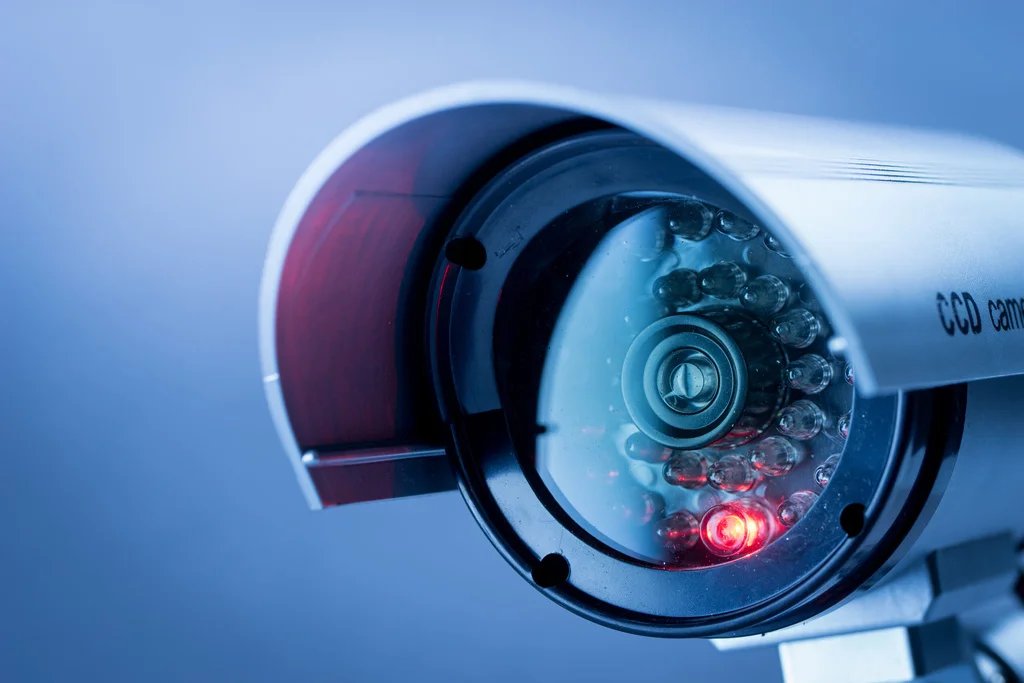
Why Your Camera Needs More Than Just a Power Cord
Think of your home camera as the brain of your security operation. It’s intelligent, watchful, and ready to alert you. But a brain can’t function without a robust support system. Accessories are that system. They provide a reliable power supply when the grid fails, ensure your Wi-Fi signal is rock-solid, protect the device from the elements, and give it the storage capacity it needs to never miss a beat. Without them, you’re leaving your home’s security to chance. We don’t do chance; we do certainty.
The Ultimate Checklist: The Real Home Camera Must Have Accessories 2025
Ready to upgrade your setup from “good” to “impenetrable”? Here are the essential add-ons that my team at An Ninh Gia Dinh 247 and I recommend to every single client. This isn’t about fancy gadgets; it’s about strategic enhancements.
Uninterrupted Power: The Lifeline of Your Security
What’s the first thing a savvy intruder might do? Cut the power. If your camera is plugged into the wall, it’s instantly useless. That’s a vulnerability you can’t afford.
- Solar Panels for Outdoor Cameras: This is a game-changer for wire-free cameras. A small, dedicated solar panel can provide a constant trickle charge, meaning you might never have to climb a ladder to swap batteries again. It’s a set-it-and-forget-it solution that ensures your camera is always online, rain or shine.
- Uninterruptible Power Supply (UPS): For your crucial indoor cameras and Wi-Fi router, a UPS is non-negotiable. It’s essentially a large battery backup. When the power goes out, the UPS kicks in instantly, keeping your camera and your internet connection running for anywhere from 30 minutes to several hours, depending on the model. That’s more than enough time to capture any event and get the notifications.
Pro Tip: When choosing a UPS, make sure it has enough wattage to support both your router and your camera hub. A stable internet connection is just as important as a powered camera.
Expanded Storage: Your Evidence Locker
Your camera’s memory is where the evidence lives. If it runs out of space or the storage fails, you’re left with nothing. Cloud storage is great, but local backup is your safety net.
- High-Endurance microSD Cards: Do not use a standard microSD card from your old phone. Security cameras are constantly writing and rewriting data, a process that kills normal cards quickly. High-endurance cards are specifically built for this heavy workload. They are designed to last for tens of thousands of hours of recording. Think of it as the difference between a regular car tire and one built for a 24-hour endurance race.
- Network Attached Storage (NAS): For the serious home security enthusiast, a NAS is a private cloud in your own home. Many modern cameras can be configured to continuously back up footage to a NAS drive on your local network. This gives you massive storage capacity (we’re talking terabytes) and complete control over your data, without monthly fees.
Here’s a quick breakdown to help you decide:
| Storage Option | Pros | Cons | Best For |
|---|---|---|---|
| High-Endurance Card | Affordable, provides local backup, works without internet. | Limited capacity, can be stolen with the camera. | Essential baseline for every camera. |
| Cloud Subscription | Accessible anywhere, safe from theft, often includes smart features. | Monthly fees, requires internet, privacy concerns for some. | Convenience and off-site backup. |
| NAS Drive | Massive storage, one-time cost, total data privacy. | Higher initial setup cost, requires some technical know-how. | Power users and those with multiple cameras. |
Enhanced Protection: Shielding Your Watchful Eye
Your outdoor camera is on the front lines, battling sun, rain, wind, and snow. The plastic housing it came with is good, but it’s not invincible.
- Silicone Skins: These are simple, affordable, and incredibly effective. A snug-fitting silicone skin adds an extra layer of waterproofing, helps the camera blend in with your home’s exterior (or stand out as a deterrent), and provides crucial UV protection to prevent the plastic from becoming brittle and cracked over time.
- Weatherproof Mounts & Junction Boxes: The weak point of many outdoor installations is the cable connection. A weatherproof junction box conceals and protects these connections from moisture, which is the number one killer of outdoor electronics. A sturdier, all-metal mount also provides better stability in high winds and is a greater deterrent to tampering.
Smarter Connectivity: A Rock-Solid Signal
Your camera is only as good as its Wi-Fi connection. A choppy, unreliable signal means missed recordings, delayed notifications, and immense frustration.
- Wi-Fi Mesh System: Forget those cheap, single-point range extenders. A mesh Wi-Fi system uses multiple nodes placed around your home to create a single, powerful, and seamless network. This is the single best way to ensure that your camera, no matter how far it is from the router, has a strong and stable connection. I installed a mesh system in my own home, and my backyard camera went from dropping out daily to having perfect, uninterrupted 4K streaming.
- Powerline Ethernet Adapter: If you have a critical camera in a location with terrible Wi-Fi (like a detached garage), a Powerline adapter can be a lifesaver. It uses your home’s existing electrical wiring to create a wired internet connection. You plug one adapter in near your router and the other near your camera for a stable, wired-like performance without drilling holes.
How Do I Choose the Right Accessories for My Camera?
That’s the million-dollar question, isn’t it? The best way is to start with your camera’s manufacturer. Check their website for a list of officially compatible accessories. This guarantees they will work seamlessly together.
Here’s a simple checklist to guide you:
- Check Compatibility First: Before you buy anything, confirm it’s designed to work with your specific camera model.
- Assess Your Environment: Is the camera location exposed to direct sunlight or heavy rain? You need a protective skin. Is it far from your router? You need a Wi-Fi solution.
- Evaluate Your Power Source: Is there a reliable outlet nearby? If not, a solar panel or a long-lasting battery pack is essential.
- Determine Your Storage Needs: Do you want to save footage for 24 hours or 30 days? This will determine if you need a 64GB card or a multi-terabyte NAS. Your choice of home camera must have accessories 2025 should be tailored to these needs.
A Crucial Word on Security
As we add more connected devices to our homes, we must also be more vigilant about digital security. Every accessory, especially those connected to your network, is a potential entry point for hackers if not secured properly.
“Your home security system is a digital fortress. Don’t leave the side door unlocked. Always purchase accessories from reputable manufacturers, update their firmware as soon as it’s available, and use strong, unique passwords for every device and service.”
— Dr. Evelyn Reed, Cybersecurity Analyst
Frequently Asked Questions
Q: Do all home cameras support third-party accessories?
A: Not all of them. Many brands, especially in the DIY space, are designed as closed ecosystems. It’s always best to check the manufacturer’s compatibility list first. However, universal accessories like a UPS or a Wi-Fi mesh system will benefit any camera.
Q: Is a solar panel really powerful enough for a modern security camera?
A: Absolutely. Modern cameras are incredibly energy-efficient. A good quality solar panel, even with just a few hours of direct sunlight per day, is more than capable of keeping the camera’s battery topped off and ready for action.
Q: What is the main difference between a regular SD card and a high-endurance one?
A: It comes down to the type of memory (NAND) used and the firmware. High-endurance cards are designed for a high number of Program/Erase cycles—the process of recording and deleting footage. A standard card will wear out and fail much faster under the constant workload of a security camera.
Q: Can I mix and match brands for my camera and its accessories?
A: For some things, yes. A Netgear Wi-Fi extender will work with a Ring camera. A SanDisk high-endurance card will work in an Arlo camera. However, for form-fitting accessories like protective skins or specific mounting brackets, you almost always need to buy the one made for your exact model.
Q: How will adding these home camera must have accessories 2025 impact my Wi-Fi?
A: Accessories like cameras and sensors will use a small amount of bandwidth. The most important thing is signal strength. A Wi-Fi mesh system won’t slow your internet down; it will create a stronger, more reliable network, which actually improves your camera’s performance and the performance of all your other devices.
Your Home, Fortified
Your home security camera is a powerful tool, but it’s just the starting point. By thoughtfully selecting from this list of home camera must have accessories 2025, you elevate that single device into a smart, resilient, and truly comprehensive security system. You’re not just buying gadgets; you’re buying reliability, durability, and most importantly, the peace of mind that comes from knowing your home is protected, no matter what. Make the smart choice and empower your camera to do the job it was truly designed for.