Welcome! If you’re here, you’re likely thinking about boosting your home’s security, and that’s a brilliant first step. Navigating the world of security cameras can feel like wading through a sea of tech jargon and endless options. That’s why we’ve put together this comprehensive Home Camera Price Comparison 2025 guide. Think of me as your personal security advisor from An Ninh Gia Dinh 247. My goal isn’t just to talk about prices; it’s to help you understand what you’re really paying for, so you can find the perfect peace of mind for your budget and your family. Let’s get you feeling safe and sound.
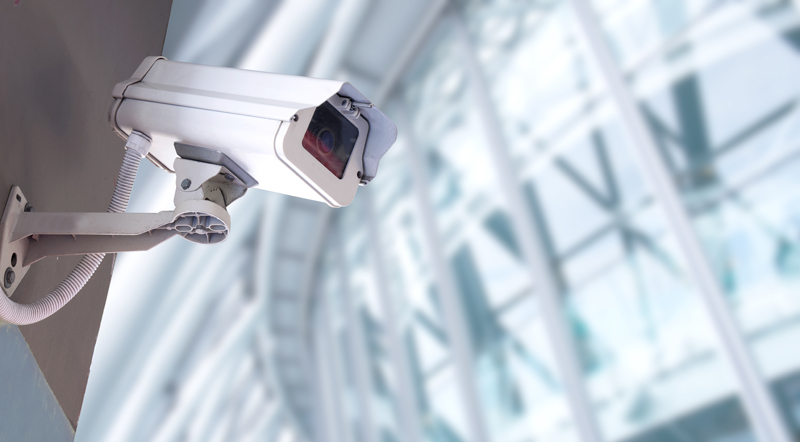
Why Do You Even Need a Home Camera?
Let’s be honest, the first thing that comes to mind is catching burglars. And yes, cameras are a fantastic deterrent and a crucial tool for evidence. But in 2025, their role has expanded so much more. It’s about connection and convenience.
Just last week, my own camera alerted me to a package delivery while I was at the office. I used the two-way audio feature to ask the driver to place it behind a planter, safe from prying eyes. For my neighbor, it’s about checking in on her elderly mother who lives alone. For my brother, it’s about making sure his new puppy isn’t chewing up the sofa. A home camera is no longer just a silent watchdog; it’s an interactive part of your daily life. It’s your eyes and ears when you can’t be there.
The Main Players: What Types of Cameras Are Out There?
Before we talk price, you need to know what you’re shopping for. Cameras generally fall into a few key categories, each designed for a different job.
Indoor Cameras
These are the most common and generally the most affordable. They’re designed to monitor rooms, entryways, or specific areas inside your home. They are typically plug-in, which means you never have to worry about batteries, and are packed with features like two-way talk and motion detection.
Outdoor Cameras
Built tough to withstand rain, sun, and whatever else Mother Nature throws at them. Outdoor cameras need to be more robust, which often means a higher price tag. They are your first line of defense, monitoring driveways, backyards, and entry points before anyone even gets to the door. You’ll find both battery-powered and wired options here.
Doorbell Cameras
A game-changer for home security. These replace your existing doorbell and give you a live view of your front porch. You can see and speak to visitors from anywhere in the world. They are fantastic for screening visitors, confirming deliveries, and keeping an eye on the most trafficked area of your property.
Wire-Free vs. Wireless Cameras
This is a common point of confusion.
- Wireless means the camera connects to your internet via Wi-Fi, but it still needs a cable for power.
- Wire-Free means it’s truly wireless—it connects via Wi-Fi and runs on rechargeable batteries. This offers ultimate flexibility in placement but requires you to recharge them every few months.
What Features Actually Impact the Price Tag in 2025?
This is the core of our home camera price comparison 2025. Two cameras can look similar, but one might be $50 and the other $250. The difference is always in the features.
- Video Resolution (Clarity is Key):
- 1080p (Full HD): This is the standard for most budget-friendly cameras. It’s clear enough to see faces and general activity.
- 2K/4K (Ultra HD): This is where you see a price jump. The benefit? You can digitally zoom in on footage without it becoming a pixelated mess. This is crucial for identifying distant details like license plates.
- Night Vision (Seeing in the Dark):
- Infrared (Black & White): Uses IR LEDs to see in total darkness. It’s effective and standard on almost all cameras.
- Color Night Vision: Uses ambient light or a small, built-in spotlight to record in full color at night. This gives you far more detail (like the color of a car or a person’s jacket) and comes at a premium.
- Field of View (How Much It Sees): A wider field of view (measured in degrees) means the camera can see more of a room or yard from a single spot. Cameras with a 160-degree or 180-degree view often cost more than those with a narrower 110-degree view.
- Smart Motion Detection (Fewer False Alarms):
- Basic: Alerts you to any motion—swaying trees, passing cars, your cat.
- Advanced (AI-Powered): This is a major value-add. The camera can tell the difference between a person, a vehicle, an animal, or even a package being delivered. This dramatically reduces annoying, unnecessary notifications and is a key feature in mid-range to high-end models.
- Data Storage (Where Your Videos Go):
- Local Storage (SD Card): You buy a microSD card and insert it into the camera. It’s a one-time cost, and you control the footage. The downside is if a thief steals the camera, they take the evidence with them.
- Cloud Storage (Subscription): Your video clips are uploaded to the manufacturer’s secure servers. You can access them from anywhere. This service almost always requires a monthly or annual fee, which is a critical factor in the long-term cost. Many brands offer a free basic plan but charge for longer storage or advanced features.
- Power Source (Battery vs. Wired): Wire-free, battery-powered cameras offer incredible installation flexibility but often cost more upfront than their wired counterparts due to the battery technology involved.
|
Our Picks for the Best Home Camera in 2026
As an Amazon Associate, we earn from qualifying purchases.
|
||
| Num | Product | Action |
|---|---|---|
| 1 | 2K Cameras for Home Security-Outdoor/Indoor Camera for Dog/Cat/Pet/Nanny/Baby, Color Night Vision, White Light, Siren, 24/7 SD Recordings, Works with Alexa/Google Home, C1 (C1-White-2pack-2.4G) |

|
| 2 | TP-Link Tapo 2K Pan/Tilt Security Camera for Baby Monitor, Dog Camera w/Motion Detection, 2-Way Audio, Siren, Night Vision, Cloud & SD Card Storage, Works with Alexa & Google Home, 2-Pack (C210P2) |
|
| 3 | Ring Outdoor Cam (Stick Up Cam) | Weather-Resistant Outdoor Camera, Live View, Color Night Vision, Two-Way Talk, Motion alerts, Works with Alexa | White |
|
| 4 | Ring Battery Doorbell | Home or business security with Head-to-Toe Video, Live View with Two-Way Talk, and Motion Detection & Alerts (newest model), Venetian Bronze |
|
| 5 | Blink Mini 2 — Home Security & Pet Camera(s) with HD video, color night view, motion detection, two-way audio, and built-in spotlight — 1 camera (Black) |
|
| 6 | Tapo TP-Link 1080P Indoor Security Camera for Baby Monitor, Dog Camera w/Motion Detection, 2-Way Audio Siren, Night Vision, Cloud & SD Card Storage, Works w/Alexa & Google Home C100 |
|
| 7 | Kasa Smart Indoor Pan-Tilt Home Security Camera, 1080p HD Dog Camera w/Night Vision, Motion Detection for Baby & Pet Monitor, Cloud & SD Card Storage, Works w/ Alexa & Google Home, 2.4G WiFi (EC71) |
|
| 8 | WYZE Cam Pan v3, Indoor/Outdoor IP65-Rated 1080p Pan/Tilt/Zoom Wi-Fi Smart Home Security Camera with Color Night Vision, 2-Way Audio, Compatible with Alexa & Google Assistant, Free Expert Setup |
|
| 9 | TP-Link Tapo Pan/Tilt Security Camera for Baby Monitor, Pet Camera w/Motion Detection, 1080P, 2-Way Audio, Night Vision, Cloud & SD Card Storage, Works with Alexa & Google Home (Tapo C200) |
|
| 10 | WYZE Cam v4 (Latest Model), 2.5K AI Security Camera, Indoor/Outdoor Cameras for Home Security, Baby Monitor & Pet Camera, Vibrant Color Night Vision, No Subscription Required, Free Expert Help |
|
2025 Home Camera Price Tiers: A Quick Comparison
To make this easier, let’s break it down into tiers. Prices are estimates and will vary by brand and promotions.
| Tier | Price Range (per camera) | Key Features | Best For |
|---|---|---|---|
| Budget-Friendly | $30 – $80 | 1080p Resolution, Basic Motion Alerts, Infrared Night Vision, Local or Basic Cloud Storage | Monitoring a single room, keeping an eye on pets, or as a starting point for home security. |
| Mid-Range | $80 – $200 | 2K Resolution, AI Person/Package Detection, Color Night Vision, Weather Resistance, Both Cloud & Local Storage Options | The average homeowner looking for reliable, smart security for key areas like the front door or living room. This is the sweet spot for value. |
| Premium | $200 – $400+ | 4K Resolution, Advanced AI tracking, Integrated Spotlights/Sirens, Wider Field of View, Premium build quality, sometimes includes professional monitoring options. | Those who want top-of-the-line clarity, advanced deterrent features, or are looking to cover a large property with the best technology available. |
How Do I Install a Home Security Camera?
Worried about a complicated setup? Don’t be. Most modern cameras are designed for easy DIY installation.
- Pick Your Spot: Identify the key area you want to cover. For outdoor cameras, aim for a height of 8-10 feet, angled slightly down. For indoor, a corner of the room usually provides the best vantage point.
- Power It Up: If it’s a plug-in model, connect it to a power outlet. If it’s wire-free, make sure the battery is fully charged.
- Download the App: Every smart camera has a companion app for your smartphone. Download it from the App Store or Google Play.
- Connect to Wi-Fi: Follow the in-app instructions. This usually involves scanning a QR code on the camera and entering your home Wi-Fi password.
- Mount It: Once it’s connected and you have a live feed, you can mount it permanently. Most cameras come with a mounting bracket and screws.
Are Home Security Cameras a Privacy Risk?
This is a fantastic and important question. Letting a connected camera into your home requires trust. As security professionals, we take this very seriously.
“Your camera’s security is only as strong as its weakest link, and that’s often the password. Always use a long, unique password for your camera’s account and enable two-factor authentication (2FA) immediately. It’s the digital equivalent of deadbolting your front door.” – Dr. Evelyn Reed, Cybersecurity Analyst.
Here’s how you can protect your privacy:
- Choose Reputable Brands: Stick with well-known companies that have a strong track record on security and provide regular firmware updates.
- Enable 2FA: This adds a second layer of security, usually a code sent to your phone, to prevent unauthorized logins.
- Use a Strong Password: Don’t reuse passwords from other services.
- Be Mindful of Placement: Avoid placing cameras in private areas like bedrooms or bathrooms.
Tying It All Together with Your Smart Home
The magic of 2025 technology is how everything works together. Most quality cameras can integrate with platforms like Amazon Alexa and Google Assistant. What does this mean for you? You can simply say, “Hey Google, show me the front door camera” to your smart display and instantly see a live feed. This seamless integration turns your collection of smart devices into a truly connected and helpful smart home.
Frequently Asked Questions (FAQ)
Q: How much should I realistically budget for a home camera in 2025?
A: For a good, reliable starting point, budget around $100-$150 for a mid-range camera. This will get you excellent features like 2K resolution and AI detection without breaking the bank. A complete home camera price comparison 2025 shows this is the sweet spot for value.
Q: Do I really need to pay for a monthly subscription?
A: Not always. Many cameras offer local storage via an SD card as an alternative to a cloud subscription. However, for features like rich notifications (with a preview image) and extended video history, a subscription is often required. Factor this potential recurring cost into your budget.
Q: Is 4K resolution worth the extra money for a home camera?
A: It depends. For most indoor spaces, 1080p or 2K is perfectly adequate. For outdoor use where you might need to identify details on a car or person from a distance, the ability to zoom in with 4K clarity can be a significant advantage and may be worth the investment.
Q: Can my home security camera be hacked?
A: Any internet-connected device carries a risk. However, you can minimize this risk dramatically by buying from reputable brands that prioritize security, using a strong, unique password, and always enabling two-factor authentication (2FA).
Q: What is the main difference between a wireless and a wire-free camera?
A: “Wireless” refers to the data connection (Wi-Fi), but the camera still needs to be plugged into a power outlet. “Wire-free” means the camera is powered by a rechargeable battery and also connects via Wi-Fi, offering complete freedom of placement.
Your Partner in Peace of Mind
Choosing a security camera is a personal decision. It’s about protecting what matters most to you. The goal of this home camera price comparison 2025 wasn’t to tell you which camera to buy, but to empower you with the knowledge to choose confidently. It’s not about finding the cheapest option; it’s about finding the right value for your specific needs. By understanding the features that drive the price, you can invest wisely in your family’s safety and your own peace of mind. And at An Ninh Gia Dinh 247, that’s what we’re all about.