Feeling that little pang of anxiety when you leave your house? You know the one. Did I lock the back door? Is that package I ordered going to be safe on the porch? It’s a feeling we all know. In a world where peace of mind is priceless, a reliable set of eyes on your home isn’t a luxury anymore; it’s a necessity. That’s where this comprehensive Lorex Home Camera Review comes in, designed to cut through the noise and help you decide if this brand is the right guardian for your castle. As a security professional, I’ve seen countless systems, and my goal here is to give you the straight scoop, from one homeowner to another.
Why Do You Even Need a Home Camera?
Let’s get real for a second. The idea of a home camera isn’t just about catching burglars in the act, though that’s certainly a major plus. It’s about a new level of connection and control over your personal space.
- Deterring Porch Pirates: The rise of online shopping has created a new kind of neighborhood nuisance. A visible camera is often enough to make a would-be thief think twice.
- Checking in on Family: Whether it’s seeing the kids get home safely from school or making sure your elderly parents are okay, a quick look at your phone can bring immense relief.
- Pet Monitoring: Ever wonder what your furry friends are really up to when you’re gone? Now you can know. (Spoiler: it’s mostly sleeping).
- Evidence for the Unexpected: From a fender bender in your driveway to a dispute with a neighbor, having a clear video record is invaluable. It removes the “he said, she said” and provides undeniable proof.
A security camera transforms your home from a place you simply live in to a space you can actively monitor and protect, no matter where you are.
What’s the Big Deal with Lorex Anyway?
When you start shopping for security cameras, you’ll see a lot of brands that push you towards a monthly subscription for cloud storage. This is where Lorex first breaks from the pack, and it’s a major point to consider in any Lorex home camera review.
Lorex primarily champions local storage. This means your video footage is stored on a physical device in your home, typically a Network Video Recorder (NVR) or Digital Video Recorder (DVR).
Expert Take: Think of it like this: Cloud storage is like renting a storage unit. It’s convenient, but you pay for it every month, and someone else holds the key. Local storage is like having a secure safe in your own house. You own it, you control it, and there are no recurring fees to access your own stuff.
This commitment to no mandatory monthly fees is a huge draw. You buy the hardware, and that’s it. It’s a one-and-done investment in your security.
Key Features That Make or Break a Security System
When you’re looking at a Lorex system, a few key technical specs will jump out. Let’s translate them into what they actually mean for you.
How Clear is the Picture, Really? (Resolution)
You’ll see terms like 1080p, 2K, and 4K. Here’s the simple breakdown:
- 1080p (Full HD): This is the baseline. It’s clear enough for general monitoring.
- 2K (QHD): A significant step up. You can zoom in on details with much more clarity.
- 4K (Ultra HD): This is the top tier. The level of detail is incredible. You can zoom in to read a license plate or identify a face from a distance. For true security, 4K is the gold standard.
Can It See in the Dark? (Night Vision)
This is non-negotiable. Most crime happens under the cover of darkness. Lorex offers two main types:
- Standard Infrared (IR) Night Vision: This gives you the classic black-and-white video. It’s effective and can see a long way.
- Color Night Vision: This is a game-changer. Using ambient light, the camera can produce a full-color image at night. Seeing the color of a car or a person’s clothing can be a critical detail.
What Is Smart Motion Detection?
Tired of your phone buzzing every time a car drives by or the wind blows a tree branch? Smart Motion Detection is your best friend. It uses AI to differentiate between people, vehicles, and general motion. You can set it to only alert you when a person walks onto your property, drastically cutting down on false alarms.
Our In-depth Lorex Home Camera Review: The Nitty-Gritty
So, what’s it actually like to own and use a Lorex system? I’ve set up dozens of these, and here’s my hands-on experience.
Installation: Is it a DIY Project?
This really depends on the system you choose.
- Wired Systems (NVR/DVR): These are the most reliable and robust. They require running cables from the cameras back to the recorder. If you’re comfortable drilling holes and running wires through your attic or walls, it’s a manageable weekend project. If not, hiring a professional is a wise choice. The connection is rock-solid and not dependent on Wi-Fi strength.
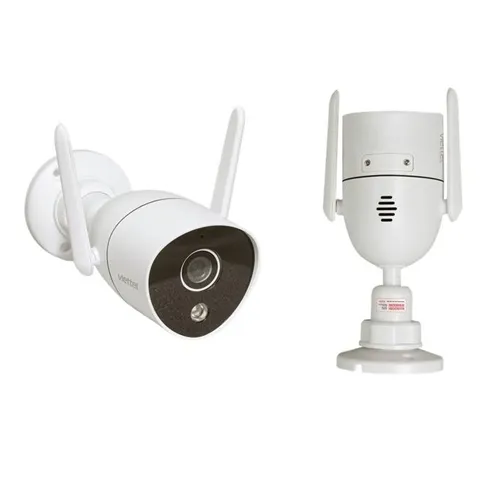
- Wi-Fi Cameras: These are much easier to install. You just need to mount the camera and connect it to a power source and your home’s Wi-Fi network. The setup process is done through the Lorex Home app and is very straightforward.
Simple Wi-Fi Camera Setup Guide:
- Choose your spot: Find a location with a good Wi-Fi signal and a clear view of the area you want to monitor.
- Mount the camera: Use the included hardware to securely attach the camera to a wall or eave.
- Power it up: Connect the camera to a power outlet.
- Pair with the app: Download the Lorex Home app, create an account, and follow the on-screen instructions to scan the camera’s QR code and connect it to your network.
- Customize settings: Adjust motion sensitivity, set up notification zones, and configure your recording preferences. It’s usually up and running in under 30 minutes.
The Lorex Home App Experience
The app is your command center. It’s where you’ll view live feeds, watch recorded playback, and adjust settings. Overall, it’s user-friendly. The timeline feature makes it easy to scrub through footage to find a specific event. You can also engage in two-way talk through the camera’s speaker and microphone, which is perfect for telling a delivery driver where to leave a package or scaring off an unwanted visitor.
What About Privacy and Security?
This is a question I get all the time, and it’s one of the most important. How do you make sure you’re the only one looking through your cameras?
“The weakest link in any camera security system is often the user’s own network. A camera with advanced encryption is useless if your Wi-Fi password is ‘password123’. Securing your router with a strong, unique password and enabling WPA3 encryption is the first and most critical step.”
– Dr. Alex Corbin, Cybersecurity Consultant
Lorex takes this seriously, but you have a role to play. Here’s your checklist for locking down your system:
- Create a strong, unique password for your Lorex account. Do not reuse a password from another service.
- Enable Two-Factor Authentication (2FA) within the app. This adds a crucial layer of security.
- Keep your firmware updated. Lorex pushes out updates to patch security vulnerabilities. Enable automatic updates if possible.
- Secure your home Wi-Fi. As Dr. Corbin mentioned, this is paramount.
By following these steps, you can be confident that your security system is actually secure.
Frequently Asked Questions (FAQ)
Q: Does Lorex require a monthly subscription fee?
A: No. One of Lorex’s biggest selling points is that there are no mandatory monthly fees for storage or basic features. You buy the hardware, and you own your footage, which is typically stored on a local NVR or microSD card.
Q: Can I view my Lorex cameras when I’m away from home?
A: Absolutely. The Lorex Home app allows you to securely access a live view and recorded footage from your cameras from anywhere in the world, as long as you have an internet connection on your phone.
Q: Are Lorex cameras weatherproof for outdoor use?
A: Yes, the vast majority of Lorex outdoor cameras are designed with IP66 or IP67 weather-resistance ratings. This means they are built to withstand rain, snow, wind, and a wide range of temperatures.
Q: How does a wired Lorex system compare to a wireless one?
A: A wired system offers a more stable and reliable connection as it’s not dependent on Wi-Fi signal strength and provides continuous power. A wireless (Wi-Fi) system is much easier to install but can be subject to Wi-Fi interference and requires a nearby power source.
Q: How much video can a Lorex NVR store?
A: This depends on the size of the hard drive. Most systems come with a 1TB or 2TB hard drive, which can store weeks or even months of continuous footage from multiple cameras. The storage is also expandable on most models.
The Final Verdict
So, after all this, is a Lorex home camera system the right choice?
If you are a homeowner who values high-quality video, wants to avoid mandatory monthly fees, and desires complete control over your own security footage, then Lorex is an exceptionally strong contender. Their range of products, from simple plug-in Wi-Fi cameras to professional-grade 4K wired systems, means there is a solution for nearly every budget and property size.
The trade-off for the cost savings on subscriptions is a bit more hands-on involvement, especially with the wired systems. But for many, this is a welcome trade. It’s about empowerment. It’s about owning your security, not just renting it. Making the informed choice based on this Lorex home camera review is the first step toward securing not just your property, but your peace of mind.