Let’s be honest, that little nagging feeling in the back of your mind when you leave the house—did I lock the door? Is the dog chewing the new sofa? What was that noise outside last night? It’s a universal feeling. This is precisely why a reliable home security camera has gone from a luxury to a modern necessity. My goal with this in-depth TP-Link Tapo Home Camera Review is to cut through the technical jargon and give you the real-world scoop on whether this incredibly popular and budget-friendly camera system is the right choice to bring you that much-needed peace of mind. As a security professional, I’ve seen it all, and I’m here to guide you to a solution that truly fits your life.
Why You Absolutely Need a Home Security Camera Today
You might be thinking, “Is a camera really necessary for my neighborhood?” The answer, in short, is a resounding yes. It’s not just about catching burglars in the act, though that’s certainly a major benefit. A modern home camera is a multi-tool for a modern life.
- Deterrence is Key: The mere sight of a camera can make a potential intruder think twice and move on to an easier target. It’s your first and most effective line of defense.
- Check-In on Loved Ones: Whether it’s your kids getting home from school, an elderly parent, or just your furry best friend, a camera allows you to see they’re safe and sound from anywhere via your smartphone.
- Resolve “Who Did It?” Mysteries: From a package disappearing from your porch to figuring out which pet knocked over that expensive vase, a camera provides undeniable evidence.
- Peace of Mind: This is the big one. The ability to quickly check a live feed of your home when you’re on vacation or at work is invaluable. It replaces worry with reassurance.
A Closer Look at the TP-Link Tapo Lineup
One of the first things you’ll notice about TP-Link Tapo is that it’s not just one camera; it’s a whole family of devices designed for different needs. This is great because it means you can mix and match to create a system that’s perfect for your home. Let’s break down the most popular models.
Indoor Stars: The Tapo C200 and C110
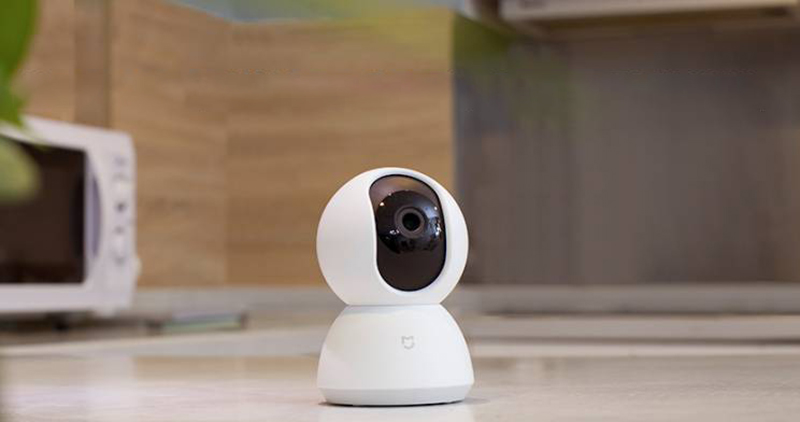
The Tapo C200 is arguably the king of the indoor lineup. Its standout feature is the pan and tilt capability, which means you can remotely control the camera to look around the entire room—360 degrees horizontally and 114 degrees vertically. It’s like having eyes everywhere. The Tapo C110 is its simpler, fixed-position sibling. It’s perfect for monitoring a specific area like a doorway or a baby’s crib. Both typically offer crisp 1080p or even higher resolution, which is plenty of detail for indoor use.
Outdoor Guardians: The Tapo C310 and C320WS
When you need to watch your driveway, backyard, or front porch, you need a camera built to withstand the elements. The Tapo C310 is a workhorse, offering weatherproofing (usually IP66 rated), clear night vision, and customizable motion detection zones. The C320WS takes it a step further with QHD (2K) resolution and, most impressively, ColorPro Night Vision, which can produce full-color video in extremely low light conditions without any spotlights. It’s a game-changer for identifying details like the color of a car or a person’s clothing at night.
Key Features That Truly Matter
When you’re comparing cameras, the spec sheets can be overwhelming. As an expert, let me tell you which features you should actually focus on.
- Video Quality (Resolution): For indoors, 1080p (Full HD) is generally sufficient. For outdoors, where you might need to zoom in on a license plate or a face from a distance, I’d strongly recommend 2K (QHD) or higher.
- Night Vision: All modern cameras have it, but the quality varies. Infrared (black and white) is standard. Advanced features like color night vision, as seen in the C320WS, provide significantly more detail.
- Two-Way Audio: This is a must-have. It lets you listen in and talk back through the camera. You can calm a pet, greet a family member, or sternly warn an unwanted visitor to leave your property.
- Motion Detection & Alerts: A good camera doesn’t just record; it alerts you when something happens. The Tapo series excels here, allowing you to set specific activity zones (so a tree swaying in the wind doesn’t trigger an alert) and even offering AI-powered detection for people, pets, and vehicles on some models.
- Storage Options: This is a critical decision.
- Local Storage (MicroSD Card): You buy a card, pop it in the camera, and it records directly to it. There are no monthly fees, and your footage stays with you. The downside is that if a thief steals the camera, they take the footage too.
- Cloud Storage (Tapo Care): You pay a monthly subscription, and your video clips are securely uploaded to the cloud. This means you can access them anywhere, and they’re safe even if the camera is damaged or stolen.
Setting Up Your Tapo Camera: A Painless 5-Step Guide
One of the biggest wins for TP-Link is how ridiculously easy their cameras are to set up. You don’t need to be a tech wizard.
- Download the App: Search for the “Tapo” app on the Apple App Store or Google Play Store and install it on your smartphone.
- Power Up the Camera: Plug your Tapo camera into a power outlet. Wait for the LED light to start blinking, indicating it’s ready for setup.
- Add the Camera in the App: Open the Tapo app, create an account, and tap the ‘+’ icon. Select your camera model from the list.
- Connect to Wi-Fi: The app will guide you to connect your phone to the camera’s temporary Wi-Fi network, and then you’ll select your home Wi-Fi network and enter the password.
- Name and Place: Give your camera a name (e.g., “Living Room” or “Front Porch”) and place it in your desired location. That’s it! You’re ready to monitor.
|
Our Picks for the Best Home Camera in 2026
As an Amazon Associate, we earn from qualifying purchases.
|
||
| Num | Product | Action |
|---|---|---|
| 1 | TP-Link Tapo Pan/Tilt Security Camera for Baby Monitor, Pet Camera w/Motion Detection, 1080P, 2-Way Audio, Night Vision, Cloud & SD Card Storage, Works with Alexa & Google Home (Tapo C200) |

|
| 2 | Blink Mini 2 — Home Security & Pet Camera(s) with HD video, color night view, motion detection, two-way audio, and built-in spotlight — 1 camera (Black) |
|
| 3 | Ring Battery Doorbell | Home or business security with Head-to-Toe Video, Live View with Two-Way Talk, and Motion Detection & Alerts (newest model), Venetian Bronze |
|
| 4 | TP-Link Tapo 2K Pan/Tilt Security Camera for Baby Monitor, Dog Camera w/Motion Detection, 2-Way Audio, Siren, Night Vision, Cloud & SD Card Storage, Works with Alexa & Google Home, 2-Pack (C210P2) |
|
| 5 | 2K Cameras for Home Security-Outdoor/Indoor Camera for Dog/Cat/Pet/Nanny/Baby, Color Night Vision, White Light, Siren, 24/7 SD Recordings, Works with Alexa/Google Home, C1 (C1-White-2pack-2.4G) |
|
| 6 | Ring Outdoor Cam (Stick Up Cam) | Weather-Resistant Outdoor Camera, Live View, Color Night Vision, Two-Way Talk, Motion alerts, Works with Alexa | White |
|
| 7 | WYZE Cam v4 (Latest Model), 2.5K AI Security Camera, Indoor/Outdoor Cameras for Home Security, Baby Monitor & Pet Camera, Vibrant Color Night Vision, No Subscription Required, Free Expert Help |
|
| 8 | Tapo TP-Link 1080P Indoor Security Camera for Baby Monitor, Dog Camera w/Motion Detection, 2-Way Audio Siren, Night Vision, Cloud & SD Card Storage, Works w/Alexa & Google Home C100 |
|
| 9 | WYZE Cam Pan v3, Indoor/Outdoor IP65-Rated 1080p Pan/Tilt/Zoom Wi-Fi Smart Home Security Camera with Color Night Vision, 2-Way Audio, Compatible with Alexa & Google Assistant, Free Expert Setup |
|
| 10 | Kasa Smart Indoor Pan-Tilt Home Security Camera, 1080p HD Dog Camera w/Night Vision, Motion Detection for Baby & Pet Monitor, Cloud & SD Card Storage, Works w/ Alexa & Google Home, 2.4G WiFi (EC71) |
|
Our In-Depth TP-Link Tapo Home Camera Review: The Real-World Test
So, after all the features and specs, what’s the bottom line? In my years of testing and installing security systems, the TP-Link Tapo line consistently impresses me for one main reason: unbeatable value. You get a feature set that, just a few years ago, would have cost you hundreds of dollars per camera.
What We Loved (The Pros)
The image quality, even on the 1080p models, is clear and sharp for day-to-day monitoring. The app is intuitive and stable—it just works. The motion alerts are timely and, with AI detection, remarkably accurate. But the biggest pro is the flexibility of local storage. The ability to avoid monthly fees by using a microSD card makes this system incredibly accessible for everyone.
Where It Could Improve (The Cons)
To keep the price so low, there are some trade-offs. While the build quality is good, it’s primarily plastic. More importantly, some of the most advanced AI features and rich notifications (with image previews) are locked behind the Tapo Care cloud subscription. While it’s not expensive, it’s something to be aware of. The system is also a closed ecosystem, meaning it integrates well with Alexa and Google but not as broadly as some other premium brands.
“A home security camera is only as secure as the network it’s connected to. Always use a strong, unique password for your Wi-Fi, enable WPA3 encryption on your router if possible, and never use the default camera password. It’s the digital equivalent of locking your front door.” – Dr. Alistair Finch, Cybersecurity Analyst
How Do I Protect My Camera’s Privacy?
This is a question I get all the time, and it’s one of the most important. A security camera is meant to protect you, not expose you. Here’s how to ensure your camera remains a tool for your security, not a vulnerability.
The most effective way to protect your camera’s privacy is to use a multi-layered security approach. This involves securing the device itself, the app you use to control it, and the network it runs on. TP-Link provides the tools; you just need to use them.
- Use a Strong, Unique Password: Do not reuse a password from another service. Make it long and complex.
- Enable Two-Factor Authentication (2FA): This is non-negotiable. It means that even if someone steals your password, they can’t log into your account without a second code sent to your phone.
- Keep Firmware Updated: The Tapo app will notify you when updates are available. These updates often contain critical security patches.
- Use Privacy Mode: When you’re home and don’t need to be recorded, the Tapo app has a privacy mode that physically rotates the lens away on models like the C200, giving you a clear visual confirmation that you’re not being watched.
Frequently Asked Questions about TP-Link Tapo Cameras
Q: Do TP-Link Tapo cameras require a subscription?
A: No, a subscription is not required. You can use a microSD card for local storage and access all core features like live viewing and motion alerts for free. A Tapo Care subscription is an optional add-on for cloud storage and advanced AI features.
Q: Can I view my Tapo camera on a computer?
A: Yes. You can view the live feed of your Tapo cameras on a PC by using the RTSP stream protocol with a third-party video player like VLC or by using an Android emulator to run the Tapo app.
Q: Does the Tapo camera work without an internet connection?
A: You need an internet connection for the initial setup and for remote viewing when you are away from home. However, if you have a microSD card installed, the camera can continue to record motion-activated events locally even if the internet goes down.
Q: How far can the night vision see?
A: This varies by model. Most indoor Tapo cameras have an infrared night vision range of up to 30 feet (about 9 meters). Outdoor models like the C310 can see much further, often up to 98 feet (30 meters).
Q: Are TP-Link Tapo cameras waterproof?
A: Only the designated outdoor models (like the C310, C320WS) are weatherproof and designed to withstand rain, dust, and temperature changes. Indoor models are not waterproof and should not be used outside.
The Final Verdict
So, after this comprehensive TP-Link Tapo home camera review, what’s the final word? The TP-Link Tapo system represents one of the best entry points into home security available today. It is reliable, incredibly user-friendly, and offers a level of performance that far exceeds its budget-friendly price tag. It’s the perfect solution for the average homeowner who wants to increase their security and gain peace of mind without breaking the bank or dealing with a complicated installation. While power users might miss some high-end integrations, for the vast majority of people, Tapo gets the job done brilliantly. Making an informed choice about your family’s safety is one of the most important decisions you can make, and the TP-Link Tapo is a very smart place to start.