Let’s be honest, that shiny new security camera you installed is your digital watchdog, your extra set of eyes. But what happens when those eyes get cloudy? Knowing How To Clean Home Camera Lens Properly is more than just a bit of housekeeping; it’s a critical step in ensuring your home’s security isn’t compromised by a simple smudge or a pesky spiderweb. A blurry image can be the difference between identifying a potential threat and staring at an unhelpful blob. Here at 24/7 Family Security, we’ve seen it all, and we’re here to walk you through the process, ensuring your view is always crystal clear.
Why a Clean Camera Lens is Non-Negotiable for Your Safety
Think of your camera lens as the cornea of your security system. If it’s dirty, the entire system’s performance suffers. A single fingerprint, a layer of dust, or a fine film of pollen can have a significant impact.
- Degraded Image Quality: This is the most obvious one. Smudges and grime can turn a high-definition 4K image into something that looks like it was filmed on a flip phone from 2005. This makes it incredibly difficult to identify faces, license plates, or other crucial details.
- Impaired Motion Detection: Many smart cameras rely on pixel changes to detect motion. A blurry or obstructed view, like a spiderweb blowing in the wind, can lead to a storm of false alerts. Conversely, a thick layer of dirt can cause the camera to miss genuine movement altogether.
- Compromised Night Vision: This is a big one. Infrared (IR) LEDs, which allow your camera to see in the dark, bounce light off objects and back to the lens. If the lens is dirty, that IR light can reflect off the grime directly back into the lens, creating a hazy, washed-out image with bright “orbs” and a severe lack of detail.
In short, a dirty lens makes your expensive security camera surprisingly ineffective. Regular, proper cleaning is an essential part of your home security routine.
First Things First: Gathering Your Cleaning Toolkit
Before you grab the closest paper towel and a bottle of window cleaner, stop. You could be about to do more harm than good. Camera lenses have special coatings that can be easily scratched or stripped away by harsh chemicals or abrasive materials. Here’s what you actually need.
The Right Stuff: Your Go-To Cleaning Supplies
- Microfiber Cloth: This is your number one tool. Use a clean, dry, high-quality microfiber cloth specifically designed for optics or electronics. They are designed to lift grease and dust without leaving lint or scratches.
- Compressed Air Blower / Canned Air: Perfect for removing loose dust, dirt, and debris without ever touching the lens. It’s the safest first step.
- A Soft-Bristled Brush: A small, clean brush (like a new makeup brush or a camera cleaning brush) can be great for gently dislodging stubborn bits of dirt or coaxing a spider web away.
- Lens Cleaning Solution: If you have stubborn smudges like fingerprints, use a solution specifically formulated for camera lenses. A small bottle will last you a lifetime.
- Cotton Swabs or Lens Swabs: These are useful for applying a tiny amount of cleaning solution to a specific spot.
The “Avoid at All Costs” List
- Paper Towels, Tissues, or Napkins: These products are made of wood pulp and are surprisingly abrasive. They will leave behind lint and can cause micro-scratches on your lens.
- Your T-Shirt or Scarf: While convenient, clothing fibers can be rough and carry dust and dirt particles that will scratch the lens.
- Household Cleaners: Windex, multi-purpose sprays, and other glass cleaners contain harsh chemicals like ammonia or alcohol that can strip the anti-reflective coatings off your lens, permanently damaging it.
- Tap Water: Especially in hard water areas, tap water contains minerals that will leave spots and residue on your lens once it dries.
The Ultimate Guide: How to Clean Home Camera Lens Properly Step-by-Step
Now that you have the right tools, let’s get that lens sparkling. This process works for both indoor and outdoor cameras.
- Safety First: Power Down: Before you clean any electronic device, it’s always best to disconnect it from its power source. For a wired camera, unplug it. For a battery-powered one, you can often just proceed, but removing the battery is the safest bet if it’s easy to do.
- The Initial Blast-Off: Hold the can of compressed air upright and a few inches away from the lens. Use short, controlled bursts to blow away any loose dust, pollen, or debris. This prevents you from grinding that grit into the lens when you start wiping. Never shake the can or spray it at an angle, as this can release liquid propellant onto the lens.
- The Gentle Dry Wipe: Take your clean, dry microfiber cloth. Start from the center of the lens and wipe gently in a circular motion, moving outwards. This motion pushes any remaining particles to the edge of the lens instead of just smearing them around. Often, this step is all you need.
- The Deep Clean (If Necessary): If you still see fingerprints or oily smudges, it’s time for the cleaning solution. Do not spray the solution directly onto the lens. This can cause the liquid to seep into the camera’s housing and damage the internal electronics. Instead, apply one or two small drops to a clean part of your microfiber cloth or to the tip of a cotton swab.
- The Final Polish: Using the slightly dampened cloth or swab, again, wipe the lens gently from the center outwards in a circular pattern. Use only light pressure. Follow up immediately with a clean, dry section of the microfiber cloth to buff away any remaining moisture and prevent streaks.
- Power Up and Check Your Work: Reconnect the power to your camera. Open your security app and check the live feed. You should be greeted with a sharp, clear, and vibrant image.
Tackling the Great Outdoors: Special Tips for External Cameras
Outdoor cameras are exposed to the elements and require a bit more attention. Rain, dust, pollen, bugs, and spiders are all constant adversaries.
Banishing Bugs and Spider Webs
Spiders are notoriously attracted to the infrared light that cameras emit at night. To clear them out, a soft brush is your best friend. After clearing the webs, you can wipe the camera housing (not the lens!) with a cloth lightly dampened with a solution of water and a bit of peppermint or citrus oil. Spiders dislike these scents and are less likely to rebuild.
Dealing with Water Spots and Grime
Rain can leave mineral deposits (water spots) on your lens. These often require the lens cleaning solution step mentioned above. For cameras placed in areas prone to splashing mud or heavy grime, you may need to first use a slightly damp cloth to wipe the housing clean before focusing on the delicate lens itself.
“A homeowner’s security posture is only as strong as their clearest line of sight. People invest hundreds of dollars in high-tech cameras but forget the five-minute maintenance task that keeps them effective. Regular lens cleaning isn’t just a chore; it’s a fundamental security practice.”
– Dr. Evelyn Reed, Smart Home Security Analyst
Pro-Tips for Long-Lasting Clarity
Want to clean less often? Here are a few tips from our experts at 24/7 Family Security:
- Strategic Placement: When installing an outdoor camera, try to place it under an eave or overhang. This will protect it from the worst of the rain and direct sunlight, keeping it cleaner for longer.
- Consider a Housing: Some cameras have optional silicone “skins” or larger protective housings that can help shield the lens from the elements.
- Schedule a Check-Up: Set a recurring reminder on your phone—once a month for outdoor cameras, once every couple of months for indoor ones—to just quickly check the live feed for clarity. It’s an easy way to stay on top of maintenance.
Frequently Asked Questions (FAQ)
Q: How often should I clean my home camera lens?
A: For outdoor cameras, a monthly check and cleaning is a good rule of thumb, or more often if you live in a particularly dusty, pollen-heavy, or buggy area. For indoor cameras, every 2-3 months is usually sufficient unless they are in a high-traffic area like a kitchen.
Q: My camera’s night vision is suddenly blurry and has a white haze. Is the lens dirty?
A: Yes, this is the most common symptom of a dirty lens affecting night vision. The camera’s IR lights are reflecting off the dust or smudges directly back into the lens. A proper cleaning, as described above, will almost always solve this issue.
Q: Can I really not use Windex or a standard glass cleaner?
A: Please don’t. We strongly advise against it. These cleaners contain chemicals that can permanently damage the anti-glare and protective coatings on the camera lens, leading to a permanently hazy or distorted image.
Q: What is the best way to clean a dome camera?
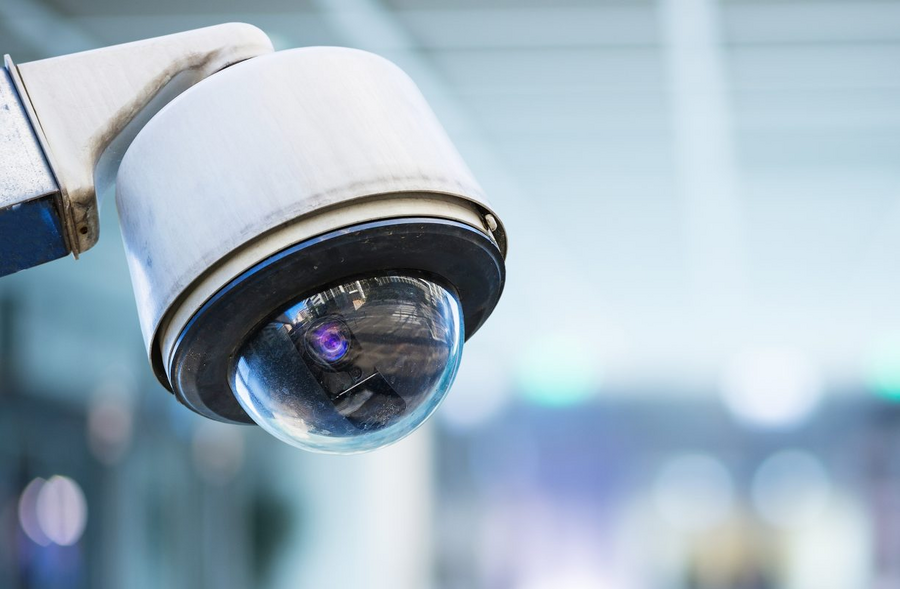
A: The process is largely the same, but you are cleaning the clear dome cover, not the lens itself. Power it down, use compressed air to remove loose debris, and then use a microfiber cloth and lens solution on the dome. Be extra thorough, as smudges on the inside of the dome can be just as problematic.
Q: Is there any way to permanently stop spiders from building webs on my camera?
A: While there’s no permanent solution, regular cleaning and using natural repellents like peppermint oil around the camera’s mounting bracket and housing (never on the lens) can significantly deter them. Some users also report success by turning off the camera’s built-in IR lights and using a separate, standalone IR illuminator placed a few feet away.
Your Peace of Mind is a Clear View Away
Your home security camera is a powerful tool, but it’s only as good as the image it provides. By learning how to clean home camera lens properly, you are taking a simple but vital step to ensure your system works flawlessly when you need it most. A few minutes of maintenance every month provides a priceless return: the confidence and peace of mind that comes with knowing you have a crystal-clear view of your home, 24/7.