Let’s be honest for a second. As an Airbnb host, you’ve probably had that little knot of anxiety in your stomach. You hand over the keys to your property, and a little piece of you wonders: Are they treating my home with respect? Is that “quiet weekend for two” about to turn into a 20-person party? Finding the right Home Camera For Airbnb Hosts isn’t just about security; it’s about reclaiming your peace of mind. But it’s a tightrope walk, isn’t it? You need to protect your investment without ever crossing the line into invading your guests’ privacy.
That’s where we come in. I’ve spent years helping homeowners and property managers navigate this exact challenge. Forget the confusing tech jargon and the endless spec sheets. We’re going to have a real conversation about what you actually need to keep your property safe, your guests happy, and your ratings high.
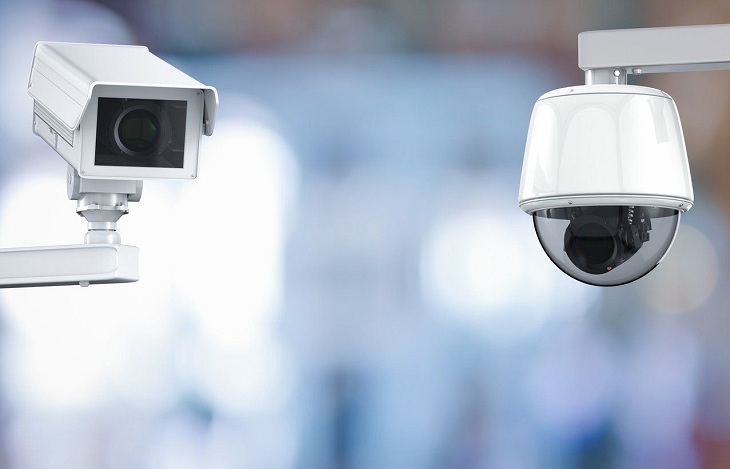
Why Airbnb Hosts Absolutely Need a Security Camera
If you’re still on the fence, let’s break down why a smart security camera is one of the most essential tools in a modern host’s toolkit. This isn’t about spying; it’s about smart management and protection.
- Deterring Unauthorized Parties: The mere presence of a visible outdoor camera is often enough to make potential rule-breakers think twice. It’s a silent security guard that works 24/7.
- Verifying Guest Numbers: Your listing says “maximum of four guests.” A quick check of the entry footage can confirm that four people, not ten, have checked in. This helps prevent excessive wear and tear and potential damage.
- Resolving Disputes: Did a guest claim they couldn’t access the property at the agreed-upon time? Or did an incident occur on your doorstep? Video footage provides indisputable evidence that can be a lifesaver in a dispute resolution with Airbnb.
- Monitoring Check-in and Check-out: Get an alert on your phone the moment your guests arrive. This allows you to send a timely “Welcome!” message. You’ll also know exactly when they’ve left, which helps you schedule your cleaning crew more efficiently.
- Peace of Mind: This is the big one. When you’re hundreds of miles away, being able to quickly check that your property is secure is invaluable. It transforms hosting from a source of stress into a smoother, more manageable business.
The Golden Rules: Where Can You Legally Place a Home Camera?
Before we even talk about models and features, we have to address the elephant in the room: privacy. This is non-negotiable. Both Airbnb and local laws have very strict rules. Getting this wrong can lead to account suspension, legal trouble, and a complete loss of trust.
Airbnb’s policy is crystal clear: “Intentionally concealed recording devices are never permitted. Hosts are not allowed to place recording devices in private spaces such as bedrooms, bathrooms, or sleeping areas.”
So, what does this mean for you?
- Outdoors is Generally Okay: Cameras monitoring the front door, driveway, or backyard are typically acceptable. They help you monitor who is coming and going.
- Indoors is a No-Go Zone (Almost): You should never place a camera in any area where a guest has a reasonable expectation of privacy. This includes bedrooms, bathrooms, and even living rooms if they contain a sofa bed.
- Disclosure is Mandatory: You must disclose the presence of any and all security cameras in your listing’s description. Be specific. Don’t just say “security camera on-site.” Say, “Please note: We have a video doorbell at the front entrance and a camera overlooking the driveway.” Transparency builds trust.
What is the best place to put a security camera in an Airbnb?
The best places are exterior-facing locations that monitor points of entry. A video doorbell at the front door is the most popular and effective choice. Other excellent spots include a camera overlooking the driveway, a back patio, or any other primary entrance to the property. Always ensure they don’t capture areas where privacy is expected, like a neighbor’s window.
Key Features to Look for in a Home Camera for Airbnb Hosts
Alright, now for the fun part. Not all cameras are created equal, especially for a rental property. Here are the features you should prioritize.
- Excellent Video Quality (1080p or higher): You need clear, identifiable footage. 1080p is the minimum standard, but 2K or 4K cameras are becoming more affordable and offer superior detail.
- Reliable Motion Detection & Smart Alerts: You don’t want your phone buzzing every time a car drives by. Look for cameras with “person detection” or customizable motion zones. This ensures you’re only alerted to what matters: people approaching your property.
- Strong Night Vision: Problems don’t just happen in broad daylight. Infrared (black and white) night vision is standard, but some newer models offer color night vision, which can be incredibly helpful for identifying details.
- Weather Resistance: Any outdoor camera must be able to withstand the elements. Look for an IP rating of IP65 or higher, which means it’s protected against dust and rain.
- Remote Access via a User-Friendly App: As a host, you’ll be managing your property remotely. The camera’s mobile app should be intuitive, stable, and allow you to view live footage and past recordings from anywhere.
- Two-Way Audio: This is a great feature for video doorbells. You can greet guests remotely, provide instructions to a delivery person, or even warn off a potential trespasser. Just be mindful of local laws regarding audio recording; in some places, it requires consent from both parties.
- Storage Options (Cloud vs. Local):
- Cloud Storage: Your footage is uploaded to a secure server. It’s safe from theft (they can’t steal the footage if they steal the camera) and easily accessible. This usually requires a monthly subscription.
- Local Storage: The footage is saved to a microSD card or a base station inside your home. It’s a one-time cost, but if the camera or base station is stolen, you lose the recordings.
For most hosts, a hybrid approach or a reliable cloud subscription is the most hassle-free option.
Step-by-Step: Setting Up Your Airbnb Security Camera
You’ve chosen the perfect home camera for Airbnb hosts. Now what? The good news is that modern DIY cameras are designed for easy setup.
- Choose Your Location: Pick a spot that gives you a clear, unobstructed view of the area you want to monitor (e.g., your front porch). Make sure it’s high enough to be out of easy reach.
- Check Your Wi-Fi Signal: Before you start drilling holes, take your smartphone to the chosen location and check the Wi-Fi signal strength. A weak signal will lead to laggy video and missed recordings. You may need a Wi-Fi extender if the signal is poor.
- Install the Camera: Follow the manufacturer’s instructions. For wireless cameras, this might just involve mounting a bracket. For wired cameras, you’ll need to route a power cable.
- Connect to the App: Download the camera’s app on your smartphone and follow the on-screen prompts to connect the camera to your Wi-Fi network. This usually involves scanning a QR code.
- Configure Your Settings: This is the most important step!
- Set up your motion detection zones to focus on key areas like the walkway, not the public sidewalk.
- Adjust the motion sensitivity to avoid false alarms.
- Enable “person detection” if available.
- Set up your notification preferences.
- Update Your Airbnb Listing: This is a critical final step. Go into your listing details and clearly disclose the location and purpose of your camera. Honesty is the best policy.
|
Our Picks for the Best Home Camera in 2026
As an Amazon Associate, we earn from qualifying purchases.
|
||
| Num | Product | Action |
|---|---|---|
| 1 | WYZE Cam v4 (Latest Model), 2.5K AI Security Camera, Indoor/Outdoor Cameras for Home Security, Baby Monitor & Pet Camera, Vibrant Color Night Vision, No Subscription Required, Free Expert Help |

|
| 2 | Tapo TP-Link 1080P Indoor Security Camera for Baby Monitor, Dog Camera w/Motion Detection, 2-Way Audio Siren, Night Vision, Cloud & SD Card Storage, Works w/Alexa & Google Home C100 |
|
| 3 | TP-Link Tapo 2K Pan/Tilt Security Camera for Baby Monitor, Dog Camera w/Motion Detection, 2-Way Audio, Siren, Night Vision, Cloud & SD Card Storage, Works with Alexa & Google Home, 2-Pack (C210P2) |
|
| 4 | TP-Link Tapo Pan/Tilt Security Camera for Baby Monitor, Pet Camera w/Motion Detection, 1080P, 2-Way Audio, Night Vision, Cloud & SD Card Storage, Works with Alexa & Google Home (Tapo C200) |
|
| 5 | Kasa Smart Indoor Pan-Tilt Home Security Camera, 1080p HD Dog Camera w/Night Vision, Motion Detection for Baby & Pet Monitor, Cloud & SD Card Storage, Works w/ Alexa & Google Home, 2.4G WiFi (EC71) |
|
| 6 | WYZE Cam Pan v3, Indoor/Outdoor IP65-Rated 1080p Pan/Tilt/Zoom Wi-Fi Smart Home Security Camera with Color Night Vision, 2-Way Audio, Compatible with Alexa & Google Assistant, Free Expert Setup |
|
| 7 | 2K Cameras for Home Security-Outdoor/Indoor Camera for Dog/Cat/Pet/Nanny/Baby, Color Night Vision, White Light, Siren, 24/7 SD Recordings, Works with Alexa/Google Home, C1 (C1-White-2pack-2.4G) |
|
| 8 | Ring Outdoor Cam (Stick Up Cam) | Weather-Resistant Outdoor Camera, Live View, Color Night Vision, Two-Way Talk, Motion alerts, Works with Alexa | White |
|
| 9 | Blink Mini 2 — Home Security & Pet Camera(s) with HD video, color night view, motion detection, two-way audio, and built-in spotlight — 1 camera (Black) |
|
| 10 | Ring Battery Doorbell | Home or business security with Head-to-Toe Video, Live View with Two-Way Talk, and Motion Detection & Alerts (newest model), Venetian Bronze |
|
Protecting Your Investment and Your Guests: Privacy Best Practices
Having a security camera comes with responsibility. As a security professional, I can’t stress this enough: securing your camera is just as important as installing it. A hacked camera is a liability.
“The biggest mistake hosts make is using the default password or a simple, easy-to-guess password for their camera and Wi-Fi network,” warns Dr. Evelyn Reed, a leading cybersecurity analyst. “Treat your camera’s security like you treat your bank account. Use a long, complex, unique password and enable two-factor authentication immediately. It’s the single most effective thing you can do to prevent unauthorized access.”
Here’s a quick checklist to keep your system secure:
- Use a Strong, Unique Password for your camera account.
- Enable Two-Factor Authentication (2FA) if the app offers it.
- Keep Your Camera’s Firmware Updated. These updates often contain critical security patches.
- Secure Your Home Wi-Fi Network with a strong WPA2 or WPA3 password.
Frequently Asked Questions (FAQ)
Q: Do I have to tell my Airbnb guests about a security camera?
A: Yes, absolutely. Airbnb policy and many local laws require you to fully disclose the presence of any and all surveillance devices in your listing description, even if they are turned off. Transparency is key to building trust and avoiding penalties.
Q: Can I use a camera that records audio at my Airbnb?
A: This is tricky and depends heavily on your local laws. Many states and countries have “two-party consent” laws, meaning you cannot record a conversation without the consent of everyone involved. To be safe, it’s often best to disable the audio recording feature on outdoor cameras.
Q: What is a better choice for a rental property: a wired or wireless camera?
A: For most Airbnb hosts, a wireless (battery-powered) camera offers the most flexibility and easiest installation. However, you’ll need to remember to recharge the batteries. A wired camera provides a more reliable power source but can be more complex to install. Video doorbells that use existing doorbell wiring are a great middle-ground.
Q: Are there any cameras that don’t require a monthly subscription?
A: Yes, many cameras offer local storage via a microSD card. This allows you to record and view footage without paying a monthly fee. The downside is that if the camera is stolen, the footage is lost with it.
Q: How can I monitor my Airbnb when I’m not there?
A: Nearly all modern security cameras connect to the internet and come with a dedicated smartphone app. As long as both your camera and your phone have an internet connection, you can view live video feeds, receive motion alerts, and watch recorded clips from anywhere in the world.
The Final Word on Airbnb Security
Choosing the right home camera for Airbnb hosts is a decision that pays for itself in security and serenity. It’s about being a proactive, responsible, and smart property owner. By focusing on outdoor and entry-point monitoring, prioritizing key features like person detection, and being completely transparent with your guests, you can create a secure environment for everyone. You protect your property, your guests feel safe knowing the perimeter is monitored, and you get the priceless gift of peace of mind. Now you can focus on what really matters: being a five-star host.