Hey there, fellow host. Let’s talk. You’ve curated the perfect welcome basket, the linens are crisp, and your listing photos look spectacular. But when you hand over the keys, a little part of you feels a flicker of anxiety, right? It’s a common feeling. The big question we’re tackling today is how to responsibly buy a home camera for Airbnb hosts to protect your property while respecting your guests’ privacy. It’s a delicate balance, but as a Senior Security Solutions Expert at Family Security 247, I’m here to walk you through it, step by step. This isn’t just about surveillance; it’s about peace of mind.
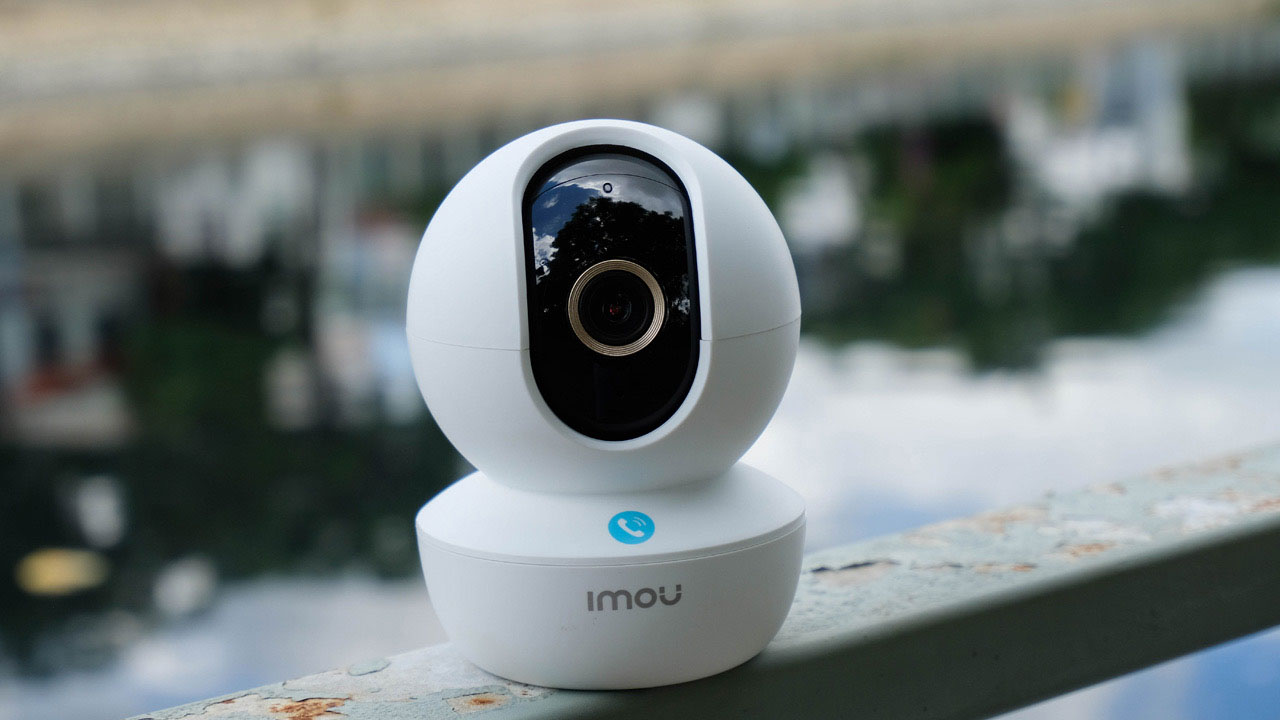
Why Every Airbnb Host Needs a Security Camera
Let’s get straight to the point. Managing a short-term rental comes with unique challenges that a well-placed camera can help solve. It’s not about spying; it’s about being a responsible property owner.
- Property Protection: This is the big one. A camera is your first line of defense against damage, theft, or unauthorized parties that can quickly turn your five-star property into a headline. I once had a client who used footage from his front door camera to prove a guest brought in a massive sound system and a dozen extra people, saving him thousands in potential damages and a headache with his neighbors.
- Guest Verification & Safety: Ensure the person who booked is the person who checks in. A video doorbell, for example, helps you verify identity and can provide a sense of security for your guests, knowing the property is monitored against intruders.
- Dispute Resolution: “He said, she said” arguments are a host’s nightmare. Did a guest claim they couldn’t access the property? Did an unauthorized pet leave a “surprise” on your rug? Video evidence is impartial and can be invaluable when filing a claim with Airbnb or your insurance.
- Deterrent: The mere presence of a visible outdoor camera can deter would-be troublemakers from even considering your property for their next rager.
Navigating Privacy Rules: The Airbnb Camera Minefield
Before you even think about which model to buy, you need to understand the rules. This is non-negotiable. Getting this wrong can get your listing suspended and lead to serious legal trouble.
First, Airbnb has a strict policy. You can have cameras in public spaces and common areas, like a front door, a driveway, or a living room in a shared-space listing. However, there are two golden rules:
- Full Disclosure is Mandatory: You must disclose the presence of all cameras in your house rules and on your listing details, including their general location (e.g., “I have a camera monitoring the front entrance”). No surprises.
- Private Spaces are Off-Limits: You are never allowed to place a camera in private spaces. This includes bedrooms, bathrooms, or any other area where a guest has a reasonable expectation of privacy. Even if a camera is in a living room with a sofa bed, it must be disclosed and turned off when the area is used for sleeping.
Expert Tip: Always err on the side of caution. If you’re unsure whether an area is “private,” don’t put a camera there. Transparency with your guests builds trust and leads to better reviews.
Beyond Airbnb’s rules, you also need to be aware of local laws regarding video and audio recording. Some states or countries require two-party consent to record audio, which is why many hosts choose to disable the audio recording feature entirely.
What to Look for When You Buy a Home Camera for Airbnb Hosts
Okay, with the legal stuff covered, let’s get to the fun part: the technology. Not all cameras are created equal, and what works for a typical home might not be the best fit for a rental property.
Video Resolution: How Clear is Clear Enough?
You’ll see terms like 1080p (HD), 2K, and 4K. For most Airbnb situations, 1080p is the sweet spot. It provides clear, usable footage to identify faces or read a license plate without eating up all your Wi-Fi bandwidth or costing a fortune in cloud storage. 4K is incredible, but it might be overkill unless you have a very large area to monitor.
Field of View: See the Whole Picture
The field of view (FOV) determines how wide of an angle the camera can see. For monitoring an entryway or a living room, you’ll want a wide FOV, typically 130 degrees or more, to minimize blind spots.
Night Vision: Your Eyes in the Dark
An absolute must-have. Most modern cameras use infrared (IR) LEDs to see in complete darkness. Look for a camera with a good night vision range (at least 30 feet) to ensure you can clearly see what’s happening after sundown. Color night vision is a premium feature that uses ambient light to produce a colored image, which can be even more helpful for identification.
Smart Alerts & Motion Detection
You don’t want your phone buzzing every time a leaf blows past the window. Modern cameras offer “smart detection” that can differentiate between people, animals, and vehicles. This is a game-changer for hosts. You can set it to only notify you when a person is detected at your front door, making your alerts meaningful and actionable.
Storage: Cloud vs. Local
Where does your video footage go? You have two main options:
- Cloud Storage: Your video is uploaded to a secure server.
- Pros: Accessible from anywhere, safe from theft or damage to the camera itself.
- Cons: Almost always requires a monthly subscription fee.
- Local Storage: The video is saved to a microSD card inside the camera.
- Pros: No monthly fees, more private.
- Cons: If the camera is stolen, the footage is gone with it.
For an Airbnb, a hybrid model or a cloud-based plan is often the most reliable choice.
|
Our Picks for the Best Home Camera in 2026
As an Amazon Associate, we earn from qualifying purchases.
|
||
| Num | Product | Action |
|---|---|---|
| 1 | WYZE Cam v4 (Latest Model), 2.5K AI Security Camera, Indoor/Outdoor Cameras for Home Security, Baby Monitor & Pet Camera, Vibrant Color Night Vision, No Subscription Required, Free Expert Help |

|
| 2 | Blink Mini 2 — Home Security & Pet Camera(s) with HD video, color night view, motion detection, two-way audio, and built-in spotlight — 1 camera (Black) |
|
| 3 | Ring Outdoor Cam (Stick Up Cam) | Weather-Resistant Outdoor Camera, Live View, Color Night Vision, Two-Way Talk, Motion alerts, Works with Alexa | White |
|
| 4 | TP-Link Tapo 2K Pan/Tilt Security Camera for Baby Monitor, Dog Camera w/Motion Detection, 2-Way Audio, Siren, Night Vision, Cloud & SD Card Storage, Works with Alexa & Google Home, 2-Pack (C210P2) |
|
| 5 | Ring Battery Doorbell | Home or business security with Head-to-Toe Video, Live View with Two-Way Talk, and Motion Detection & Alerts (newest model), Venetian Bronze |
|
| 6 | Kasa Smart Indoor Pan-Tilt Home Security Camera, 1080p HD Dog Camera w/Night Vision, Motion Detection for Baby & Pet Monitor, Cloud & SD Card Storage, Works w/ Alexa & Google Home, 2.4G WiFi (EC71) |
|
| 7 | TP-Link Tapo Pan/Tilt Security Camera for Baby Monitor, Pet Camera w/Motion Detection, 1080P, 2-Way Audio, Night Vision, Cloud & SD Card Storage, Works with Alexa & Google Home (Tapo C200) |
|
| 8 | WYZE Cam Pan v3, Indoor/Outdoor IP65-Rated 1080p Pan/Tilt/Zoom Wi-Fi Smart Home Security Camera with Color Night Vision, 2-Way Audio, Compatible with Alexa & Google Assistant, Free Expert Setup |
|
| 9 | 2K Cameras for Home Security-Outdoor/Indoor Camera for Dog/Cat/Pet/Nanny/Baby, Color Night Vision, White Light, Siren, 24/7 SD Recordings, Works with Alexa/Google Home, C1 (C1-White-2pack-2.4G) |
|
| 10 | Tapo TP-Link 1080P Indoor Security Camera for Baby Monitor, Dog Camera w/Motion Detection, 2-Way Audio Siren, Night Vision, Cloud & SD Card Storage, Works w/Alexa & Google Home C100 |
|
Strategic Camera Placement for Security & Privacy
Where you put the camera is just as important as which one you buy. Remember, the goal is security, not intrusion.
- The Front Door: This is your number one priority. A video doorbell is the perfect solution here. It monitors who comes and goes, logs package deliveries, and allows you to speak to guests remotely.
- Back/Side Entrances: Don’t forget other points of entry. A simple outdoor bullet or dome camera covering the back patio door or side gate is a smart move.
- Driveway or Parking Area: An outdoor camera pointed at the driveway can help you monitor the number of vehicles and deter theft from guests’ cars.
- Indoor Common Areas (If Applicable): If your listing rules prohibit parties, a camera in the main living room (disclosed, of course) can help enforce this. Point it toward the main entrance, not toward seating areas, to show your intent is security, not monitoring your guests’ conversations.
Beyond the Camera: Integrating with Your Smart Rental
The best security setup is part of a larger smart home ecosystem. When you buy a home camera for Airbnb hosts, think about how it can work with other devices.
- Smart Locks: This is a killer combination. You can get an alert from your camera that your guests have arrived, and then remotely unlock the door for them using a smart lock. It offers a seamless, key-free check-in experience. You can find more information in our [guide to smart locks for rental properties].
- Smart Lighting: An outdoor security light that turns on when your camera detects motion is a powerful deterrent. It makes guests feel safer arriving at night and shines a literal spotlight on any unwanted activity.
To ensure this all works flawlessly and securely, your network is key.
“Many hosts invest in a great camera but connect it to an unsecured or weak Wi-Fi network. Your camera is only as secure as the network it’s on. I always advise using a strong, unique password for your Wi-Fi, enabling WPA3 encryption if possible, and creating a separate guest network for your visitors to use. This isolates your security devices from their personal traffic.” – Dr. Alistair Finch, Cybersecurity Specialist.
Frequently Asked Questions
Is it legal to have cameras in an Airbnb?
Yes, it is legal in most places, provided you follow Airbnb’s policies and local laws. This means you must fully disclose their presence and location on your listing, and you must never place them in private areas like bedrooms or bathrooms.
What is the best type of camera for an Airbnb front door?
A video doorbell is typically the best choice. It combines a camera, motion sensor, and two-way intercom in one device, making it perfect for monitoring arrivals, departures, and deliveries while allowing you to communicate with guests.
Should my Airbnb camera record audio?
It’s generally recommended to disable audio recording. Laws regarding audio consent vary widely and are often much stricter than those for video. To avoid any legal complications, sticking to video-only is the safest bet for your rental property.
How do I disclose a camera to my guests?
You must disclose it in the “Health & safety” section of your Airbnb listing. Be clear and upfront. For example: “For security purposes, this property is equipped with a video doorbell at the front entrance and an external camera overlooking the driveway.”
How can I prevent my security camera from being hacked?
Use a strong, unique password for your camera’s account. Enable two-factor authentication (2FA) if it’s offered. Keep the camera’s firmware updated to the latest version. And, as mentioned, ensure your home Wi-Fi network is secure.
Your Peace of Mind is the Best Amenity
Choosing to buy a home camera for Airbnb hosts is a significant step toward becoming a more confident and secure property manager. It’s about protecting your investment, ensuring the safety of your guests, and giving yourself the peace of mind you deserve. By focusing on transparency, understanding the technology, and placing your devices strategically, you can create a secure environment that guests appreciate and troublemakers avoid. At Family Security 247, we believe that feeling safe is the foundation of feeling at home—for both you and your guests.