Ever leave home and get that nagging feeling you forgot to lock the back door? Or maybe you’re at work, wondering if your new puppy is currently redecorating the living room with sofa stuffing. Exploring the daily benefits of a smart home camera reveals a world of convenience and connection that goes far beyond just catching burglars. It’s about closing the distance between you and the place you love most. In a world that’s always on the move, having a reliable set of eyes at home isn’t a luxury anymore; it’s a modern necessity for everyday peace of mind.
Why You Truly Need a Smart Home Camera
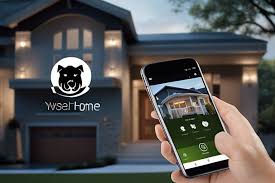
Let’s be honest, when most people think of a security camera, they picture a grainy, black-and-white video of a shadowy figure in the night. While deterring intruders is a massive plus, the real magic lies in the everyday moments. A smart home camera is your personal window back home, accessible right from the palm of your hand.
It’s about seeing your kids get home safely from school, checking if that important package has arrived, or even telling your dog to get off the couch using two-way audio. These devices transform from a simple security tool into an integral part of your family’s daily routine, offering reassurance when you can’t physically be there. They bridge the gap, turning “I wonder what’s happening” into “I know what’s happening.”
What Are the Main Types of Smart Home Cameras?
Before you can enjoy the daily benefits of a smart home camera, it helps to know what your options are. Generally, they fall into three main categories, each designed for a specific purpose.
- Indoor Cameras: These are your go-to for monitoring activity inside the house. They are typically compact, easy to set up, and perfect for keeping an eye on pets, children, or general living areas. Many can be placed on a shelf or mounted discreetly in a corner.
- Outdoor Cameras: Built to withstand the elements, these cameras are your first line of defense. They are weatherproof and designed to monitor driveways, backyards, and entry points. Features like floodlights and powerful night vision are common here.
- Video Doorbells: A fantastic hybrid, these replace your traditional doorbell and give you a live view of your front porch. You can see and speak to visitors, delivery drivers, or anyone at your door, whether you’re upstairs or across the country.
All these cameras connect to your home’s Wi-Fi network, allowing you to stream live video and receive alerts directly to your smartphone app. It’s like having a security guard and a personal assistant rolled into one.
Key Features to Look For: Not All Cameras Are Created Equal
Navigating the world of smart cameras can feel a bit overwhelming with all the tech jargon. As your security expert, let me break down the features that really matter for everyday use.
- Video Resolution: Look for at least 1080p (Full HD) for a clear, crisp image. Some newer models offer 2K or even 4K resolution, which is fantastic for zooming in on details without the picture becoming a pixelated mess.
- Night Vision: This is non-negotiable. Most cameras use infrared (IR) LEDs for black-and-white night vision. However, some advanced models now offer color night vision, which uses ambient light or a small spotlight to provide a full-color image in the dark, making it much easier to identify people or objects.
- Two-Way Audio: This feature is a game-changer. It means your camera has both a microphone and a speaker. You can hear what’s happening and speak through your phone’s app. Perfect for calming a pet, instructing a delivery driver, or startling an unwanted visitor.
- Field of View (FoV): This determines how much area the camera can see. A wider FoV (e.g., 130 degrees or more) means you need fewer cameras to cover a large space like a backyard or an open-plan living room.
- Smart Motion Alerts: Basic motion detection is good, but it can be triggered by anything—a car’s headlights, a swaying tree branch, or a stray cat. Smart alerts use AI to differentiate between people, animals, packages, and vehicles. This drastically reduces false alarms and ensures you only get notified about what’s important.
- Storage Options: Where does your video footage go? You typically have two choices:
- Cloud Storage: Your videos are securely uploaded to the manufacturer’s servers. This is convenient and safe from theft but usually requires a monthly subscription fee.
- Local Storage: The footage is saved to a microSD card inserted directly into the camera. This is a one-time cost, but if a thief steals the camera, they take the evidence with them. Many people use a combination of both for ultimate security.
The Daily Benefits of a Smart Home Camera in Action
Now, let’s move beyond the specs and talk about real-life scenarios. This is where the true value of these devices shines through.
Keep an Eye on Your Furry Friends
Ever wonder if your dog really sleeps all day? A smart camera can reveal their secret life. You can check in to see if they’re anxious, get an alert if they’re barking excessively, and even use two-way audio to say hello. My own camera once caught my dog meticulously pulling every single tissue out of a box—a mystery that would have otherwise gone unsolved!
Check in on Your Kids and Babysitter
For parents, the peace of mind is immeasurable. You can get an alert when your kids arrive home from school, ensuring they’re safe and sound. It’s also a discreet way to check that the new babysitter is attentive and everything is calm, without having to constantly text or call.
Deter Package Thieves and Unwanted Visitors
The “porch pirate” is a modern menace. A video doorbell is your best defense. The mere presence of a camera is often enough to deter a would-be thief. If they do try their luck, you’ll have a high-definition recording and the ability to confront them in real-time using two-way audio.
Monitor Elderly Relatives
Smart cameras can be a compassionate tool for families caring for elderly relatives who live alone. It allows you to check in non-intrusively, ensuring they are okay without compromising their independence. Motion alerts can also notify you of unusual inactivity, providing an essential safety net.
|
Our Picks for the Best Home Camera in 2026
As an Amazon Associate, we earn from qualifying purchases.
|
||
| Num | Product | Action |
|---|---|---|
| 1 | Tapo TP-Link 1080P Indoor Security Camera for Baby Monitor, Dog Camera w/Motion Detection, 2-Way Audio Siren, Night Vision, Cloud & SD Card Storage, Works w/Alexa & Google Home C100 |

|
| 2 | 2K Cameras for Home Security-Outdoor/Indoor Camera for Dog/Cat/Pet/Nanny/Baby, Color Night Vision, White Light, Siren, 24/7 SD Recordings, Works with Alexa/Google Home, C1 (C1-White-2pack-2.4G) |
|
| 3 | WYZE Cam v4 (Latest Model), 2.5K AI Security Camera, Indoor/Outdoor Cameras for Home Security, Baby Monitor & Pet Camera, Vibrant Color Night Vision, No Subscription Required, Free Expert Help |
|
| 4 | Ring Battery Doorbell | Home or business security with Head-to-Toe Video, Live View with Two-Way Talk, and Motion Detection & Alerts (newest model), Venetian Bronze |
|
| 5 | Blink Mini 2 — Home Security & Pet Camera(s) with HD video, color night view, motion detection, two-way audio, and built-in spotlight — 1 camera (Black) |
|
| 6 | TP-Link Tapo Pan/Tilt Security Camera for Baby Monitor, Pet Camera w/Motion Detection, 1080P, 2-Way Audio, Night Vision, Cloud & SD Card Storage, Works with Alexa & Google Home (Tapo C200) |
|
| 7 | TP-Link Tapo 2K Pan/Tilt Security Camera for Baby Monitor, Dog Camera w/Motion Detection, 2-Way Audio, Siren, Night Vision, Cloud & SD Card Storage, Works with Alexa & Google Home, 2-Pack (C210P2) |
|
| 8 | WYZE Cam Pan v3, Indoor/Outdoor IP65-Rated 1080p Pan/Tilt/Zoom Wi-Fi Smart Home Security Camera with Color Night Vision, 2-Way Audio, Compatible with Alexa & Google Assistant, Free Expert Setup |
|
| 9 | Ring Outdoor Cam (Stick Up Cam) | Weather-Resistant Outdoor Camera, Live View, Color Night Vision, Two-Way Talk, Motion alerts, Works with Alexa | White |
|
| 10 | Kasa Smart Indoor Pan-Tilt Home Security Camera, 1080p HD Dog Camera w/Night Vision, Motion Detection for Baby & Pet Monitor, Cloud & SD Card Storage, Works w/ Alexa & Google Home, 2.4G WiFi (EC71) |
|
What About Privacy? Securing Your Smart Camera
Can a smart home camera be hacked? Yes, any internet-connected device can be a target. However, protecting yourself is straightforward. Think of your camera’s security like locking your front door—it requires a few simple, conscious steps.
- Use a Strong, Unique Password: Never, ever use the default password. Create a long password with a mix of letters, numbers, and symbols. Don’t reuse a password from another account.
- Enable Two-Factor Authentication (2FA): This is your single most important security feature. 2FA requires a second verification step (usually a code sent to your phone) before anyone can log into your account, even if they have your password.
- Keep Your Firmware Updated: Manufacturers regularly release updates to patch security vulnerabilities. Most apps will notify you when an update is available. Don’t ignore these!
- Secure Your Home Wi-Fi: Your camera is only as secure as your network. Ensure your home Wi-Fi has a strong WPA2 or WPA3 password.
“Your smart camera’s first line of defense isn’t the device itself, but your home Wi-Fi network. A strong, complex password for your router is just as crucial as the password for your camera’s app. Treat your network security with the same seriousness as your physical locks and bolts.” – Dr. Alistair Finch, Cybersecurity Specialist
How to Integrate Your Camera into a Smarter Home
The daily benefits of a smart home camera are magnified when you connect it to other smart devices. This is where your home starts to feel truly intelligent. For example, you can create routines where your smart lights turn on automatically when your outdoor camera detects motion at night, creating a powerful deterrent. Or, you can view your camera’s live feed on your Amazon Echo Show or Google Nest Hub with a simple voice command like, “Hey Google, show me the backyard camera.”
Frequently Asked Questions
Q: Do smart home cameras record all the time?
A: It depends on the model and your settings. Most cameras can be set to record 24/7 or, more commonly, to only record when motion is detected. Recording on motion saves storage space and makes it easier to find important events.
Q: How much internet data do smart cameras use?
A: This varies based on the video quality and how much you stream. A 1080p camera might use between 1-2 Mbps while uploading a live stream. If it only records on motion, the data usage will be much lower. It’s something to consider if you have a data cap on your internet plan.
Q: Can I access my smart home camera from anywhere?
A: Yes, that’s one of the primary benefits. As long as your camera is connected to your home Wi-Fi and your smartphone has an internet connection (Wi-Fi or cellular), you can view your live feed and recordings from anywhere in the world.
Q: Are smart home cameras difficult to install?
A: Not at all! Most modern smart cameras are designed for easy DIY installation. Indoor cameras are often “plug-and-play,” while battery-powered outdoor cameras can be mounted in minutes without any complicated wiring.
Q: Can one smart camera be viewed by multiple people?
A: Yes, most brands allow you to share access with family members. You can invite them via the app, and they can create their own login to view the camera feeds from their own phones. You can typically control their level of access as well.
Your Home, Smarter and Safer
Ultimately, the daily benefits of a smart home camera are about more than just technology; they’re about feeling secure, connected, and in control. From verifying that a strange noise in the night was just a raccoon to capturing a priceless moment of your child’s first steps when you’re at the office, these devices provide invaluable peace of mind. By choosing a camera with the right features and taking simple steps to secure it, you’re not just buying a gadget—you’re investing in a safer, smarter, and more connected home for you and your family.