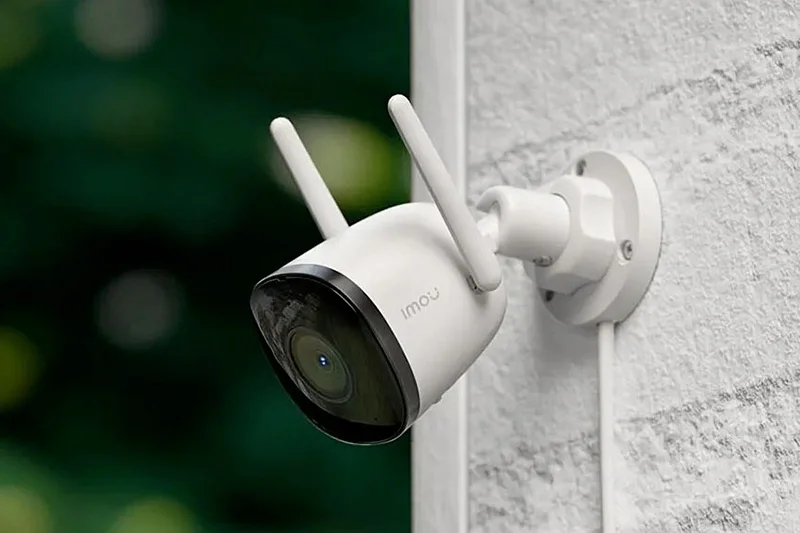
A motion detection home camera acts as a vigilant guardian, providing peace of mind by recording only when significant activity occurs, deterring intruders, allowing you to check on loved ones, and providing crucial evidence for unforeseen events. These cameras utilize either pixel-based detection, which monitors visual changes, or Passive Infrared (PIR) detection, which senses body heat, to accurately trigger recordings and alerts.
Why Do You Really Need a Home Camera?
Many people think security cameras are just for preventing burglaries. While that’s a huge benefit, their true value is much broader. Think of them as a window into your home when you’re not there.
- Deterring Intruders: The mere presence of a visible camera is often enough to make a potential thief think twice and move on to an easier target. It’s a simple, powerful first line of defense.
- Checking in on Loved Ones: Worried if the kids got home from school safely? Want to make sure your elderly parents are okay, or that your mischievous pet isn’t tearing up the new sofa? A quick look at your phone provides instant reassurance. My own camera once alerted me to my dog looking particularly unwell, and I was able to get home in time to take him to the vet. It wasn’t a burglar, but it was just as important.
- Evidence and Accountability: In the unfortunate event that something does happen—a break-in, vandalism, or even a dispute with a delivery service—having clear video evidence is invaluable. It removes the “he said, she said” and provides concrete proof for insurance claims or police reports.
Understanding How These Smart Eyes Work
Before we get into a detailed motion detection home camera review, it’s helpful to know what you’re looking at. Not all cameras are created equal, and their core technology can differ significantly.
The Two Main Flavors of Motion Detection
At its heart, motion detection is what separates a smart camera from a simple recording device. Instead of recording 24/7 and forcing you to sift through hours of footage, it only records when it matters.
- Pixel-Based Detection: This is the most common method. The camera’s software essentially divides its field of view into a grid of pixels. It constantly monitors this grid, and when it sees a significant number of pixels change color or brightness (like a person walking across the frame), it triggers an alert. It’s effective, but can sometimes be fooled by swaying trees, shadows, or even bugs flying close to the lens.
- Passive Infrared (PIR) Detection: Think of this as a heat-sensing tripwire. PIR sensors don’t “see” motion; they detect the infrared energy (body heat) emitted by people and animals. When a warm body moves into its detection zone, it triggers the camera. This method is excellent at reducing false alarms from non-living objects. Many modern outdoor and battery-powered cameras use a combination of both methods for maximum accuracy.
Key Features to Look For in Your Next Camera
|
Our Picks for the Best Home Camera in 2026
As an Amazon Associate, we earn from qualifying purchases.
|
||
| Num | Product | Action |
|---|---|---|
| 1 | Kasa Smart Indoor Pan-Tilt Home Security Camera, 1080p HD Dog Camera w/Night Vision, Motion Detection for Baby & Pet Monitor, Cloud & SD Card Storage, Works w/ Alexa & Google Home, 2.4G WiFi (EC71) |

|
| 2 | Blink Mini 2 — Home Security & Pet Camera(s) with HD video, color night view, motion detection, two-way audio, and built-in spotlight — 1 camera (Black) |
|
| 3 | Tapo TP-Link 1080P Indoor Security Camera for Baby Monitor, Dog Camera w/Motion Detection, 2-Way Audio Siren, Night Vision, Cloud & SD Card Storage, Works w/Alexa & Google Home C100 |
|
| 4 | WYZE Cam v4 (Latest Model), 2.5K AI Security Camera, Indoor/Outdoor Cameras for Home Security, Baby Monitor & Pet Camera, Vibrant Color Night Vision, No Subscription Required, Free Expert Help |
|
| 5 | Ring Outdoor Cam (Stick Up Cam) | Weather-Resistant Outdoor Camera, Live View, Color Night Vision, Two-Way Talk, Motion alerts, Works with Alexa | White |
|
| 6 | TP-Link Tapo 2K Pan/Tilt Security Camera for Baby Monitor, Dog Camera w/Motion Detection, 2-Way Audio, Siren, Night Vision, Cloud & SD Card Storage, Works with Alexa & Google Home, 2-Pack (C210P2) |
|
| 7 | TP-Link Tapo Pan/Tilt Security Camera for Baby Monitor, Pet Camera w/Motion Detection, 1080P, 2-Way Audio, Night Vision, Cloud & SD Card Storage, Works with Alexa & Google Home (Tapo C200) |
|
| 8 | 2K Cameras for Home Security-Outdoor/Indoor Camera for Dog/Cat/Pet/Nanny/Baby, Color Night Vision, White Light, Siren, 24/7 SD Recordings, Works with Alexa/Google Home, C1 (C1-White-2pack-2.4G) |
|
| 9 | WYZE Cam Pan v3, Indoor/Outdoor IP65-Rated 1080p Pan/Tilt/Zoom Wi-Fi Smart Home Security Camera with Color Night Vision, 2-Way Audio, Compatible with Alexa & Google Assistant, Free Expert Setup |
|
| 10 | Ring Battery Doorbell | Home or business security with Head-to-Toe Video, Live View with Two-Way Talk, and Motion Detection & Alerts (newest model), Venetian Bronze |
|
Navigating the spec sheets can feel overwhelming. Let’s cut through the jargon and focus on what truly matters for your home’s security.
- Video Resolution: This determines how clear the picture is. 1080p (Full HD) is the standard and is perfectly adequate for most homes. However, 2K or 4K resolution offers even greater detail, which can be crucial for identifying faces or license plates from a distance.
- Night Vision: Your security shouldn’t stop when the sun goes down. Most cameras use infrared (IR) LEDs to see in the dark, producing a black-and-white image. Some newer models offer color night vision, which uses ambient light or a small spotlight to provide a full-color picture at night, making it much easier to identify details.
- Field of View (FoV): This is how wide an angle the camera can see, measured in degrees. A wider FoV (e.g., 130-160 degrees) means you need fewer cameras to cover a large area like a backyard or an open-plan living room.
- Two-Way Audio: A built-in microphone and speaker allow you to listen in and talk back through your camera. This is fantastic for telling the delivery driver where to leave a package, calming a pet, or even warning off an unwanted visitor.
- Storage Options: Where does your video go?
- Local Storage: The video is saved to a microSD card inside the camera. You control the data, and there are no monthly fees.
- Cloud Storage: The video is uploaded to the manufacturer’s secure servers. You can access it from anywhere, and it’s safe even if the camera is stolen. This usually requires a monthly subscription.
- Smart Alerts: This is where motion detection gets really smart. Look for cameras that can differentiate between people, animals, vehicles, and general motion. This drastically cuts down on notifications from rustling leaves, saving you from “alert fatigue.”
“The biggest weakness in any smart home device, including your security camera, is often the home Wi-Fi network it’s connected to. Always use a strong, unique password for your router and enable WPA3 encryption if available. It’s the digital front door to your home.”
— Dr. Eleanor Vance, Smart Home Security Consultant
Tips for an Effective Motion Detection Home Camera Review and Setup
Getting the most out of your camera isn’t just about buying the best one; it’s about setting it up for success. A poorly placed camera is a wasted investment. After conducting your own motion detection home camera review and making a purchase, follow these steps.
- Identify Key Entry Points: Walk around your property and think like a burglar. Where are the most vulnerable spots? Front door, back door, ground-floor windows, and the garage are the usual suspects.
- Mind the Height: Mount cameras high enough to be out of easy reach (about 8-10 feet off the ground is ideal), but not so high that you only see the tops of people’s heads. Angle them slightly downwards.
- Avoid Direct Light: Pointing a camera directly at the sun or a bright porch light will wash out the image. Try to position it where the light source is behind or to the side of the camera.
- Check Your Wi-Fi Signal: Before you start drilling holes, take your phone to the proposed camera location and check the Wi-Fi strength. A weak signal will lead to laggy video and missed recordings. You might need a Wi-Fi extender for cameras placed far from your router.
- Configure Your Motion Zones: This is a game-changer. Most camera apps allow you to draw “activity zones” within the camera’s view. You can tell the camera to ignore motion from a busy street or a neighbor’s waving flag, and only alert you when there’s activity on your walkway or porch.
What About Privacy? Securing Your Security Camera
It’s a valid concern: how do you make sure the device meant to protect your privacy doesn’t compromise it? Trustworthiness is key. Here are some non-negotiable steps to take.
- Create a Strong, Unique Password: Never use the default password. Create something long and complex that you don’t use for any other account.
- Enable Two-Factor Authentication (2FA): This is one of the most effective security measures. With 2FA enabled, even if someone steals your password, they can’t access your camera feed without a second code, usually sent to your phone.
- Keep Firmware Updated: Manufacturers regularly release updates to patch security vulnerabilities. Set your camera’s app to update automatically.
- Be Wary of Unknown Brands: Stick with reputable brands that have a proven track record of security and transparency about their data policies. A rock-bottom price might come at the cost of your privacy.
Integrating Cameras into Your Smart Home
Your motion detection home camera doesn’t have to be a standalone device. When integrated with a smart home ecosystem like Amazon Alexa or Google Assistant, its power multiplies.
Imagine this: your front door camera detects a person. Instantly, your smart display shows you a live feed, your porch lights turn on, and you get an announcement through your smart speakers. This seamless automation not only adds convenience but also enhances your security by creating a more responsive and intimidating environment for any potential intruder.
Frequently Asked Questions
Q: How does a motion detection home camera work without Wi-Fi?
A: Most smart cameras rely on Wi-Fi to send alerts and upload footage. However, some systems offer cellular backup or can record locally to an SD card during a Wi-Fi outage. The footage will then upload to the cloud once the connection is restored.
Q: Can motion detection see through glass?
A: It depends on the technology. Pixel-based detection can “see” motion through a window, as it’s just looking for visual changes. However, PIR sensors, which detect body heat, cannot reliably detect motion through glass, as glass blocks the infrared signature.
Q: Do these cameras record all the time?
A: Most are designed to record only when motion is detected to save battery life (for wireless models) and storage space. However, many wired cameras offer an option for continuous 24/7 recording, which is often tied to a premium subscription plan.
Q: What is the average cost of a good motion detection home camera?
A: Prices can range widely, from around $30 for a basic indoor model to several hundred dollars for a high-end outdoor camera with 4K resolution and advanced features. A good, reliable camera for most homes typically falls in the $80-$200 range.
Q: How do I reduce false alarms from my motion detection camera?
A: The best way is to use its smart features. Set up specific motion zones to ignore busy areas, enable person detection so it ignores animals or cars, and adjust the motion sensitivity settings in the app until you find a balance that works for your environment.
Your Partner in Peace of Mind
Choosing the right security camera is a significant step toward a safer, more secure home. By understanding the technology, focusing on the features that matter, and following best practices for setup and privacy, you can build a system that truly works for you. This motion detection home camera review is designed to empower you with the knowledge to make an informed decision. At Family Security 247, we believe that feeling safe in your own home is everything, and the right technology is the key to unlocking that invaluable peace of mind.
Frequently Asked Questions
How does a motion detection home camera work without Wi-Fi?
Most smart cameras require Wi-Fi for alerts and cloud uploads. However, some systems offer cellular backup or record locally to an SD card during an outage, uploading footage once the connection is restored. This ensures continuous recording even without an active Wi-Fi signal.
Can motion detection cameras see through glass windows?
Pixel-based detection can 'see' motion through glass as it relies on visual changes. In contrast, PIR (Passive Infrared) sensors, which detect body heat, cannot reliably detect motion through glass because glass blocks the infrared signature. Therefore, camera type matters for window placement.
Do motion detection cameras record continuously or only when triggered?
Most motion detection cameras are designed to record only when motion is detected to conserve battery life and storage space. However, many wired models offer an option for continuous 24/7 recording, often available with a premium subscription plan for extended surveillance.
What is the average cost of a reliable motion detection home camera?
The cost of a good motion detection home camera typically ranges from $80 to $200 for most homes, though prices can vary from $30 for basic indoor models to several hundred dollars for high-end outdoor cameras with 4K resolution and advanced features. This range provides options for various budgets and needs.
How can I reduce false alarms from my home security camera?
To reduce false alarms, utilize your camera's smart features by setting up specific motion zones to ignore busy areas, enabling person detection to filter out animals or cars, and adjusting the motion sensitivity settings in the app. This fine-tuning helps achieve a balance that suits your environment.
Set Up Your Motion Detection Home Camera Effectively
Optimize your motion detection home camera's performance by following these essential setup steps to ensure maximum security and minimize false alarms.
Walk around your property and identify the most vulnerable spots, such as front doors, back doors, ground-floor windows, and the garage. These are the primary areas where a camera will provide the most security coverage.
Mount cameras high enough to be out of easy reach, ideally about 8-10 feet off the ground. Angle them slightly downwards to capture faces and avoid only seeing the tops of heads, ensuring clear identification.
Do not point a camera directly at the sun or a bright porch light, as this will wash out the image and reduce clarity. Position the camera so that the light source is behind or to the side of its field of view.
Before drilling holes, test the Wi-Fi strength at the proposed camera location using your phone. A weak signal can lead to laggy video and missed recordings; a Wi-Fi extender might be necessary for distant cameras.
Utilize your camera's app to draw specific 'activity zones' within its view. This allows you to ignore motion from busy streets or waving flags and only receive alerts for activity on your walkway or porch, significantly reducing false alarms.
Smart home that does not lock you in
Free PDF — protocol compatibility matrix for 30 hubs and devices.
I’ve been using a camera with PIR detection for a few weeks now, and it’s great for sensing body heat and avoiding false alarms from shadows. It’s definitely helped me feel more secure, especially when I’m away on business trips. The video quality is clear, and the app is pretty user-friendly. Good value for the price.
The camera itself is pretty good, and I appreciate the pixel-based detection for recording only when there’s actual activity. My only complaint is that the setup was a bit more complicated than I expected. I had some trouble connecting it to my Wi-Fi initially, which was frustrating. Once it was up and running, though, it’s been reliable.
I got this camera primarily to check in on my elderly mother when I’m at work, and it’s been a game-changer. The ability to see what’s happening at home without constantly calling her is invaluable. The alerts for significant activity are spot on, and it really does feel like a window into her home, giving me such comfort.
I was on the fence about getting a home camera, but the point about deterring intruders really hit home for me. We installed one by our front door, and it’s already given us so much peace of mind. The motion detection works perfectly, and I love getting alerts on my phone when someone approaches. It’s a simple, effective first line of defense.