That unsettling feeling of a strange noise at night or the nagging doubt about an unlocked back door is a common experience for many homeowners. Fortunately, securing your home no longer requires a complex, expensive system; finding the best home camera under $50 is now entirely possible and offers significant peace of mind. These affordable cameras provide essential surveillance without breaking the bank, making home security accessible to a wider audience. This guide helps you navigate the options to find an effective, budget-friendly camera.
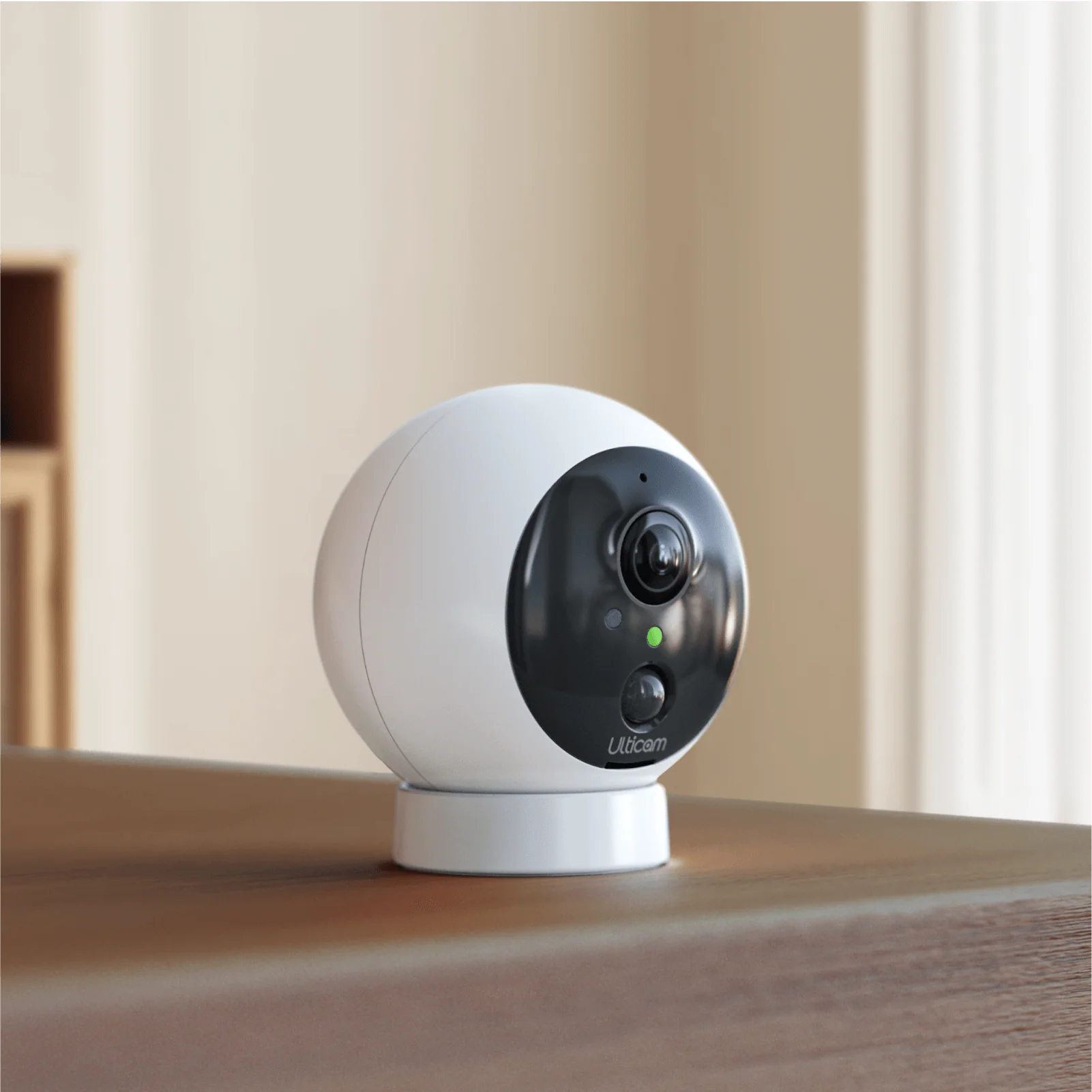
Why Invest in a Home Camera?
Even an inexpensive home security camera offers substantial value beyond just deterring burglars. It serves as a versatile tool for various modern life scenarios.
Consider these common uses:
- Pet Monitoring: Check if your pet is on forbidden furniture or simply see what they’re up to while you’re away.
- Child Supervision: Receive alerts when children arrive home from school or use two-way audio to communicate with them.
- Package Security: A camera at your front door deters porch pirates and provides crucial evidence if a package goes missing.
- Elderly Care: Non-intrusively check on elderly relatives to ensure their safety and well-being.
For many families, the primary benefit of a home camera is simply peace of mind, offering the ability to monitor home activity from anywhere in the world via a smartphone.
Types of Budget-Friendly Home Cameras
When searching for a home camera under $50, you’ll primarily encounter two types designed for indoor use.
Static Indoor Cameras
These are fixed-position cameras that you place on a shelf or mount to a wall, pointing them at a specific area like an entryway or living room. They offer a consistent field of view, are straightforward to use, and are often the most affordable option, making them an excellent starting point for basic surveillance.
Pan-and-Tilt (PT) Cameras
Pan-and-tilt cameras feature a motorized base that allows you to remotely adjust their viewing angle. You can pan horizontally and tilt vertically using a smartphone app, enabling a single device to cover an entire room. This flexibility provides significant value for their price point.
Essential Features for a Home Camera Under $50
When working with a budget, prioritize features that offer genuine security benefits over unnecessary gimmicks. Here’s what your checklist should include:
- Video Resolution (1080p is Standard): Always opt for at least 1080p (Full HD) resolution. Lower resolutions like 720p produce grainy, pixelated video that makes identifying details difficult. 1080p ensures clear, usable footage.
- Reliable Night Vision: Since many incidents occur in low light, effective night vision is crucial. Most budget cameras use infrared (IR) LEDs to provide clear black-and-white images even in complete darkness.
- Two-Way Audio: This feature includes a built-in microphone and speaker, allowing you to hear what’s happening and speak through the camera from your phone. It’s useful for communicating with family, calming pets, or deterring intruders.
- Motion Detection and Alerts: A core smart feature, motion detection triggers automatic recording and sends notifications to your phone. Some advanced models in this price range also offer person detection to reduce false alarms from pets or environmental factors.
- Storage Options (Cloud vs. Local): You need a method to store recorded video clips.
- Local Storage (microSD card): Involves purchasing a microSD card and inserting it into the camera. This option has no monthly fees, and footage remains physically in your home. However, if the camera is stolen, the evidence is lost.
- Cloud Storage: Video clips are uploaded to the manufacturer’s secure servers, accessible from anywhere and safe even if the camera is damaged or stolen. Many brands offer a free basic plan or paid subscriptions for expanded storage and features.
Quick Comparison of Budget Camera Features
|
Our Picks for the Best Home Camera in 2026
As an Amazon Associate, we earn from qualifying purchases.
|
||
| Num | Product | Action |
|---|---|---|
| 1 | Blink Mini 2 — Home Security & Pet Camera(s) with HD video, color night view, motion detection, two-way audio, and built-in spotlight — 1 camera (Black) |

|
| 2 | Ring Battery Doorbell | Home or business security with Head-to-Toe Video, Live View with Two-Way Talk, and Motion Detection & Alerts (newest model), Venetian Bronze |
|
| 3 | TP-Link Tapo Pan/Tilt Security Camera for Baby Monitor, Pet Camera w/Motion Detection, 1080P, 2-Way Audio, Night Vision, Cloud & SD Card Storage, Works with Alexa & Google Home (Tapo C200) |
|
| 4 | Tapo TP-Link 1080P Indoor Security Camera for Baby Monitor, Dog Camera w/Motion Detection, 2-Way Audio Siren, Night Vision, Cloud & SD Card Storage, Works w/Alexa & Google Home C100 |
|
| 5 | TP-Link Tapo 2K Pan/Tilt Security Camera for Baby Monitor, Dog Camera w/Motion Detection, 2-Way Audio, Siren, Night Vision, Cloud & SD Card Storage, Works with Alexa & Google Home, 2-Pack (C210P2) |
|
| 6 | WYZE Cam Pan v3, Indoor/Outdoor IP65-Rated 1080p Pan/Tilt/Zoom Wi-Fi Smart Home Security Camera with Color Night Vision, 2-Way Audio, Compatible with Alexa & Google Assistant, Free Expert Setup |
|
| 7 | 2K Cameras for Home Security-Outdoor/Indoor Camera for Dog/Cat/Pet/Nanny/Baby, Color Night Vision, White Light, Siren, 24/7 SD Recordings, Works with Alexa/Google Home, C1 (C1-White-2pack-2.4G) |
|
| 8 | WYZE Cam v4 (Latest Model), 2.5K AI Security Camera, Indoor/Outdoor Cameras for Home Security, Baby Monitor & Pet Camera, Vibrant Color Night Vision, No Subscription Required, Free Expert Help |
|
| 9 | Ring Outdoor Cam (Stick Up Cam) | Weather-Resistant Outdoor Camera, Live View, Color Night Vision, Two-Way Talk, Motion alerts, Works with Alexa | White |
|
| 10 | Kasa Smart Indoor Pan-Tilt Home Security Camera, 1080p HD Dog Camera w/Night Vision, Motion Detection for Baby & Pet Monitor, Cloud & SD Card Storage, Works w/ Alexa & Google Home, 2.4G WiFi (EC71) |
|
| Feature | What to Look For | Why It Matters |
|---|---|---|
| Resolution | Minimum 1080p Full HD | Provides clear, usable footage where details are visible. |
| Night Vision | Infrared (IR) LEDs | Ensures the camera is effective 24/7, not just during the day. |
| Audio | Two-Way Talk (Mic & Speaker) | Allows for real-time interaction, adding a layer of deterrence. |
| Storage | microSD Card Slot or Cloud Plan | Gives you a choice between a one-time cost or a subscription. |
| Connectivity | 2.4GHz Wi-Fi | The standard for most home networks and budget-friendly devices. |
Setting Up Your Home Camera: A Simple Process
Modern home cameras under $50 are designed for easy setup, typically taking around 10 minutes.
- Choose Your Location: Select a spot with a clear view of the area you want to monitor and a strong Wi-Fi signal. A high corner of a room is often ideal.
- Provide Power: Plug the camera into a nearby wall outlet using its included power adapter. These cameras connect wirelessly for data but require a power source.
- Download the App: Install the manufacturer’s free app on your smartphone from the Apple App Store or Google Play Store.
- Connect to Wi-Fi: Follow the in-app instructions, which usually involve creating an account and scanning a QR code with the camera to link it to your home Wi-Fi network.
- Configure Settings: Within the app, customize motion sensitivity, set notification schedules, and format your microSD card if you’re using local storage.
Privacy and Security Considerations
Integrating a connected camera into your home raises valid privacy concerns. A budget camera is only useful if it’s secure. As a security professional, I emphasize the importance of these steps.
“The single most important step any user can take is enabling two-factor authentication (2FA). It’s a simple, free feature that makes it exponentially harder for anyone to gain unauthorized access to your camera’s live feed, even if they somehow manage to steal your password.”
— Dr. Alistair Finch, Cybersecurity Analyst
Here’s how to secure your camera:
- Create a Strong, Unique Password: Use a long combination of uppercase and lowercase letters, numbers, and symbols, distinct from other accounts.
- Enable Two-Factor Authentication (2FA): This is your strongest defense, requiring a temporary code from your phone in addition to your password for login.
- Keep Firmware Updated: Regularly install manufacturer updates via the app to patch security vulnerabilities and add new features.
- Smart Placement: Avoid placing cameras in highly private areas like bedrooms or bathrooms.
Your First Step to a More Secure Home
Choosing the best home camera under $50 means selecting the right features for your specific needs. For a modest investment, you gain a powerful tool that enhances security, offers convenience, and provides invaluable peace of mind. By prioritizing 1080p resolution, reliable night vision, two-way audio, and secure storage options, you can effectively equip your home with a vigilant digital watchdog. Your home’s safety and your peace of mind are worth this small investment.
Set Up Your Home Security Camera
Follow these simple steps to quickly set up your new home security camera and start monitoring your home.
Choose a location that provides a good view of the area you wish to monitor and ensures a strong Wi-Fi signal. A high corner in a room is often an ideal placement for optimal coverage.
Plug your camera into a nearby wall outlet using the power adapter included in the box. Remember, while these cameras are wireless for data, they do require a constant power source.
Using your smartphone, download the manufacturer's free application from either the Apple App Store or Google Play Store. This app will be your primary interface for controlling and viewing your camera.
Follow the in-app instructions to connect your camera to your home Wi-Fi network. This process typically involves creating an account and scanning a QR code with the camera itself.
Once connected, access the app's settings to customize motion sensitivity, set up notification schedules, and format your microSD card if you plan to use local storage for recordings.
Smart home that does not lock you in
Free PDF — protocol compatibility matrix for 30 hubs and devices.
I bought a camera from the list, hoping to use it for child supervision when my kids are playing in the backyard. While the camera itself is decent for the price, the app can be a bit clunky sometimes, and I’ve had a few instances where it disconnected unexpectedly. It usually reconnects quickly, but it’s a bit annoying when you need to check in fast. Still, for under $50, it’s hard to complain too much.
I got one of the recommended cameras to help with that ‘unlocked back door’ anxiety, and it’s been a game-changer. Setup was pretty straightforward, and I can check the feed right from my phone. My only minor complaint is that the night vision can be a little grainy if there’s absolutely no ambient light, but it’s still good enough to see what’s going on. Great value for the money.
I’ve been looking for an affordable way to add more security without a huge investment, and this was exactly what I needed. I picked up one of the budget-friendly options, and it’s been fantastic for deterring potential issues around my front porch. The two-way audio feature is a huge bonus for communicating with delivery drivers. Highly recommend for anyone wanting basic, effective surveillance.
I was really skeptical about finding a good home camera under $50, but this guide helped me pick out a fantastic one. I mainly wanted it for pet monitoring, and it’s been perfect for keeping an eye on my mischievous cat. The video quality is surprisingly clear for the price point, and the motion alerts are super responsive. Definitely gives me peace of mind when I’m at work.