To secure your garage effectively, invest in a dedicated home security camera with at least 1080p resolution, infrared or color night vision, an IP65 weather resistance rating, and smart motion detection. These features ensure clear monitoring, even in low light and varying garage conditions, providing crucial evidence and deterring potential intruders from this common access point to your home.
Think about it. Your garage likely holds expensive tools, bikes, sports equipment, and maybe even a second freezer stocked with food. For a burglar, it’s a treasure trove and a potential weak spot. A well-placed camera not only deters would-be thieves but also gives you invaluable peace of mind. You can check if you remembered to close the garage door, monitor package deliveries, or even see what critter has been getting into the trash cans.
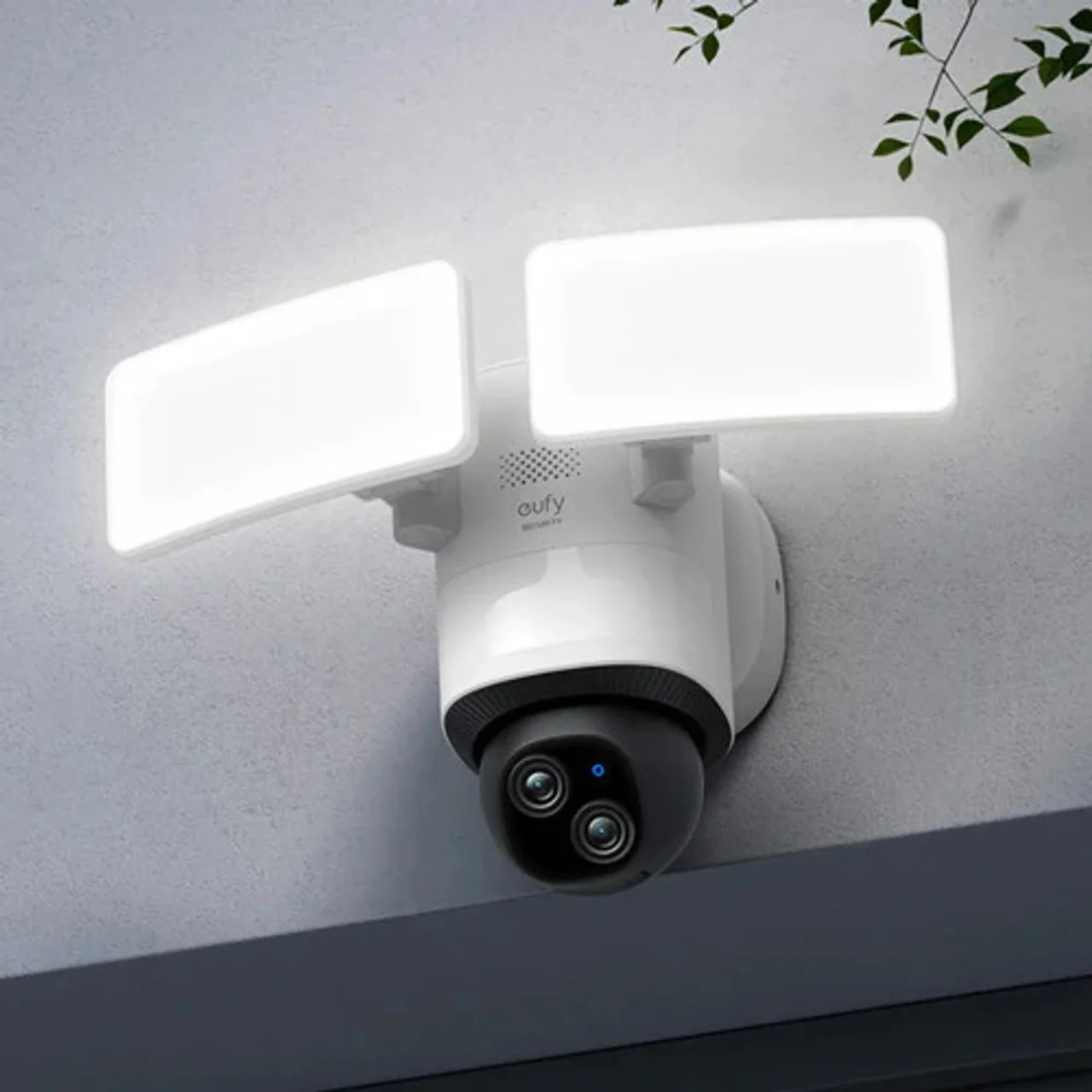 For explore our home security reviews on this site.
Why Your Garage Needs a Dedicated Security Camera
You might think, “I have a camera at my front door, isn’t that enough?” Not quite. The garage presents unique security challenges that a dedicated camera is perfectly suited to handle.
First, it’s a major access point. Many attached garages have a door leading directly into the house. If someone gains access to your garage, they are one step away from being inside your home, completely hidden from street view. A camera here acts as a critical second line of defense.
Second, it’s a hub of activity. Deliveries are often left at the garage door, kids run in and out to grab their bikes, and you’re constantly moving tools and equipment. A camera helps you keep an eye on all this movement, ensuring packages aren’t stolen and you know who is coming and going. I once had a client who used their garage camera footage to prove a delivery driver had damaged their garage door, saving them a hefty repair bill. That alone made the investment worthwhile.
Key Features to Look For When You Buy Home Camera for Garage
Navigating the world of security cameras can feel overwhelming with all the technical jargon. Let’s break down the essential features you absolutely need for a garage camera, no fluff.
### Crystal Clear Video Quality (Resolution)
This is non-negotiable. The primary purpose of a camera is to see what’s happening.
- 1080p (Full HD): This is the minimum standard you should accept. It provides clear enough video to identify people and general activity.
- 2K or 4K (Super HD/Ultra HD): This is a significant step up. The extra detail allows you to zoom in on footage to read a license plate in the driveway or get a crystal-clear look at a person’s face. For covering a larger area like a driveway, 2K is a fantastic sweet spot.
### See in the Dark (Night Vision)
|
Our Picks for the Best Home Camera in 2026
As an Amazon Associate, we earn from qualifying purchases.
|
||
| Num | Product | Action |
|---|---|---|
| 1 | 2K Cameras for Home Security-Outdoor/Indoor Camera for Dog/Cat/Pet/Nanny/Baby, Color Night Vision, White Light, Siren, 24/7 SD Recordings, Works with Alexa/Google Home, C1 (C1-White-2pack-2.4G) |

|
| 2 | Ring Outdoor Cam (Stick Up Cam) | Weather-Resistant Outdoor Camera, Live View, Color Night Vision, Two-Way Talk, Motion alerts, Works with Alexa | White |
|
| 3 | Blink Mini 2 — Home Security & Pet Camera(s) with HD video, color night view, motion detection, two-way audio, and built-in spotlight — 1 camera (Black) |
|
| 4 | TP-Link Tapo Pan/Tilt Security Camera for Baby Monitor, Pet Camera w/Motion Detection, 1080P, 2-Way Audio, Night Vision, Cloud & SD Card Storage, Works with Alexa & Google Home (Tapo C200) |
|
| 5 | TP-Link Tapo 2K Pan/Tilt Security Camera for Baby Monitor, Dog Camera w/Motion Detection, 2-Way Audio, Siren, Night Vision, Cloud & SD Card Storage, Works with Alexa & Google Home, 2-Pack (C210P2) |
|
| 6 | WYZE Cam Pan v3, Indoor/Outdoor IP65-Rated 1080p Pan/Tilt/Zoom Wi-Fi Smart Home Security Camera with Color Night Vision, 2-Way Audio, Compatible with Alexa & Google Assistant, Free Expert Setup |
|
| 7 | Tapo TP-Link 1080P Indoor Security Camera for Baby Monitor, Dog Camera w/Motion Detection, 2-Way Audio Siren, Night Vision, Cloud & SD Card Storage, Works w/Alexa & Google Home C100 |
|
| 8 | Kasa Smart Indoor Pan-Tilt Home Security Camera, 1080p HD Dog Camera w/Night Vision, Motion Detection for Baby & Pet Monitor, Cloud & SD Card Storage, Works w/ Alexa & Google Home, 2.4G WiFi (EC71) |
|
| 9 | WYZE Cam v4 (Latest Model), 2.5K AI Security Camera, Indoor/Outdoor Cameras for Home Security, Baby Monitor & Pet Camera, Vibrant Color Night Vision, No Subscription Required, Free Expert Help |
|
| 10 | Ring Battery Doorbell | Home or business security with Head-to-Toe Video, Live View with Two-Way Talk, and Motion Detection & Alerts (newest model), Venetian Bronze |
|
Criminal activity often happens under the cover of darkness. Your camera needs to be able to see clearly when the lights are out.
- Infrared (IR) Night Vision: This is the standard black-and-white night vision. It uses infrared LEDs to illuminate the area, which is invisible to the human eye but clear as day for the camera.
- Color Night Vision: A game-changer. These cameras use highly sensitive sensors and sometimes a small, motion-activated spotlight to record in full color at night. Seeing the color of a car or a person’s clothing can be critical evidence if something happens.
### Weather Resistance (IP Rating)
Even if you plan to install the camera inside the garage, it’s a semi-exposed environment. It can get dusty, humid, and experience temperature extremes. If you’re mounting it outside, this is even more critical.
Look for a camera with an IP65 rating or higher. The “6” means it’s completely dust-tight, and the “5” means it can withstand jets of water, like heavy rain. This ensures your camera will work reliably for years to come.
### Smart Motion Detection
You don’t want your phone buzzing every time a car drives by or a squirrel runs across your driveway. Modern cameras use AI to differentiate between types of motion. Look for:
- Person Detection: The camera only alerts you when it sees a human shape.
- Vehicle Detection: Useful for knowing when someone pulls into or leaves the driveway.
- Package Detection: Get notified when a package is delivered and when it’s picked up.
- Customizable Motion Zones: Draw boxes on the screen to define areas you care about (like the walkway to your door) and ignore areas you don’t (like the public sidewalk).
### Power Source Options
How will you power your camera? You have two main choices.
- Wired: Plugs into a standard electrical outlet. This provides constant, reliable power, so you never have to worry about a dead battery. It’s the “set it and forget it” option, perfect if you have an outlet nearby.
- Battery-Powered: These offer incredible flexibility in placement since you don’t need to run a power cord. The downside is that you’ll need to recharge the battery every few months. Some models offer a solar panel accessory to keep the battery topped up, which is a great solution for outdoor placement.
### Where Is Your Footage Stored?
When the camera records an event, where does that video go?
- Local Storage: The video is saved to a microSD card inserted directly into the camera. This is great for privacy and has no monthly fees. The downside is that if a thief steals the camera, they take the evidence with them.
- Cloud Storage: The video is uploaded to the manufacturer’s secure servers. You can access it from anywhere, and the footage is safe even if the camera is destroyed. This usually requires a monthly subscription fee, but many find the peace of mind worth it.
Where Should You Install Your Garage Camera?
Placement is everything. A great camera in a bad spot is almost useless. Here are the two most effective locations to consider when you buy home camera for garage hardware.
### Option 1: Inside the Garage
This is a fantastic choice for monitoring the interior space and the main garage door.
- Find the Best Angle: Mount the camera in a top corner of the garage, opposite the main vehicle door.
- Ensure Full Coverage: Make sure its field of view covers the main garage door, any side doors, and any windows.
- Check for Obstructions: Don’t place it where a parked car will block the view of a crucial entry point.
### Option 2: Outside the Garage
An outdoor camera is your first line of defense, monitoring your driveway and the approach to your garage.
- Mount it High: Place it 8-10 feet off the ground to keep it out of easy reach. Under the eaves is a perfect spot as it offers some protection from the elements.
- Angle it Downward: This helps capture faces more clearly and reduces glare from the sun.
- Cover the Driveway: Position it to see the entire driveway and the garage door itself. This allows you to monitor all vehicles coming and going.
Don’t Forget About Privacy and Security
A security camera is an internet-connected device, and just like your computer or phone, it needs to be secured. Your privacy is paramount.
“The biggest mistake people make is using the default password or a simple, easy-to-guess one,” notes Dr. Amelia Vance, a leading cybersecurity analyst. “Your camera’s security is only as strong as your password. Treat it like your bank account password.”
Here is a simple checklist to keep your camera secure:
- Use a Strong, Unique Password: Combine upper and lowercase letters, numbers, and symbols.
- Enable Two-Factor Authentication (2FA): This adds a second layer of security, usually a code sent to your phone, before anyone can log in to your account.
- Keep Firmware Updated: Manufacturers regularly release updates to patch security vulnerabilities. Enable automatic updates if the option is available.
Frequently Asked Questions (FAQ)
1. Can I use a regular indoor camera in my garage?
You can, but it’s not ideal. Indoor cameras are not built to handle the temperature fluctuations, dust, and humidity common in a garage. For long-term reliability, it’s much better to choose a camera with at least a basic level of weather resistance (like an IP65 rating).
2. Do I need Wi-Fi in my garage for a camera to work?
Yes, most modern home security cameras rely on a Wi-Fi connection to stream video to your phone and send you motion alerts. Before you buy, check the Wi-Fi signal strength in your garage using your smartphone. If it’s weak, you might need a Wi-Fi extender.
3. Do garage security cameras record 24/7?
Some do, and some don’t. Many battery-powered cameras only record when they detect motion to conserve power. Wired cameras are more likely to offer continuous 24/7 recording, but this will require a lot of storage space, making a cloud subscription or a large microSD card essential.
4. How much should I expect to spend?
A quality, reliable home camera for the garage can range from $50 to $200. The price depends on features like video resolution (4K costs more than 1080p), color night vision, and AI detection capabilities. Don’t just go for the cheapest option; invest in the features that will actually provide you with security and peace of mind.
5. Is a camera with a spotlight better for a garage?
A motion-activated spotlight is an excellent feature. Not only does it enable color night vision, but the light itself is a powerful deterrent. When a bright light suddenly turns on, it often sends potential intruders running.
Your Final Step to a Safer Home
Choosing to buy home camera for garage is a smart, proactive step toward securing your entire home. It’s about more than just technology; it’s about giving yourself the confidence that your property, your valuables, and your family are protected. By focusing on the key features—clear resolution, reliable night vision, smart detection, and a durable build—you can find the perfect solution that works for you. Your peace of mind is the ultimate return on investment.
Frequently Asked Questions
Can a regular indoor camera be used in a garage?
No, a regular indoor camera is not ideal for a garage environment. Garages experience significant temperature fluctuations, dust, and humidity that indoor cameras are not designed to withstand. For long-term reliability, choose a camera with at least an IP65 weather resistance rating.
Is Wi-Fi necessary for a garage security camera to function?
Yes, most modern home security cameras require a Wi-Fi connection to stream video to your smartphone and send motion alerts. Before purchasing, check the Wi-Fi signal strength in your garage; a weak signal may necessitate a Wi-Fi extender for reliable operation.
Do all garage security cameras offer 24/7 recording?
Not all garage security cameras record 24/7. Many battery-powered models only record upon motion detection to conserve power. Wired cameras are more likely to offer continuous recording, but this requires substantial storage, often through a cloud subscription or a large microSD card.
What is the typical cost for a reliable garage home camera?
A quality, reliable home camera for the garage typically ranges from $50 to $200. The price varies based on features such as video resolution (e.g., 4K costs more than 1080p), color night vision capabilities, and advanced AI detection features.
How does a camera with a spotlight benefit garage security?
A motion-activated spotlight on a camera is highly beneficial for garage security. It not only enables full-color night vision, providing more detailed evidence, but the sudden bright light also acts as a powerful deterrent, often causing potential intruders to flee the area.
How to Install Your Garage Security Camera
Proper placement is crucial for maximizing your garage security camera's effectiveness. Follow these steps for optimal indoor or outdoor installation.
For interior monitoring, mount the camera in a top corner of the garage, positioned opposite the main vehicle door. This vantage point helps ensure a wide field of view, covering the main garage door, any side doors, and windows.
Verify that the camera's field of view captures all critical entry points. Avoid placing the camera where a parked car or other objects might block its view of crucial areas, compromising its effectiveness.
If installing outside, place the camera 8-10 feet off the ground to prevent easy tampering. Mounting it under the eaves offers protection from elements and angling it downward helps capture faces more clearly while reducing sun glare.
Position the outdoor camera to monitor the entire driveway and the garage door itself. This ensures you can track all vehicles and individuals approaching or leaving your garage, enhancing overall property surveillance.
Always use a strong, unique password combining letters, numbers, and symbols for your camera. Enable two-factor authentication (2FA) and keep the firmware updated to patch security vulnerabilities, protecting your privacy and data.
Smart home that does not lock you in
Free PDF — protocol compatibility matrix for 30 hubs and devices.
I bought a camera specifically for the garage, hoping the color night vision would be as good as advertised. While it’s definitely better than black and white, it’s not quite as vibrant as I expected in very low light. It still gets the job done for basic monitoring, but I was hoping for a bit more clarity on colors. Setup was pretty straightforward though.
I finally got around to installing a camera in my garage after reading about the importance of IP65 weather resistance. We live in an area with pretty extreme temperature swings, and I was worried about the camera holding up. This one has been fantastic, no issues at all with the cold or humidity. It’s great to be able to check on things when I’m away.
The smart motion detection on my new garage camera is a game-changer. I used to get so many false alerts from shadows or even just a leaf blowing by, but this one is much more accurate. It really helps me focus on actual events. The 1080p resolution is also super clear, which is a big plus for identifying details.
Having a dedicated camera for the garage has given me so much peace of mind. I used to constantly worry about whether I’d left the garage door open or if packages were safe. Now I can just quickly check my phone. It’s amazing how much less stress I have knowing I can monitor this common access point to my home.